FleetCheck can help you manage your lease contracts by alerting you to potential excess mileage charges and providing an up-to-date view of the contract status throughout the lease term.
Setting Up Excess Mileage Monitoring
You will need to navigate to Vehicles and open the required vehicle record, select the Finance section -

Under Finance Details, enter the following information:
- Finance Method
- Start Date
- End Date
- Start Odometer
- Contract Length (Months)
- Annual Mileage Allowance
Set the mileage thresholds:
- Risk Mileage Limit: The mileage level at which you want to receive an early warning.
- Critical Mileage Limit: The mileage level at which you want to receive a higher-priority alert.
- Enter the Excess Mileage Charge (the amount charged per mile/kilometre over the contract allowance).

Viewing Mileage Predictions
Once all finance details have been entered, scroll down to view:
Mileage Calculator
These tools use the vehicle's recorded mileage to estimate whether the vehicle is likely to exceed its contracted mileage allowance.
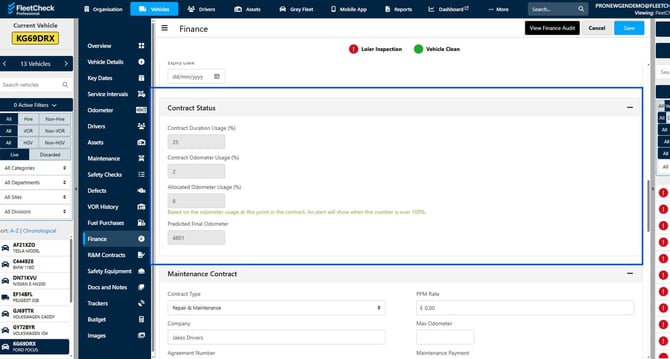
The system can report and alert you when the Finance Excess Mileage is close to its contracted mileage allowance. Keeping you on top of your Contracted Vehicles.