Working with the Highways England Commercial Vehicle Incident Prevention Team, we have produced a series of driver information cards and online modules to assist van drivers and fleet operators in dispelling uncertainty and myth.
They can be accessed on FleetCheck and will enable you to implement best practice for what is required to reduce costs, improve operating conditions and ensure safe and legal vehicles and wellbeing for drivers at all times.
To utilise the Drivers Toolkit on your Drivers app, you first need to enable it with the Mobile App settings area - 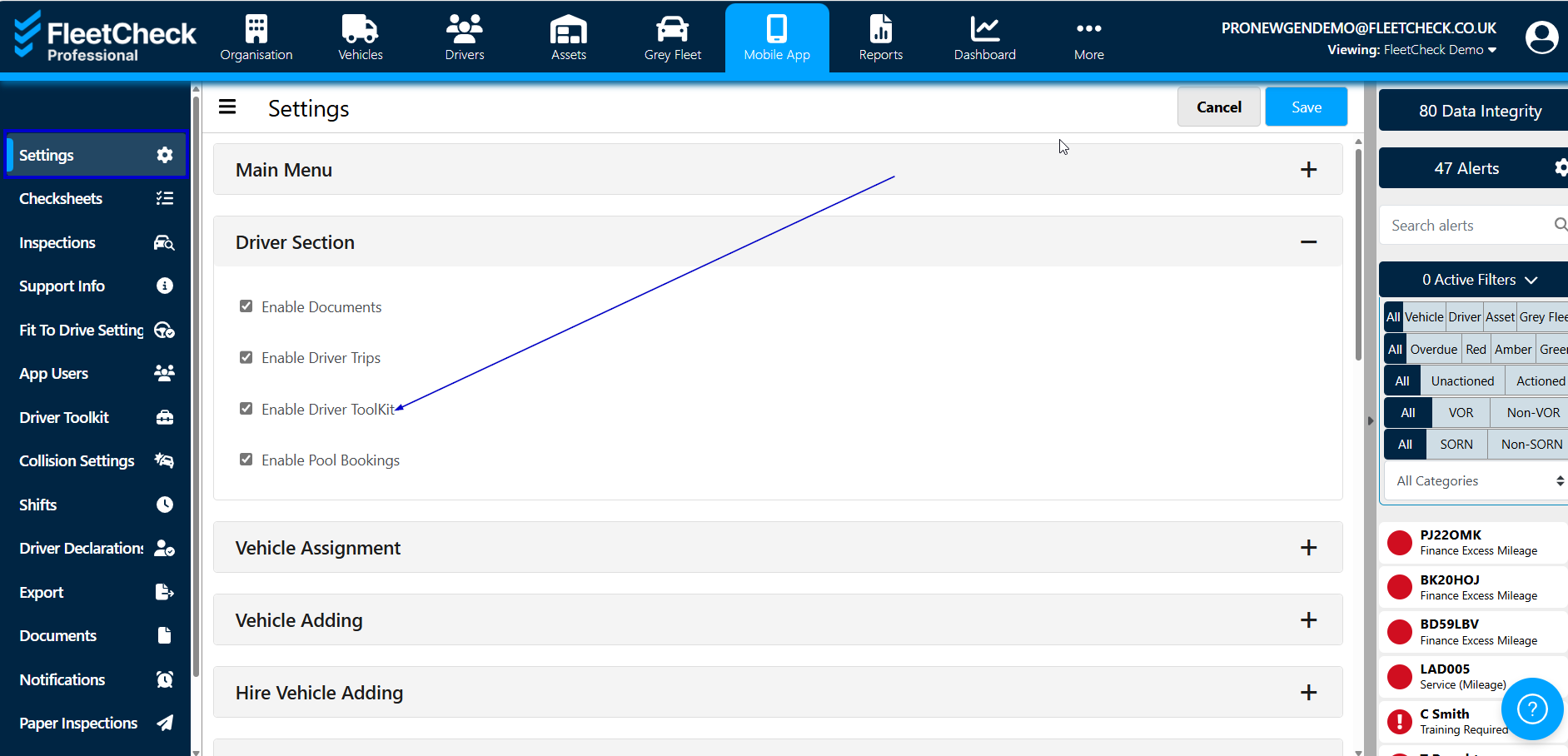
You will then see on the left hand side under the Mobile App menu heading you will have the Driver Toolkit option -
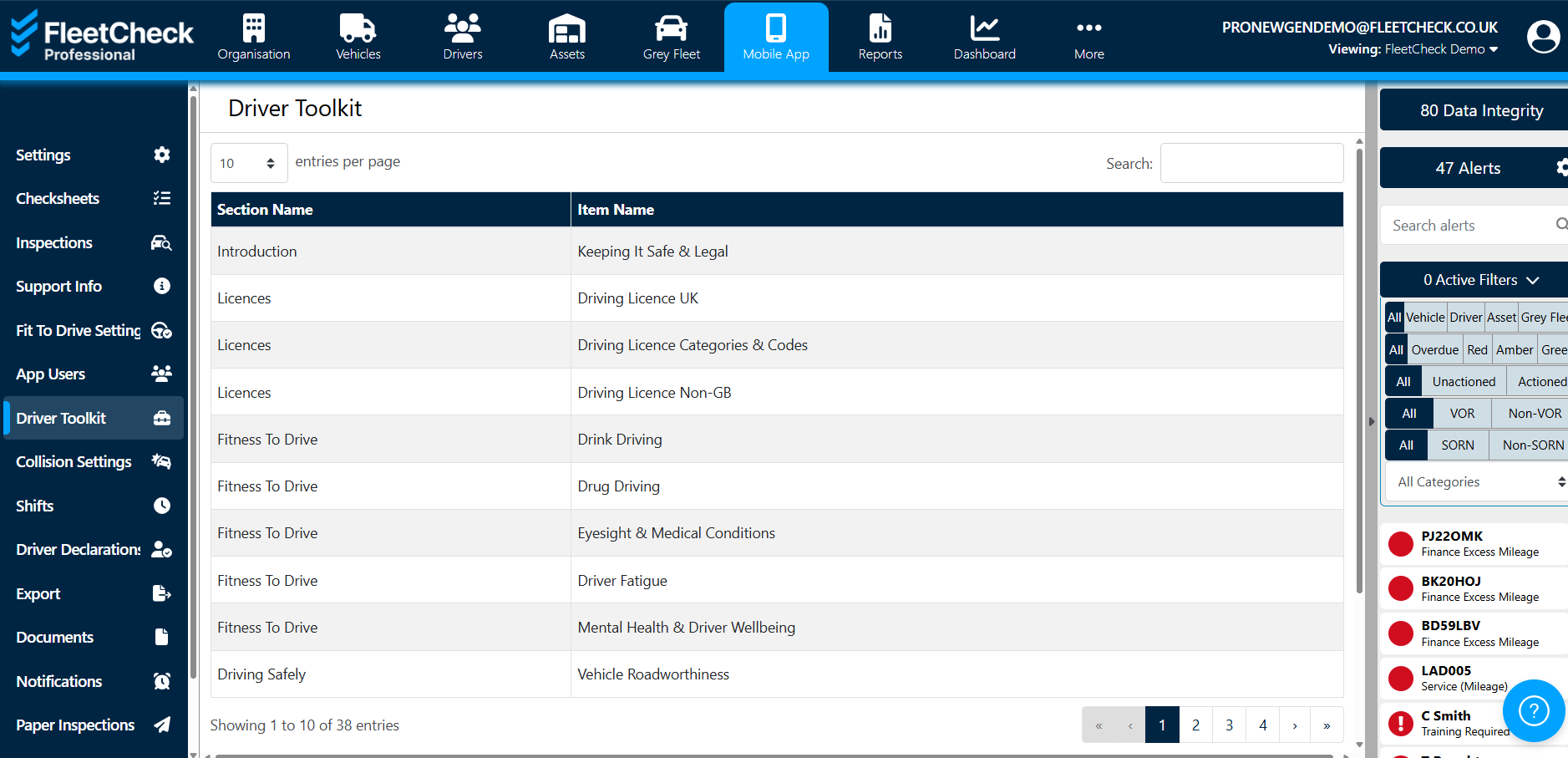
By selecting on the Line Name or Section Name you will be able to look at the content of the toolkit section by downloading the article
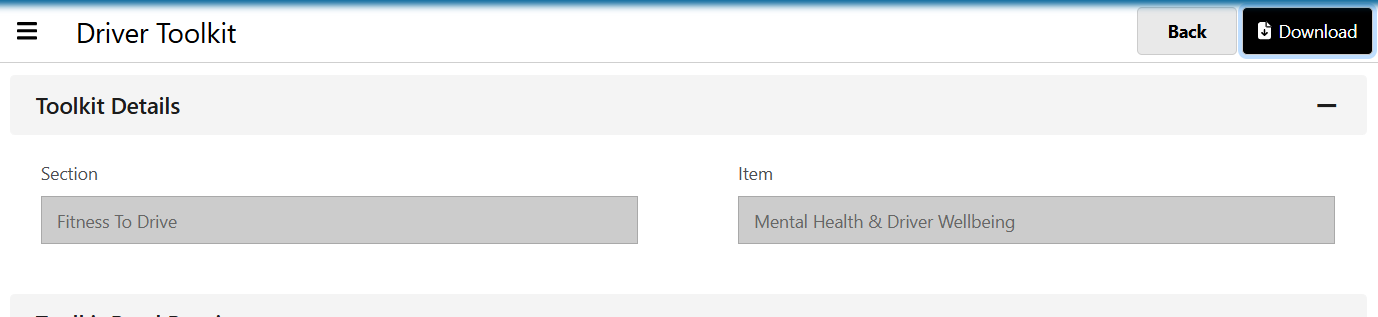
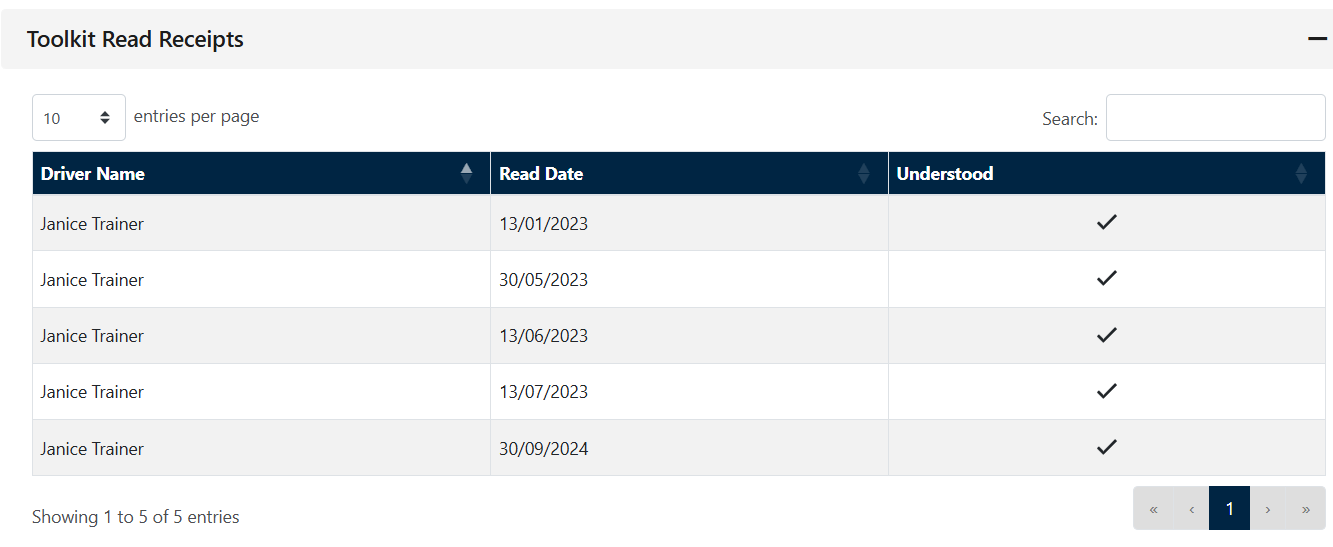
It is within here you have visibility of which drivers have viewed which sections, simply select the section in question

and then this will take you through to the Toolkit 'Read Receipts' and has 'understood' so you have visibility that the driver has read the information and they have indeed understood
You can not make any changes to the content within the Drivers Toolkit nor can you add your own. We would suggest if you wish to send your drivers information on the app we would use either the Driver Document section for those on the Professional/FORS FMS solution, for those on Essential we would recommend using the Support Area of the app. Both the Documents for Pro/FORS and the Support section will retain the information for your Drivers own reference.