These declarations give you the opportunity to ask your drivers if they are safe to be driving. Fit to Drive is located on the left hand side menu underneath the Mobile App tab
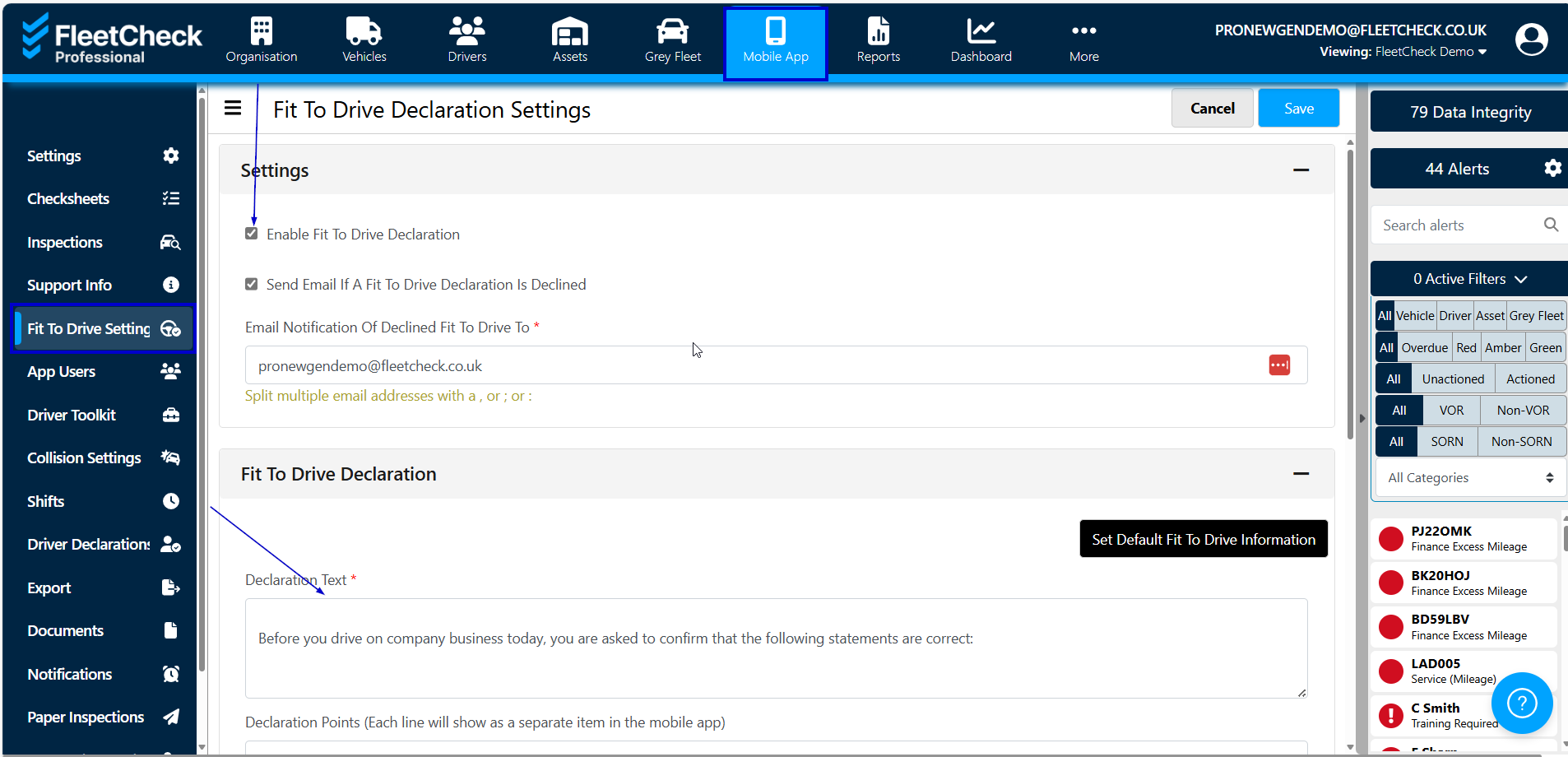
This declaration will appear when the drivers first log into the app, asking them to accept before they are able to continue into the app to do their inspection.
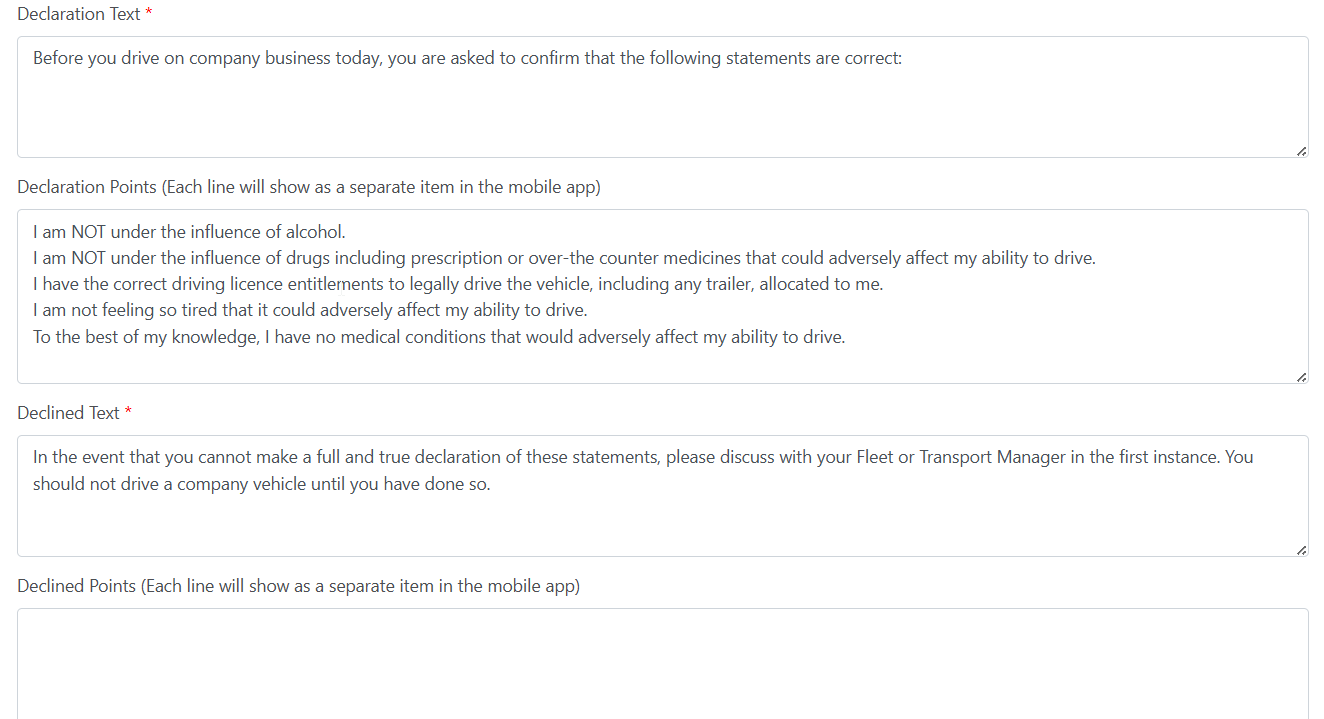
If they decline, you can tailor the message to say something like, “Do not drive your vehicle and call your Fleet Manager right away”. You will also be notified if you complete the email notification area.
This should diminish incidents that occur due to driving under the influence etc
These declarations can be completely customised meaning you can write one from scratch to align with company policies, or you can use our set template-
Just be sure to Save any changes you make