On the FleetCheck software you are able to keep track of your vehicles on order.
Located on the left hand menu underneath the Vehicles tab you are able to access your Orders area
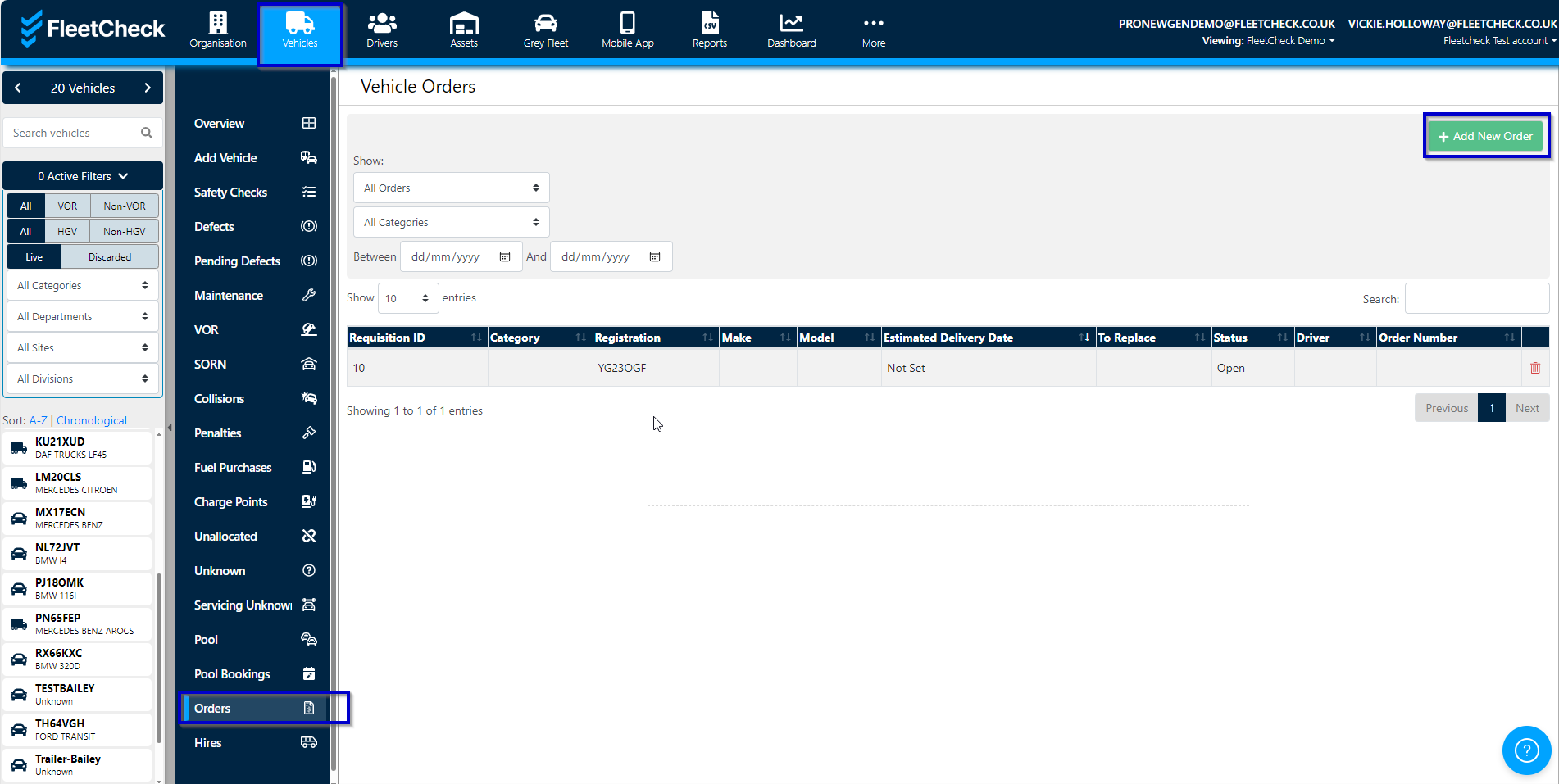
To add a new order in, select the button in question and complete the order area for the Incoming Vehicle
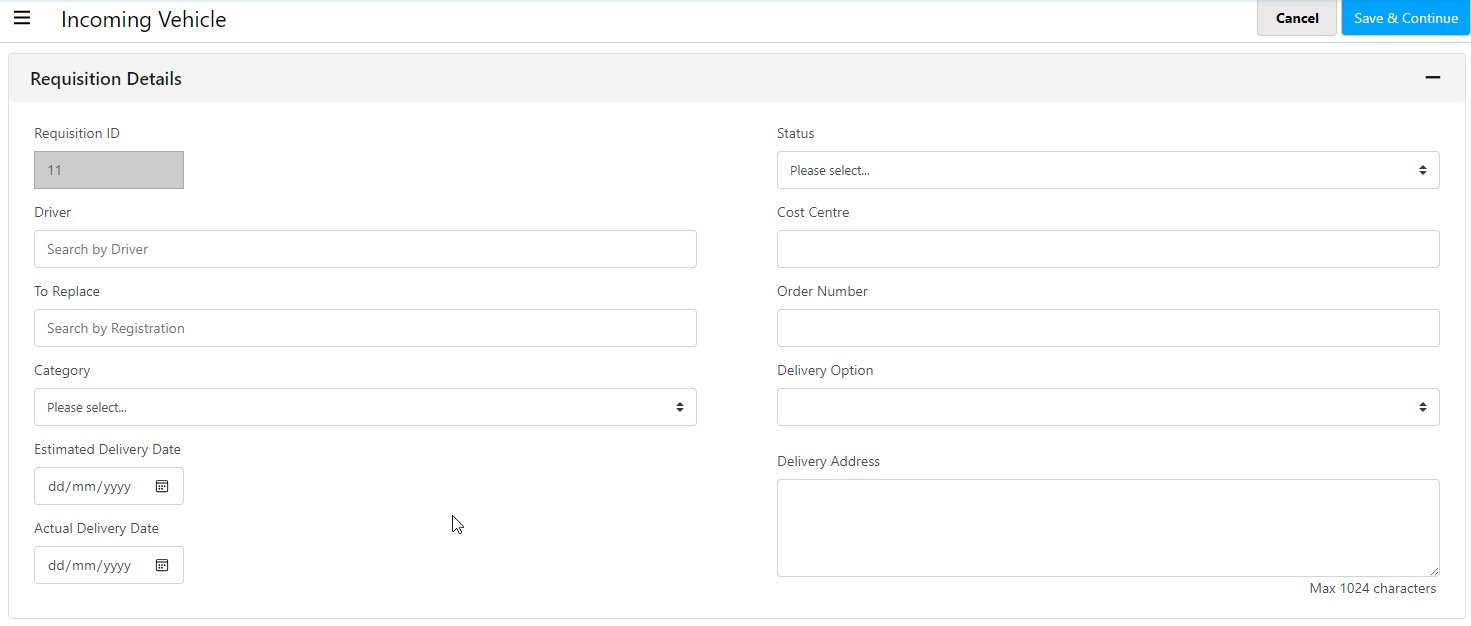
the vehicle order detail is then viewable within the front screen, to access the details simply select on the Vehicle within the Vehicle orders screen and this will then display the particular details for the vehicle on order.
