In the event a vehicle is not roadworthy to drive on public roads, for example its MOT has expired, you can update the vehicle status to VOR.
There is a tile that displays the number of vehicles currently set as VOR inside the 'Vehicles' overview page. You can click this tile to see a list of all the vehicles, and then select a vehicle from this list to manage its VOR status. If there are many VOR vehicles on your fleet you can narrow them down by category.
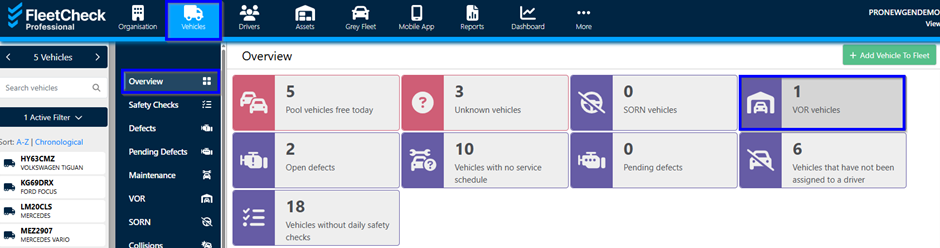
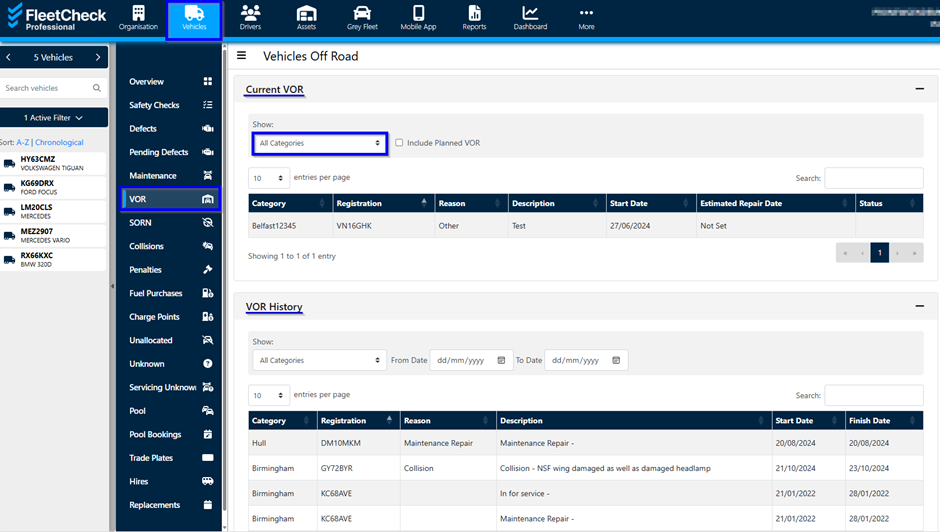
Vehicles can be set as VOR through the 'Vehicles' main menu page, selecting the vehicle registration from the side menu followed by the ‘Set As VOR’ button in the left ‘Vehicle Details’ tab. Alternatively you can do so in the 'VOR History' tab.
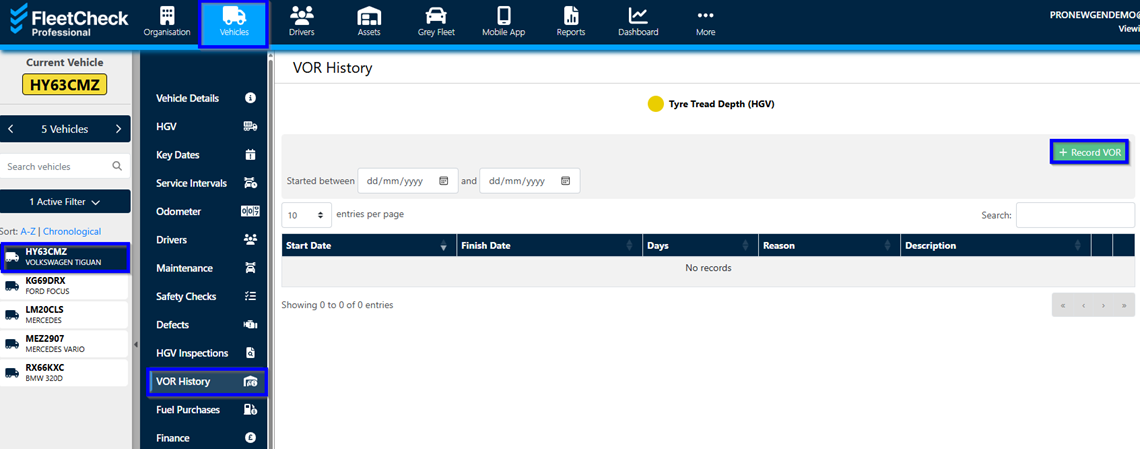
The 'VOR History' page has the list of any reported periods when this vehicle was VOR, as well as a button "+ Record VOR" to set the vehicle as VOR.
Click the button "+ Record VOR", entering the relevant information and clicking "Save" will set the vehicle status as VOR - required fields are marked with a "*" (red asterix). A warning message will let you know if any required information is missing.