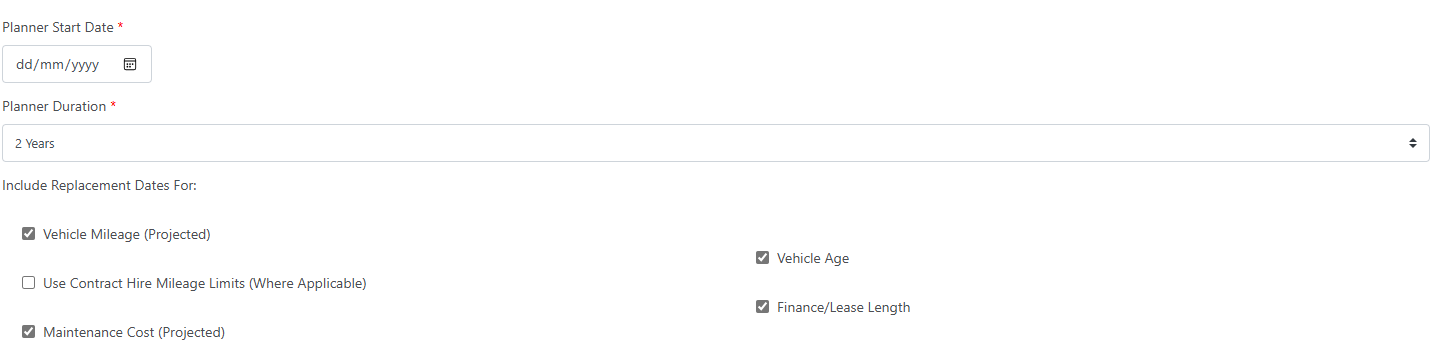
Replacements is an area on the software that gives you a Planner for your vehicles on fleet.
The advantage of adding vehicles into a replacement planner helps you to have visibility of when a vehicle is due to be replaced - incorporating key factors affecting replacement such as mileage, age total maintenance costs etc.
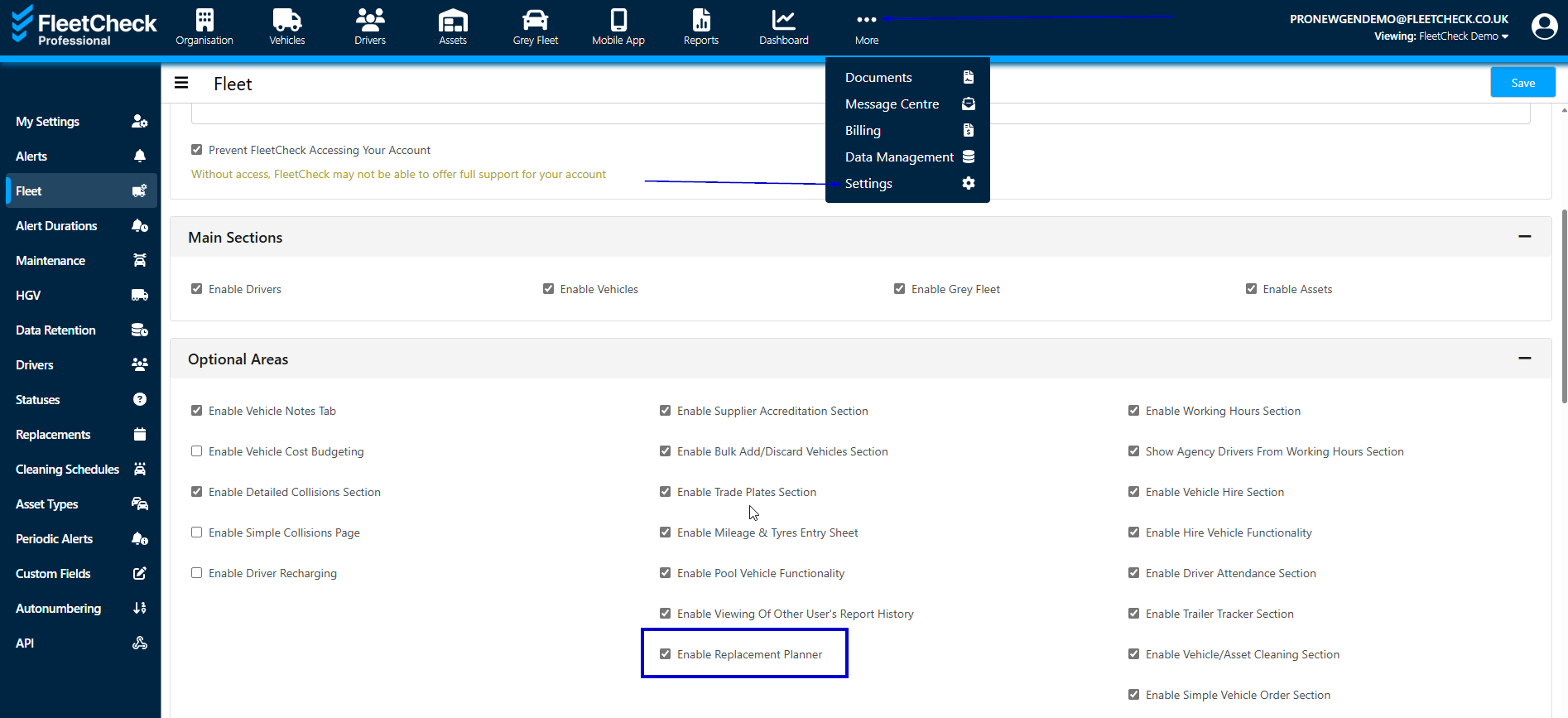
The Replacements area on the software can be turned on withing our Settings area on the software. Simply by going to More, Settings and the Fleet Optional Areas select Enable Replacement Planner
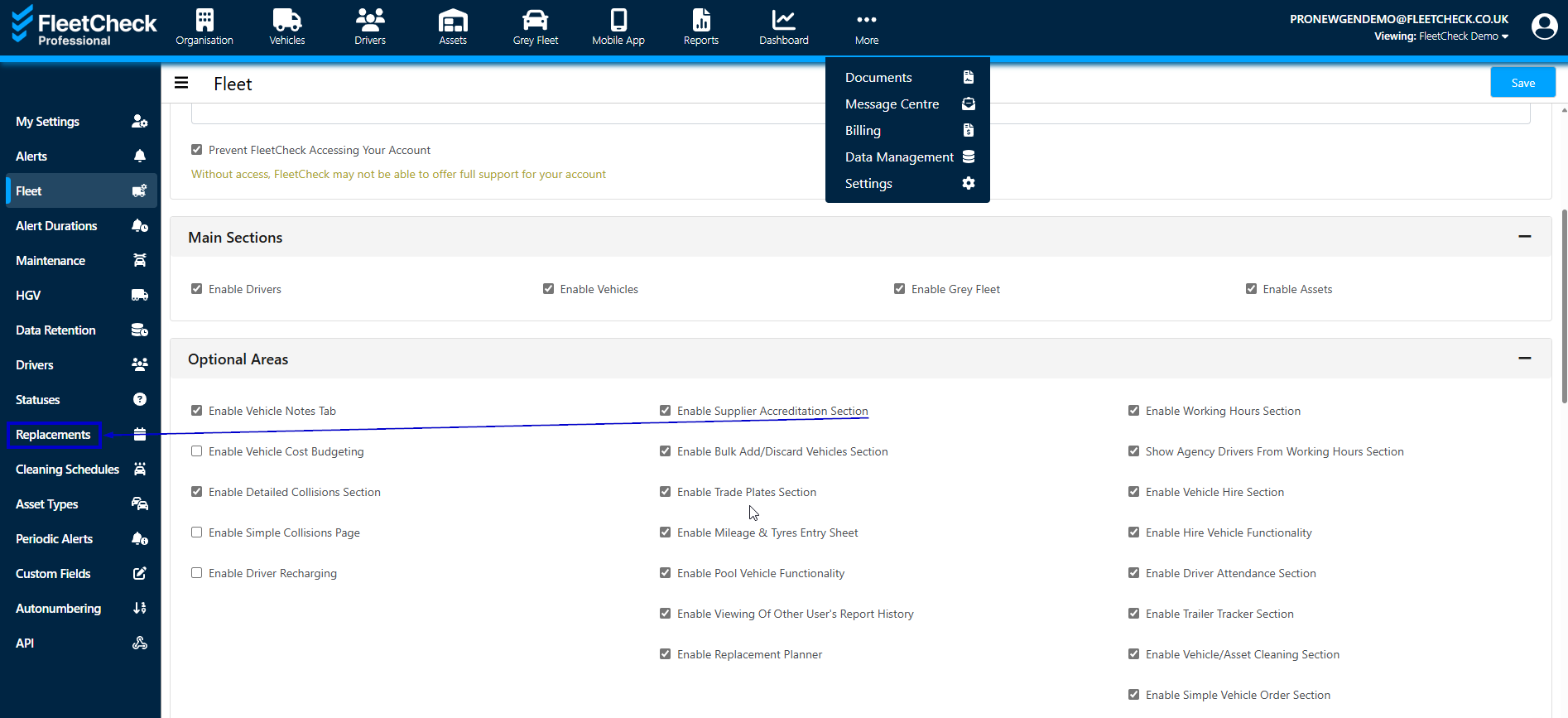
Once enabled, you will then have a Replacements area appear within your left hand side menu -
Within Replacements you have your Replacement Plans area
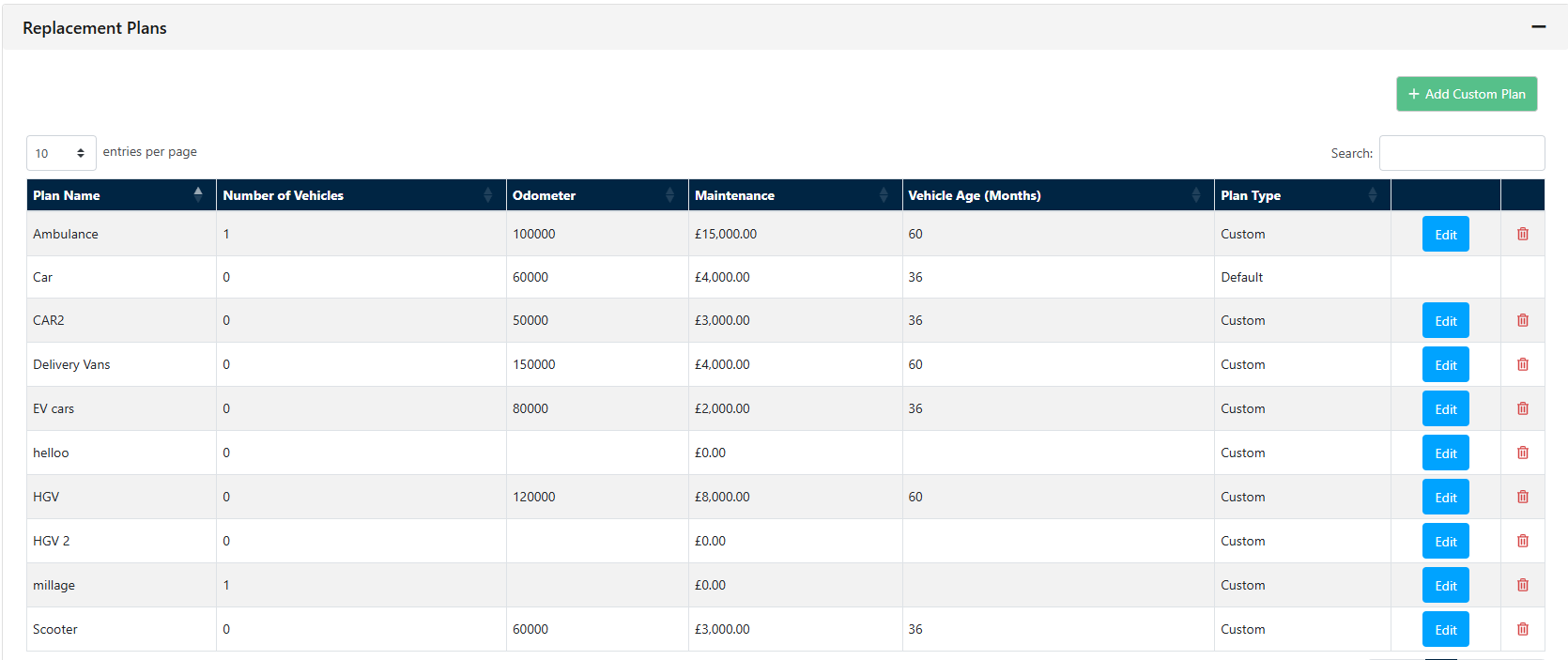
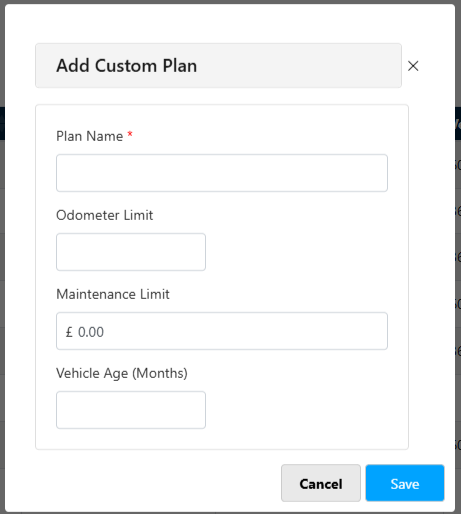
This is where you can create your Plan to determine the Limits applied to a certain type of vehicle or Maintenance costs
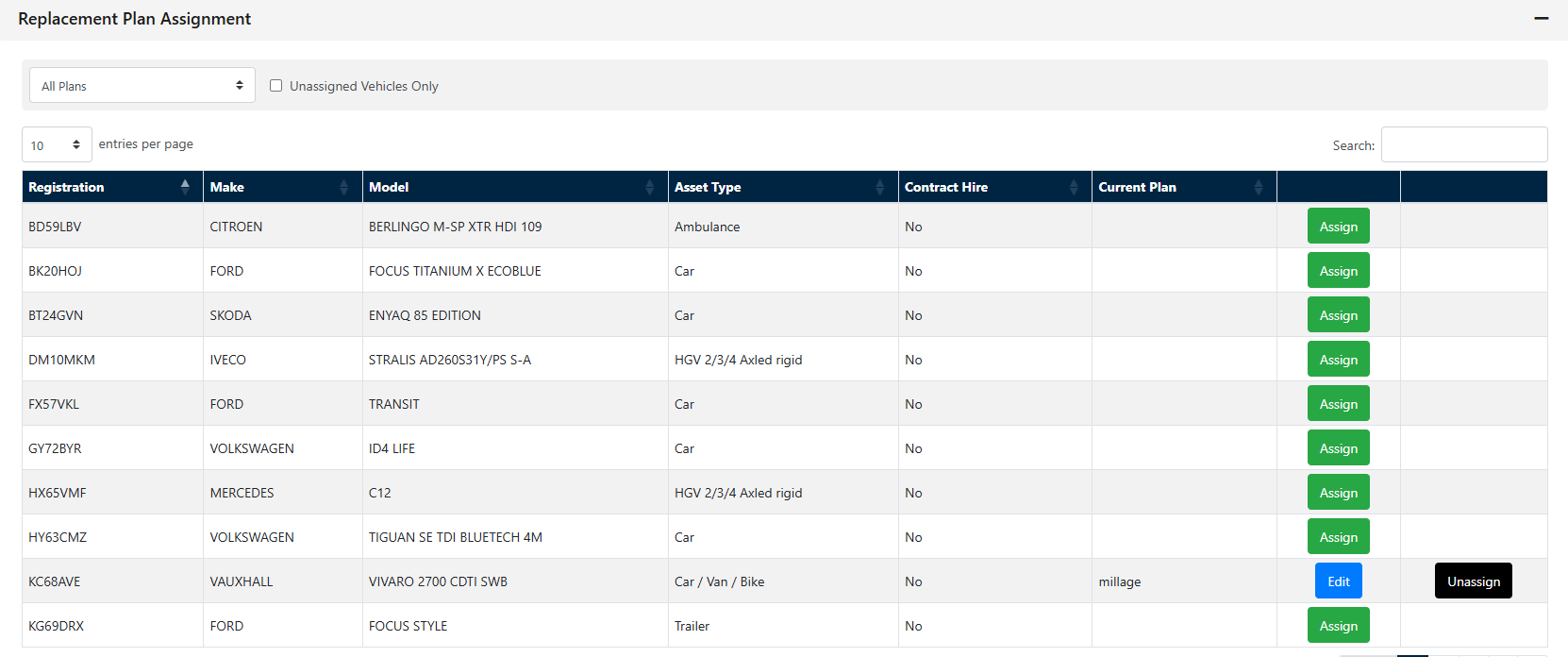
Once you have created your vehicle plans you can then assign your fleet of vehicles to the relevant plans
Located within the left had side menu underneath the Vehicles main tab you will have Replacements
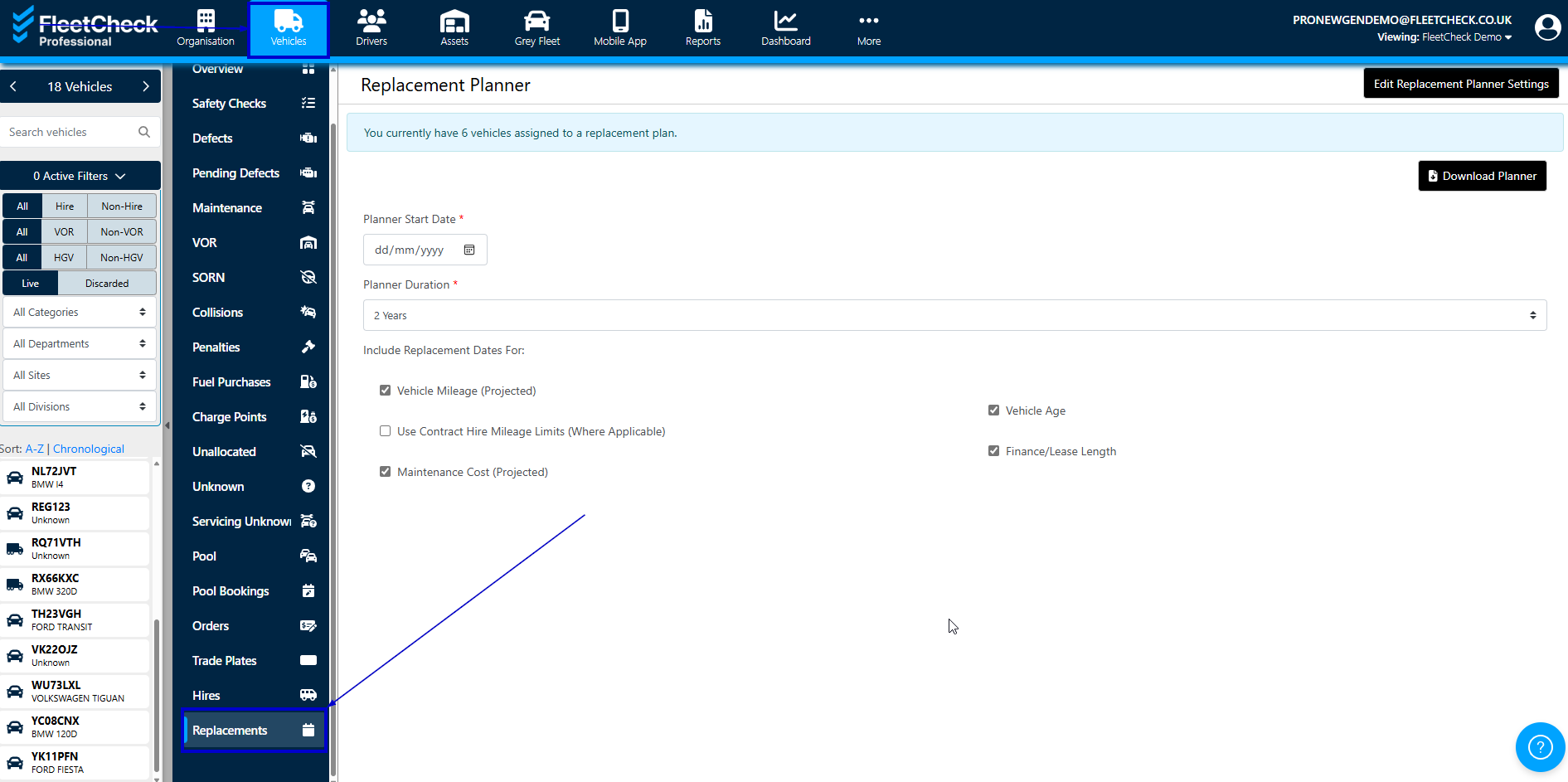
You are able to download your planner within this area detailing the types of Replacement Plans to be included within a time period