If you have any vehicles on your Fleet that are transporting hazardous materials, it is likely that you are running tankers on your Fleet.
On FleetCheck Professional we have an area specifically designed for you.
In order to access this area, we need you to set up a Custom Asset Type for your tanker. Custom Assets are created from selecting 'More' on the top menu bar, and then 'Settings' and then 'Asset Types' -
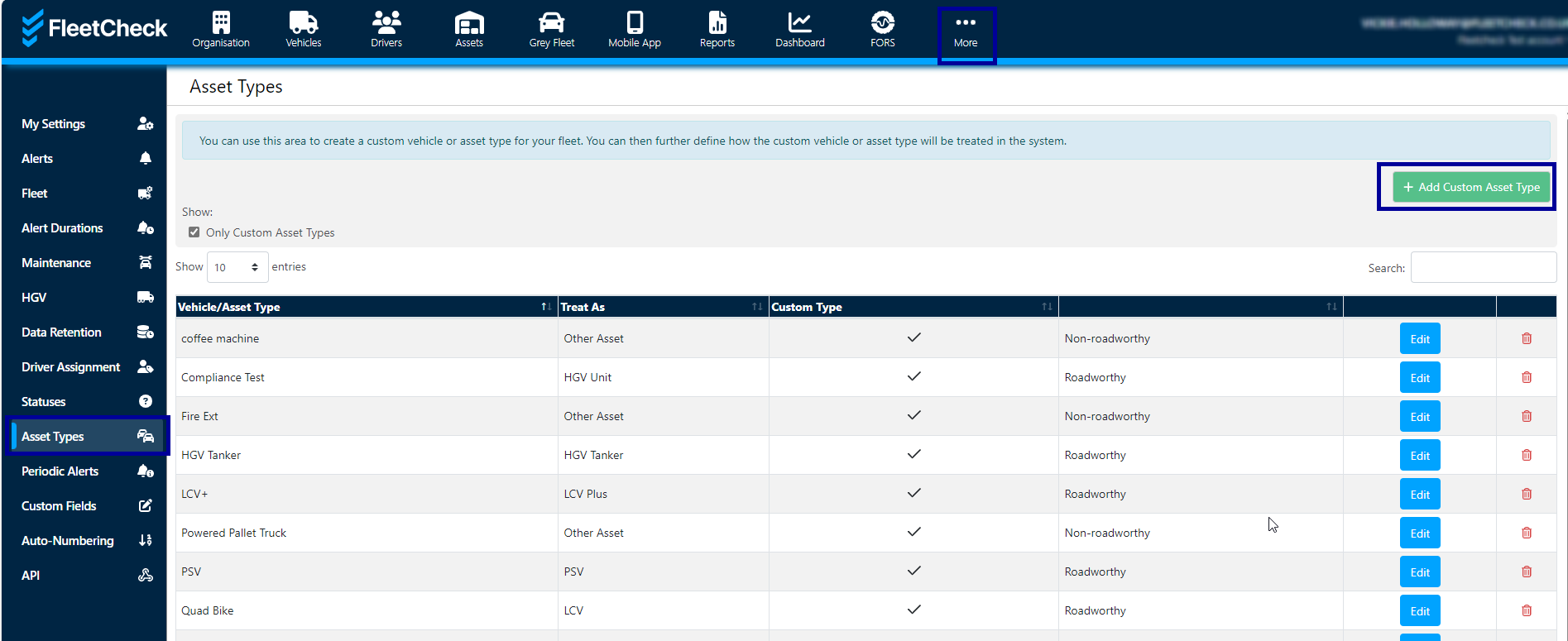
It's then a case of creating your Custom Asset Type
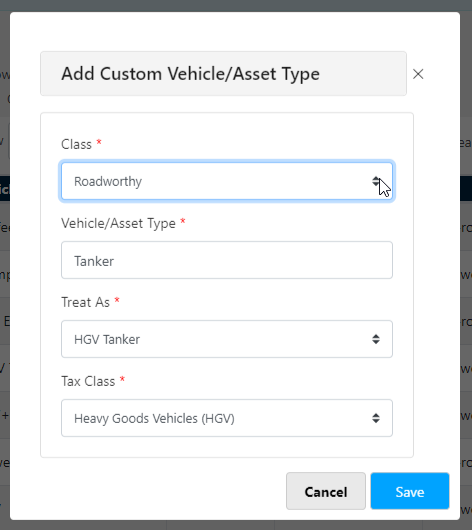
Once saved, you can then go into the vehicle on the software in question and set it's status as a Tanker.
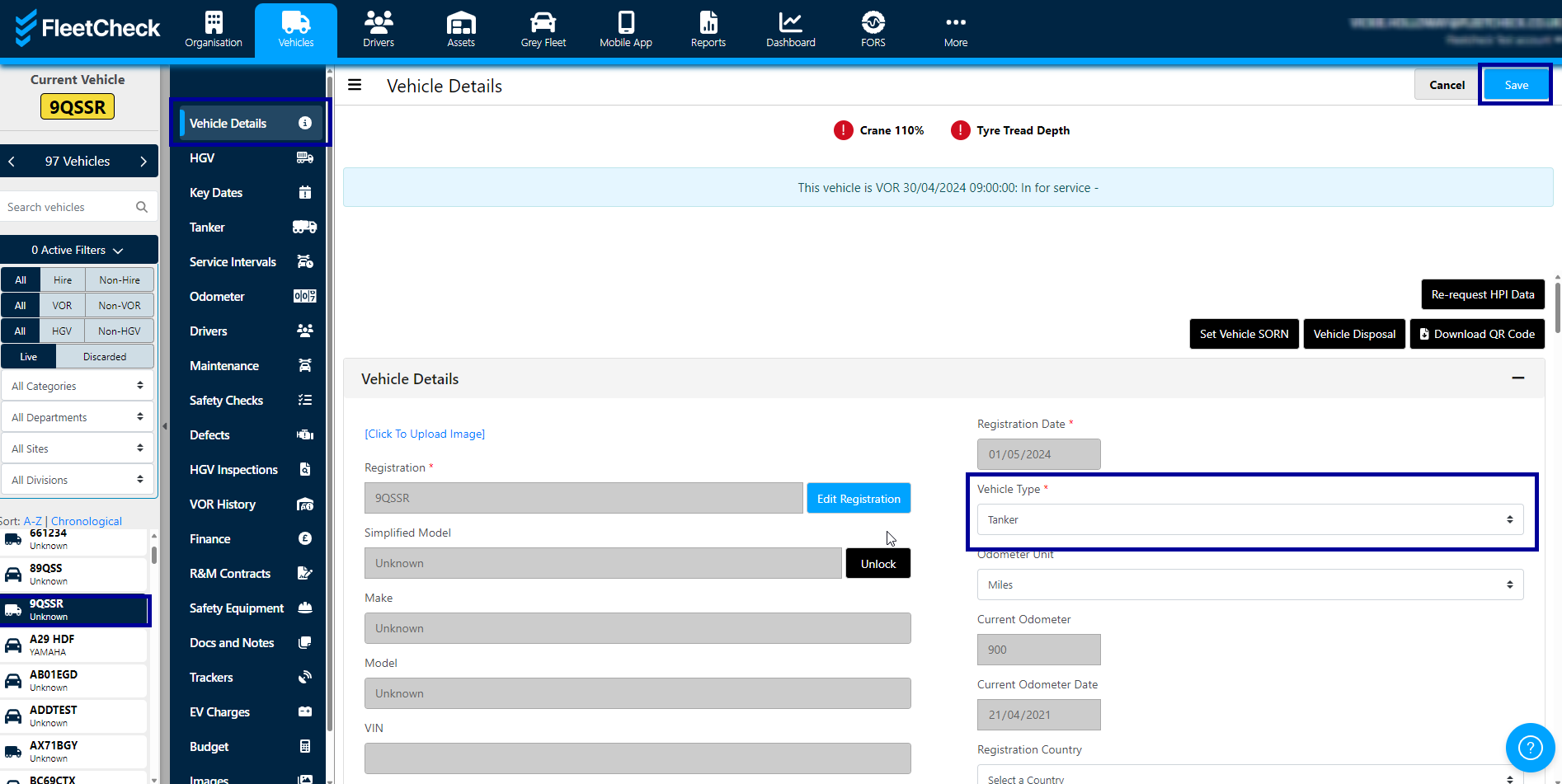
Once you have a Tanker on the software, you will notice that the following appear for you to help you manage your vehicle
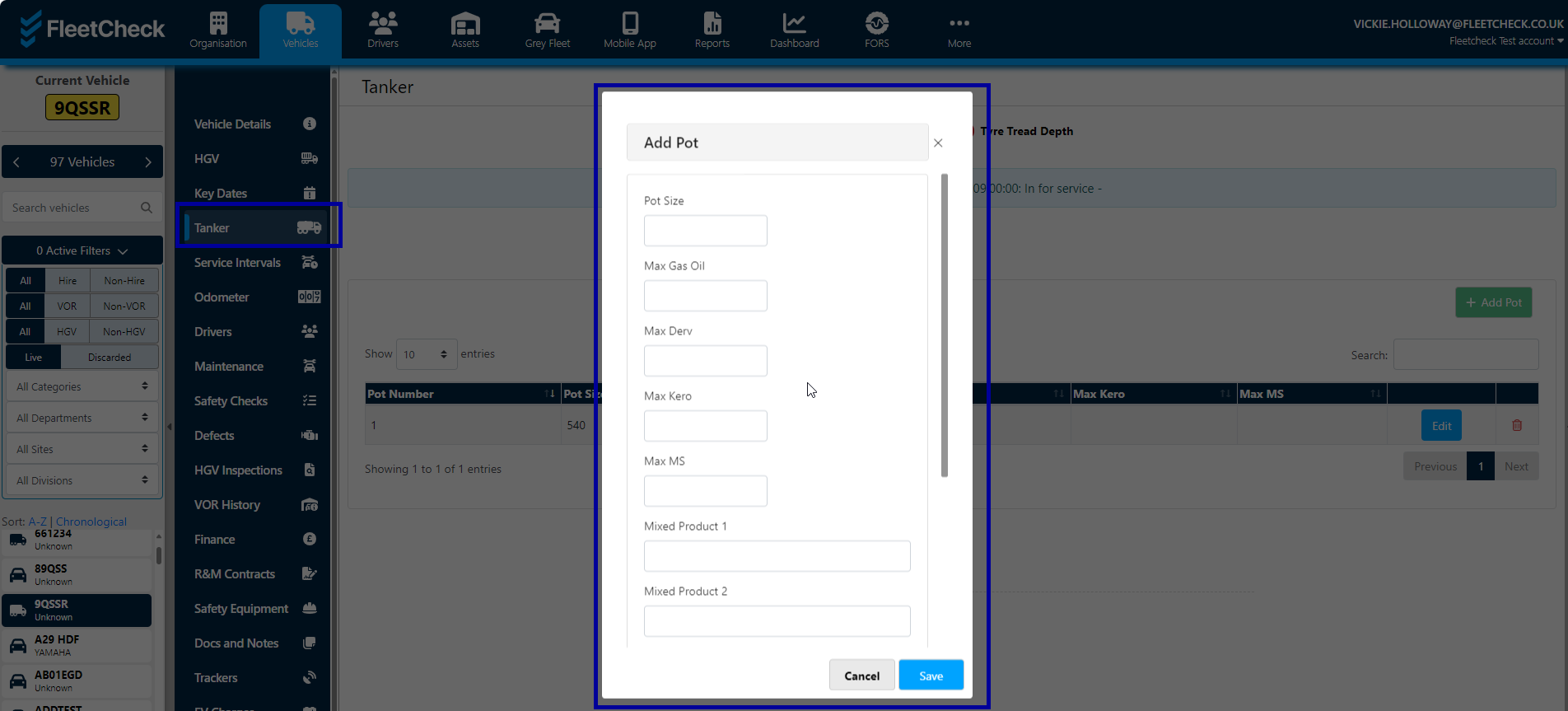
There is a Tanker button underneath Key Dates

this will allow you to administer the POT against the vehicle.
You will also note that in Key Dates you now have a very valuable area for you to add in important details for your vehicle
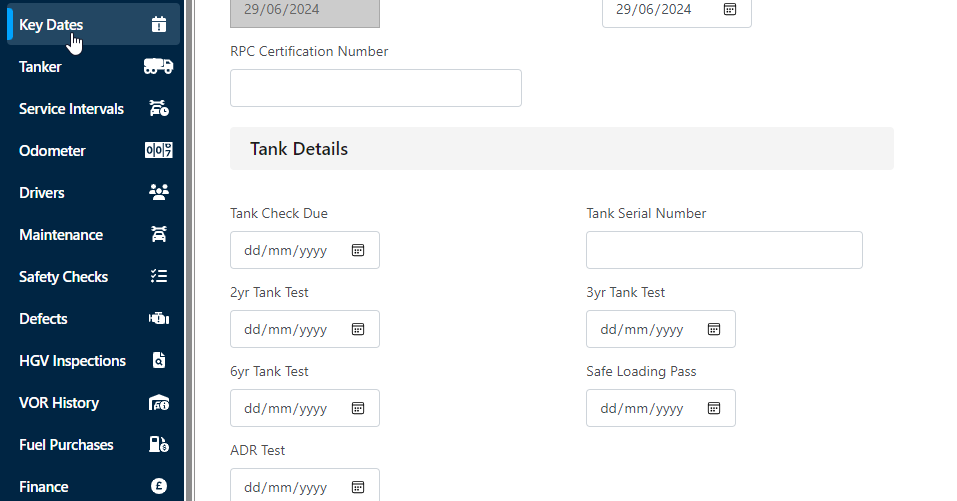
If these fields are completed, you will now be alerted by the FleetCheck software of your impending ADR tests, Safe loading Pass key dates etc, another weight off of your mind.