In the event a vehicle is not roadworthy to drive on public roads, for example its MOT has expired, you can update the vehicle status to VOR.
There is a tile that displays the number of vehicles currently set as VOR inside the 'Vehicles' overview page. You can click this tile to see a list of all the vehicles, and then select a vehicle from this list to manage its VOR status.
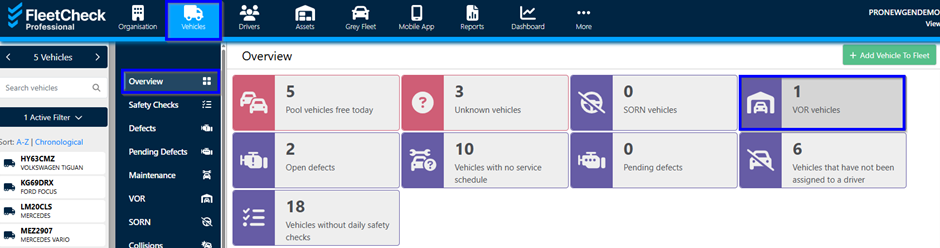
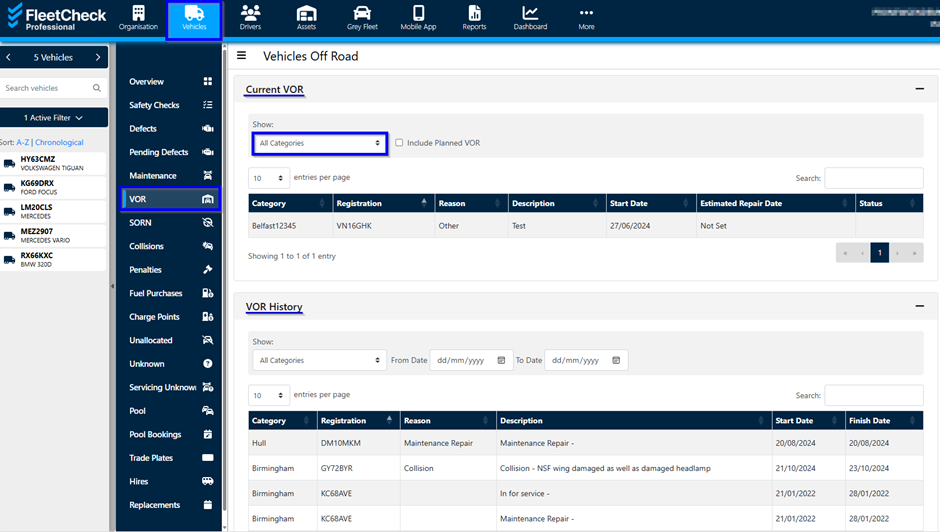
You can also edit a VOR from the Vehicles overview page -
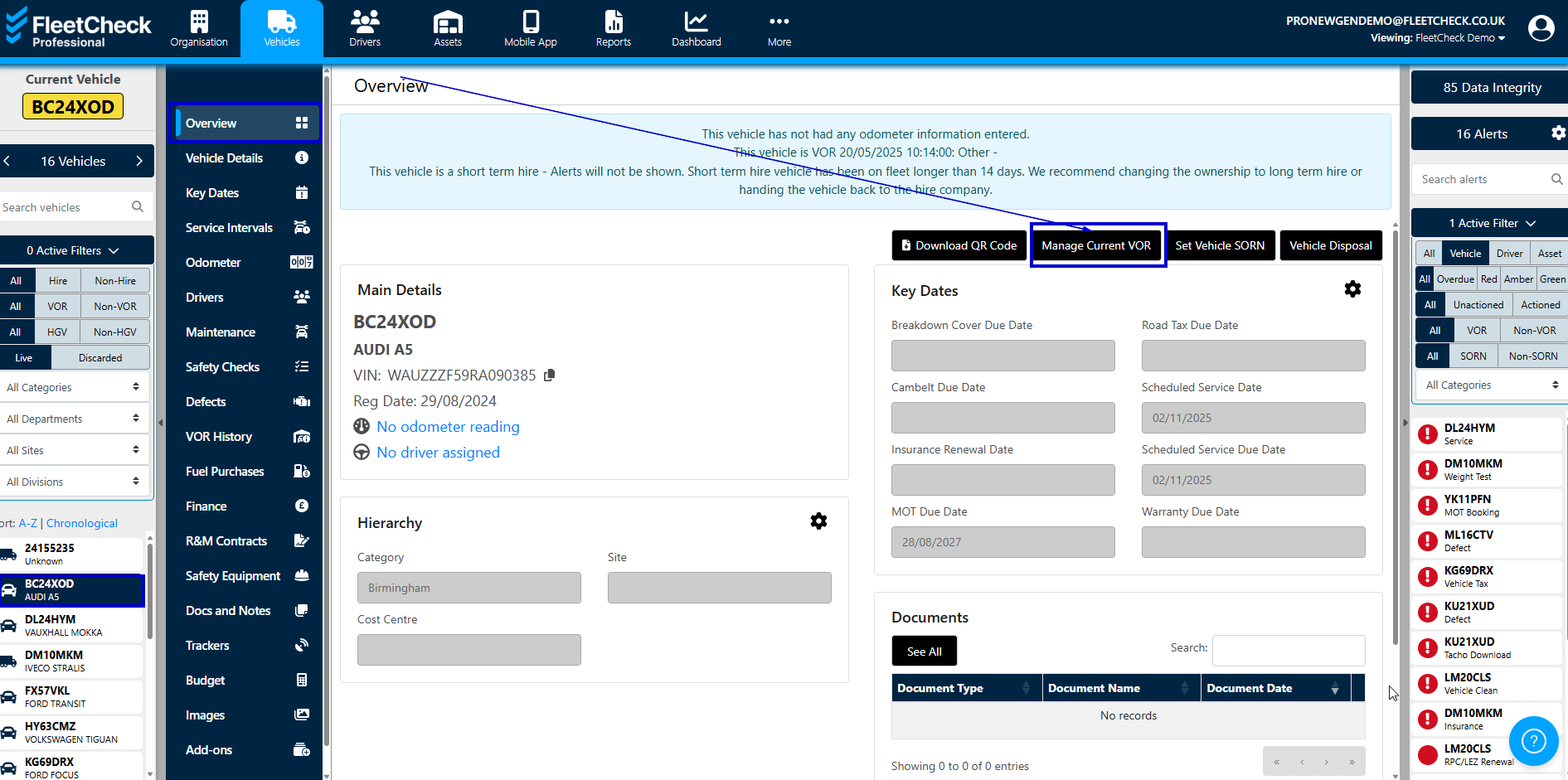
To remove a vehicle from a VOR status - select the vehicle concerned from the 'Current VOR' area -
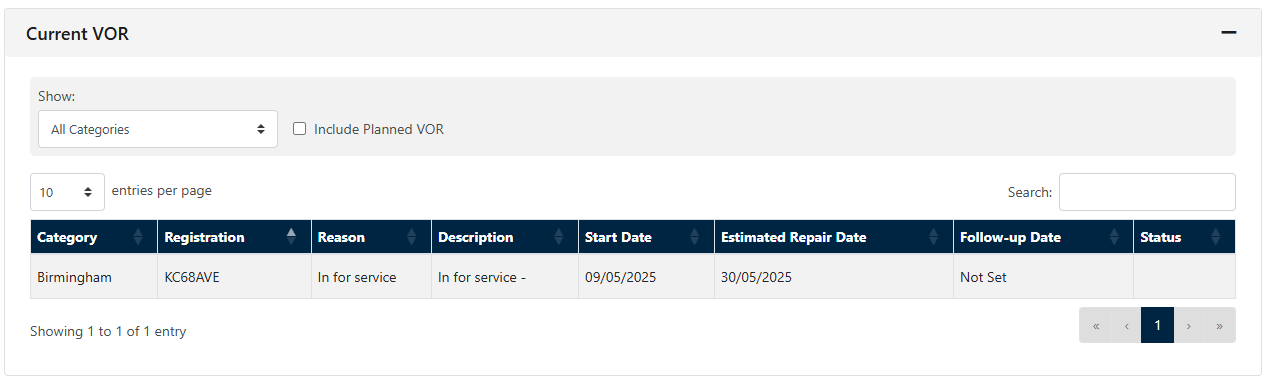
This will then take you into the VOR details for the vehicle. To end the VOR its simply a case of adding in the Finish Date and saving any notes etc -
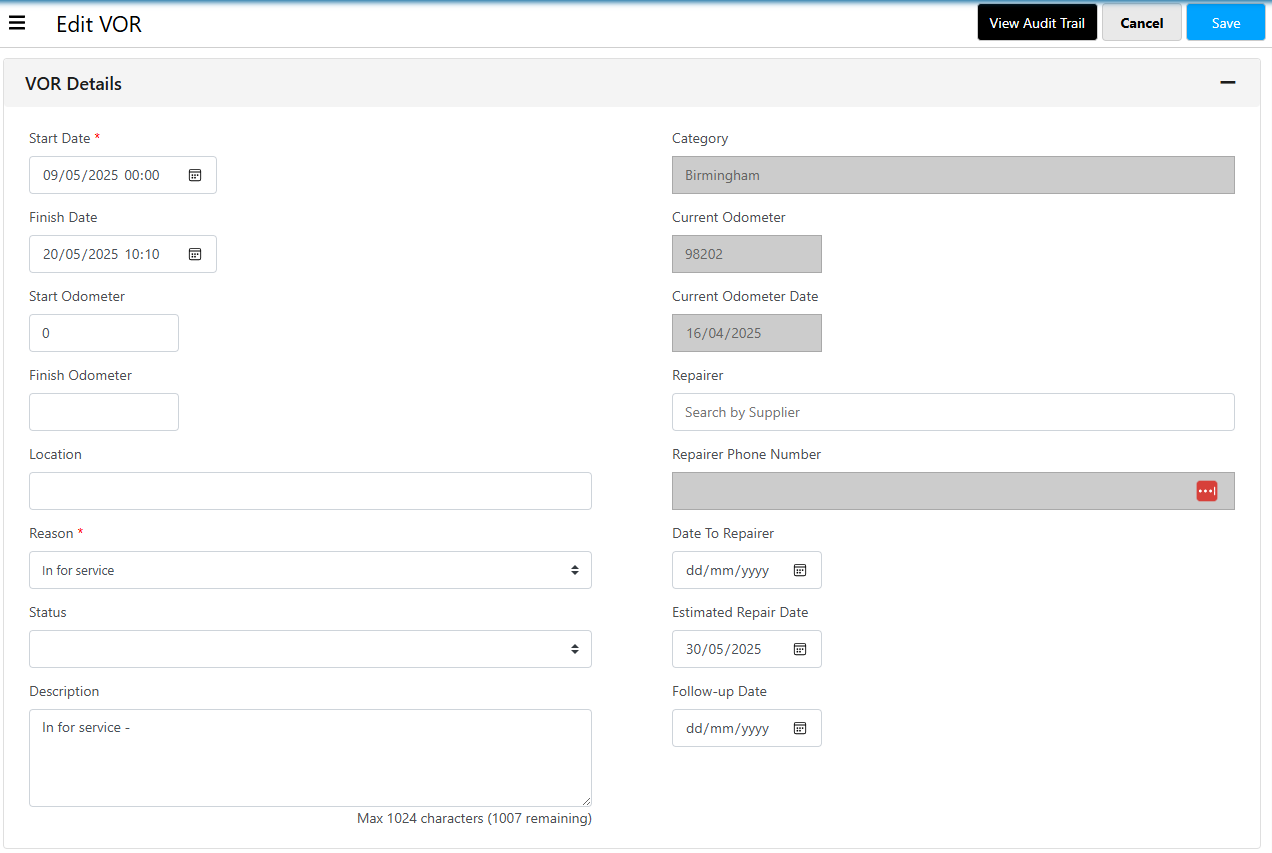
Ensuring you save, you will be greeted with -

The 'VOR History' page has the list of any reported periods when vehicles on your fleet were on VOR. Giving you a full audit trail for these periods.