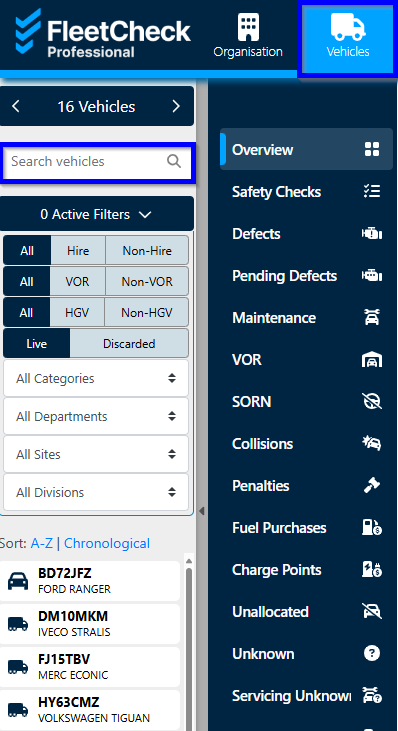
Removing a vehicle from FleetCheck is super easy. When viewing your vehicles in the 'Vehicles' main tab, search or select the relevant vehicle from the left-hand side menu.
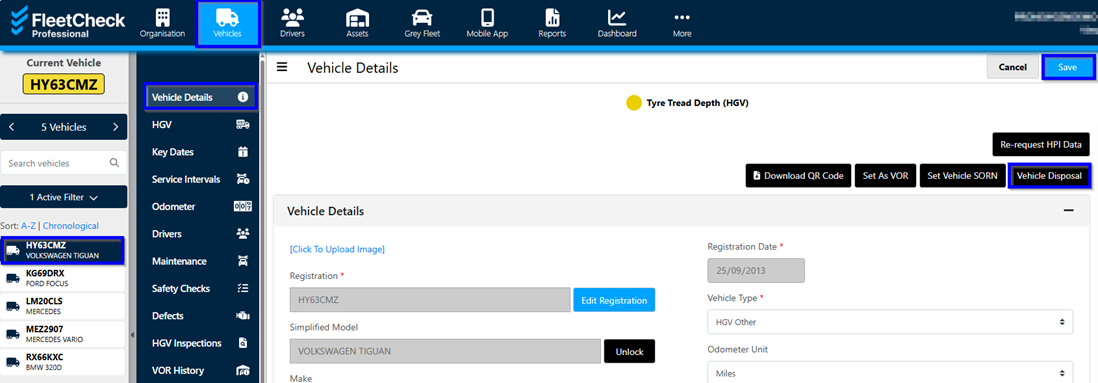
Once you are in the vehicle, select the ‘vehicle disposal’ option.
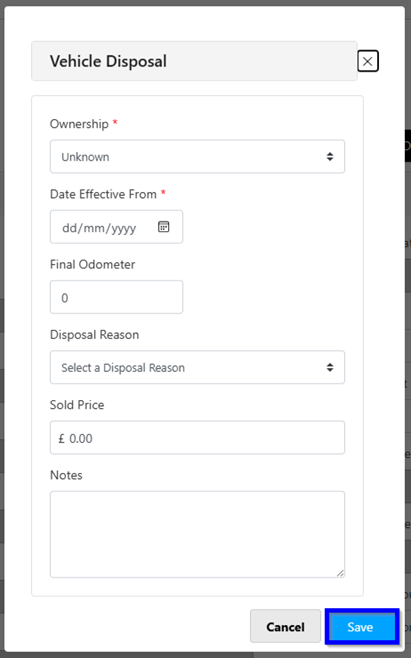
You can now select the vehicle ownership, enter the removal date and final mileage as well as what you are doing to the vehicle and then click the ‘save' button.
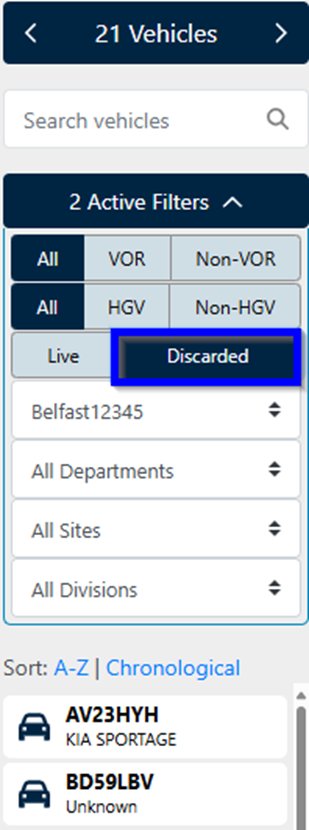
Discarded vehicles stay on the system and can be viewed or reinstated later depending on your data retention settings.
You can view a discarded vehicle by changing the search filter options on the left-hand side or using the search bar.