If you have pool vehicles, you can set these up within FleetCheck Professional where your admin staff can access the pool vehicle booking calendar.
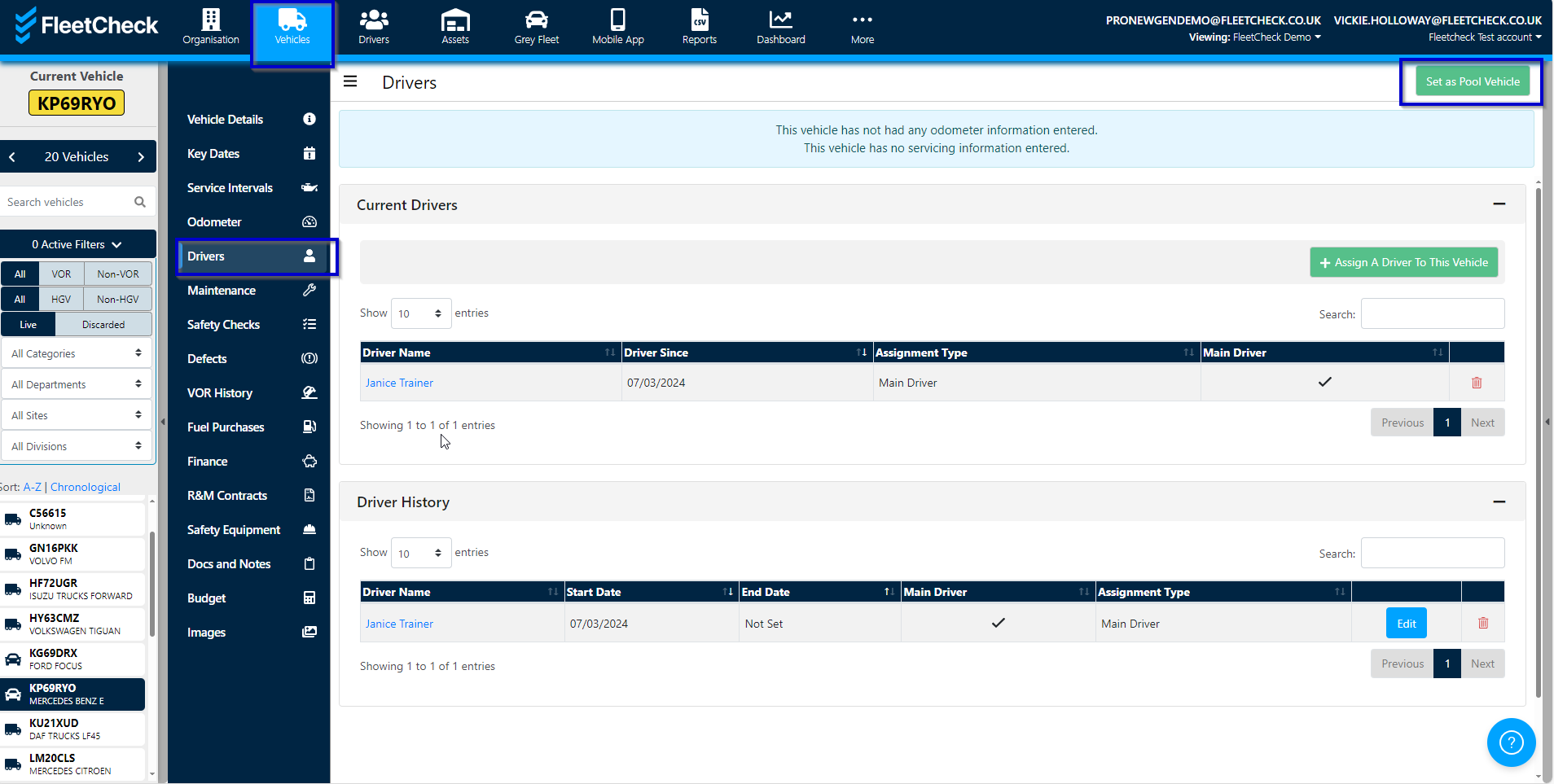
To set a vehicle as a pool vehicle, go to the vehicle registration and then the ‘Drivers’ tab.
Select the ‘Set vehicle as Pool Vehicle’ button.
This will then give you the necessary buttons for the Pool Vehicles -

You can also remove a vehicle from the pool status within this section by clicking the ‘Remove as pool vehicle’ button when the vehicle is set as a pool vehicle.
If you select the View Pool Summary - this will take you to the Pool vehicles area, where the Booked vehicles and Available pool vehicles are detailed.
You are also able to View Pool Calendar - which will allow you to Add a Booking and detail the information of the pool booking - the purpose etc.