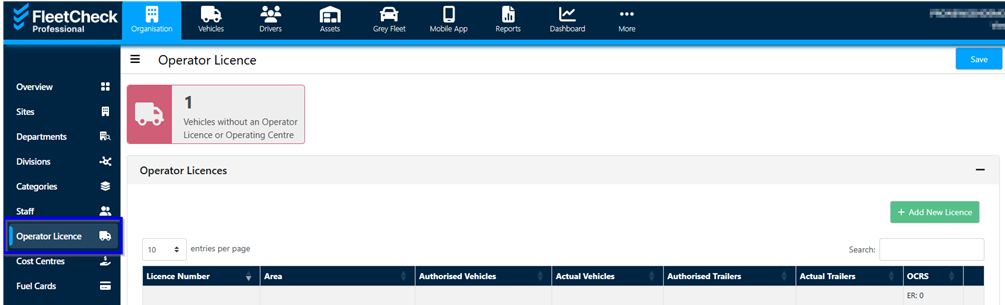
To add your O Licence details first select the 'Organisation' tab from the top left-hand side followed by the 'Operator Licence' tab on the left.
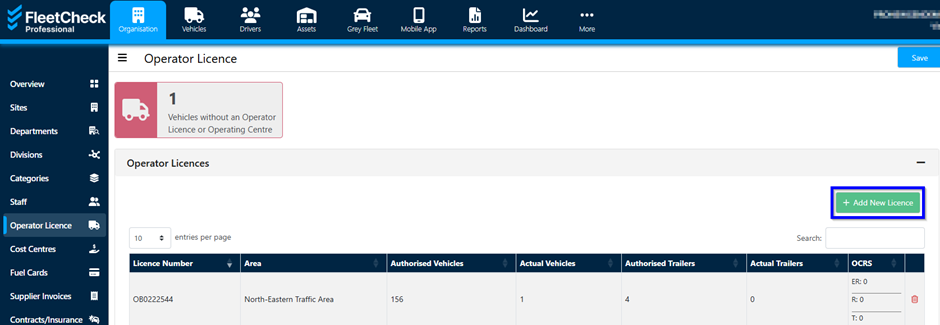
To add the new licence, click the ‘Add New Licence’ button on the right.
You can include relevant details such as setting the duration for safety checks and adding any operating centres, along with the number of vehicles assigned to each centre.
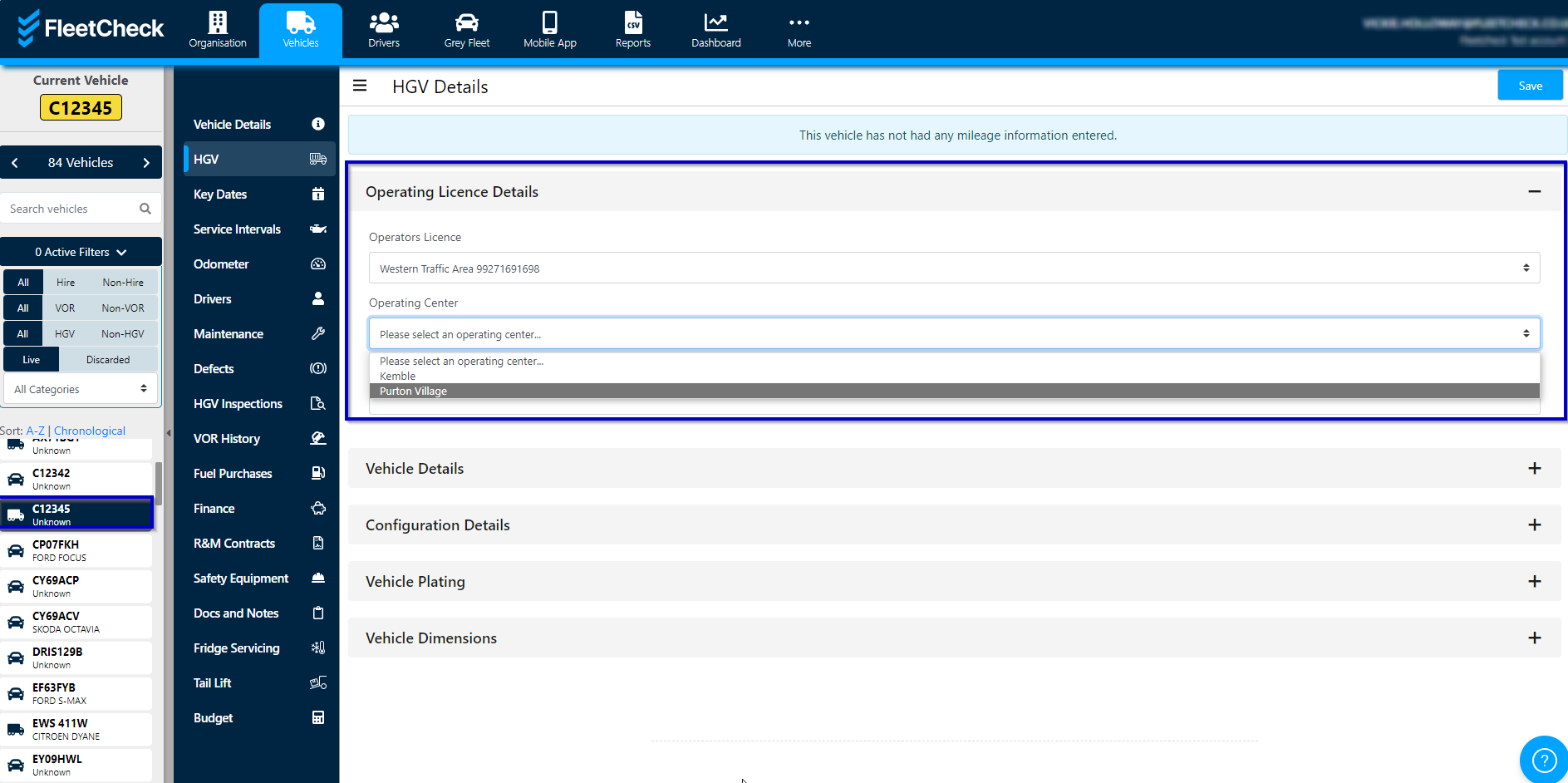
Once you have saved the details you can then assign your HGVs to the correct centre within the vehicle on the HGV tab.
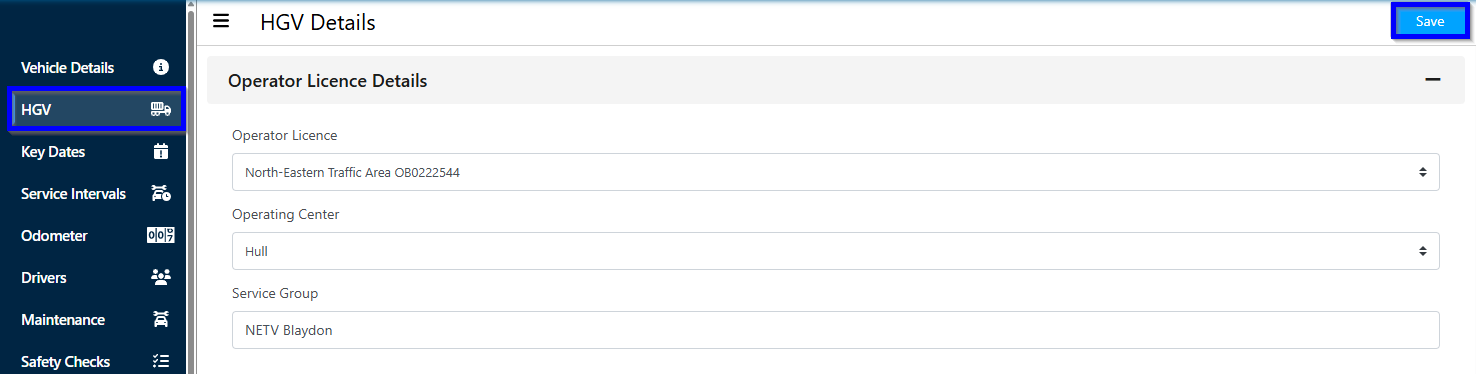
To Edit your Operating Centres Click into your existing O Licence then scroll down to Operating Centres and use Edit to adjust an existing one:

For FORS, you'll be able to assign this Operating Centre from the Vehicle Details tab for the specified vehicle under the FORS Details section:

Operator Compliance Risk Score (OCRS)
To access this page start by selecting 'Organisation' from the top left hand menu, then the 'Operators Licence' tab from the central panel.
You will then need to click into the relevant licence to view your OCRS scores or edit and add further scores using the drop-down list to select the relevant details
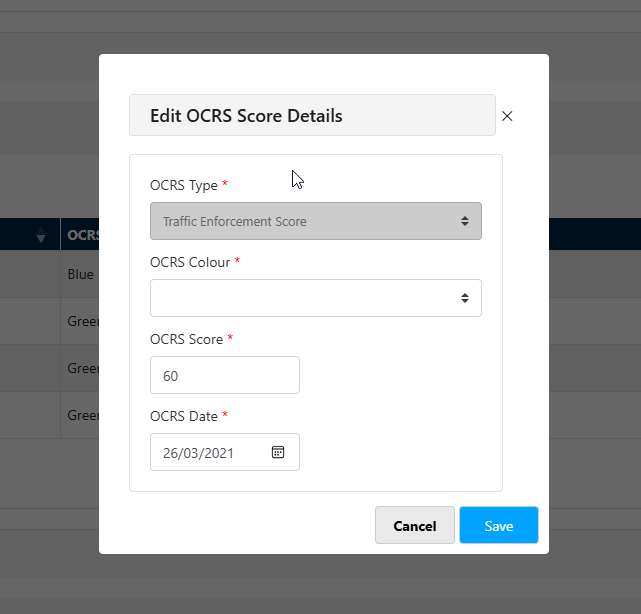
they will then display within the OCRS Score within the individual Operators Licence -
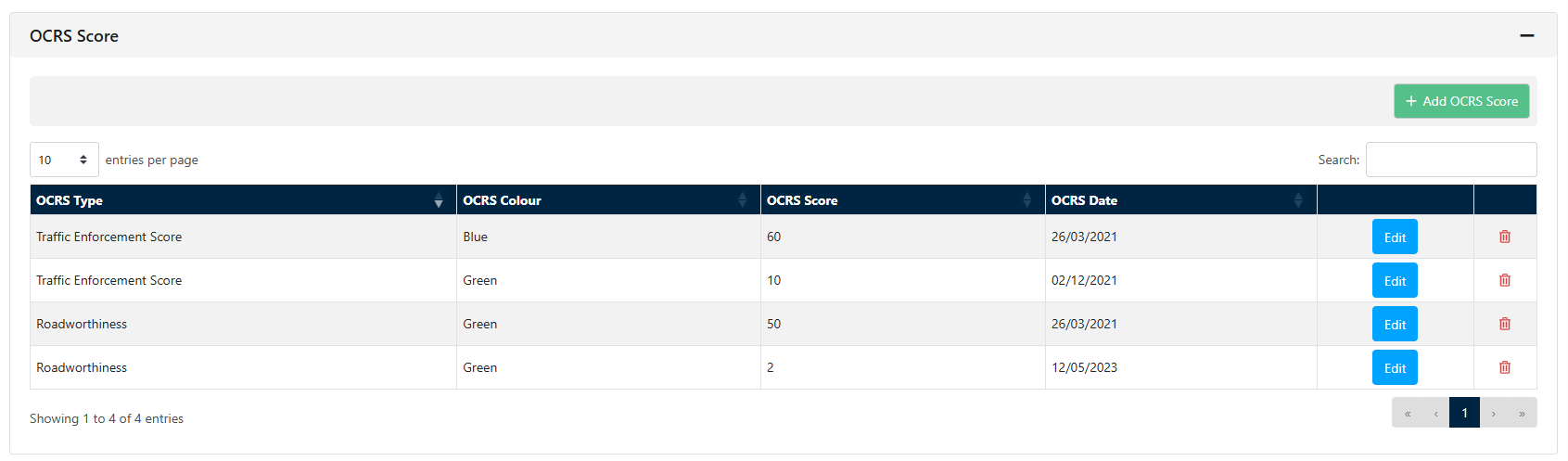
You can pull off detailed historical OCRS Scores via the reports section giving you your full audit trail.