On the FleetCheck software, within each individual vehicle you are able to add and administer the mileages of your fleet.
You can add a Odometer to a vehicle on your fleet via the 'Vehicles' page from the main menu and clicking the individual vehicle.
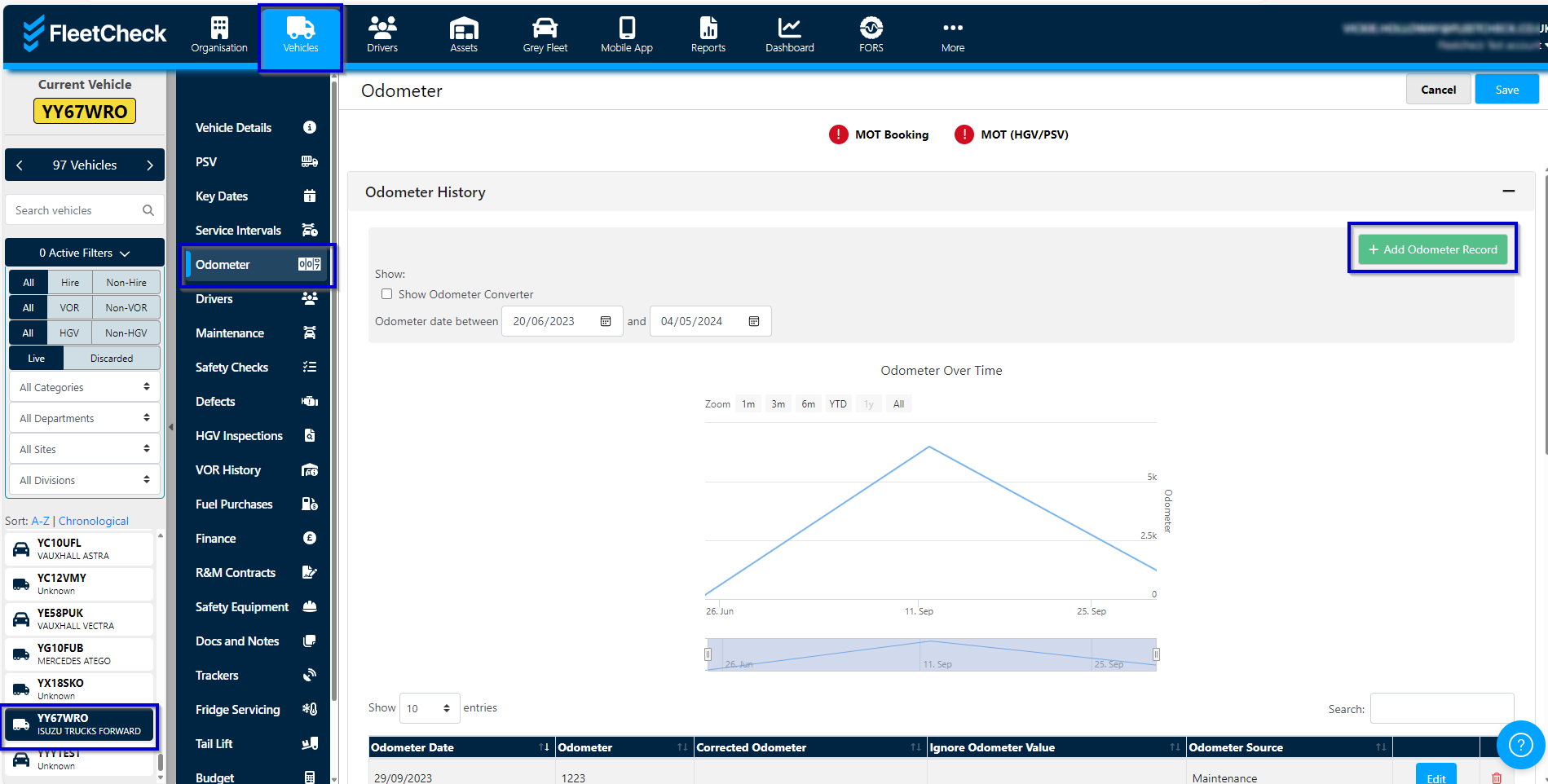
It is within this area you are able to add an individual Odometer
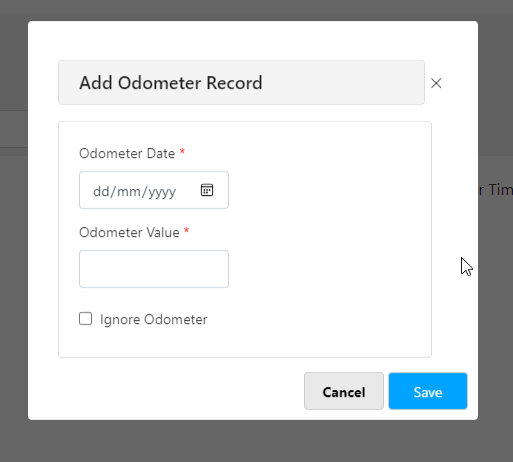
You are able to use the slider on the graph to drill down into the dates, to look for anomalies, excess mileages etc and if needed on the table below convert the mileage from Miles to Km's etc.

You can view the Mileage source. This will detail where the system pulled the Odometer value from.
Manual Input being that being one that the driver has put in on the FleetCheck Driver app, Fuel - coming in from the fuel imports, tracking device etc being your telematics.
There is also an option to Cleanup the mileage.
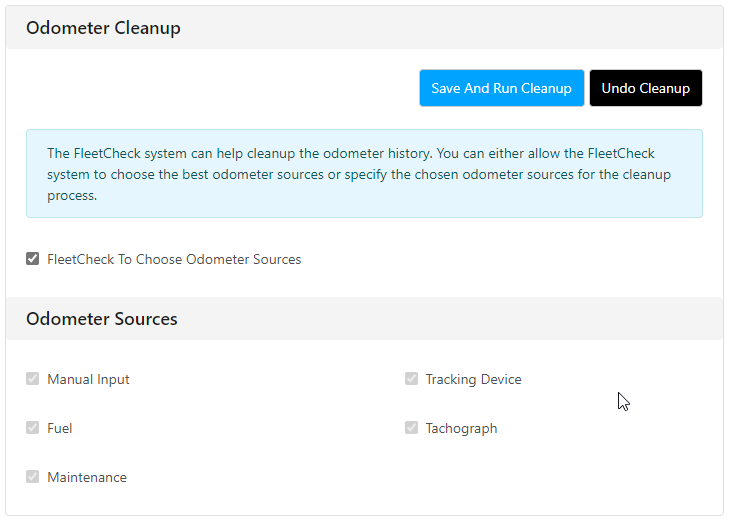
The system is able to cleanup the Odometer history by you selecting your trusted Odometer Sources and allowing the system to remove any spurious mileages.