You can add invoices following a maintenance appointment to help create an accessible and easy-to-follow audit trail. The detailed completion of an invoice can update/clear service, cambelt, timing chain or tyre alerts from the alert screen.
Start by selecting 'Vehicles' from main menu, then the vehicle's registration from the left side bar, then the 'Maintenance' tab. In this page you can view any appointments, invoices, transactions and MOT details on the system all in one helpful location.
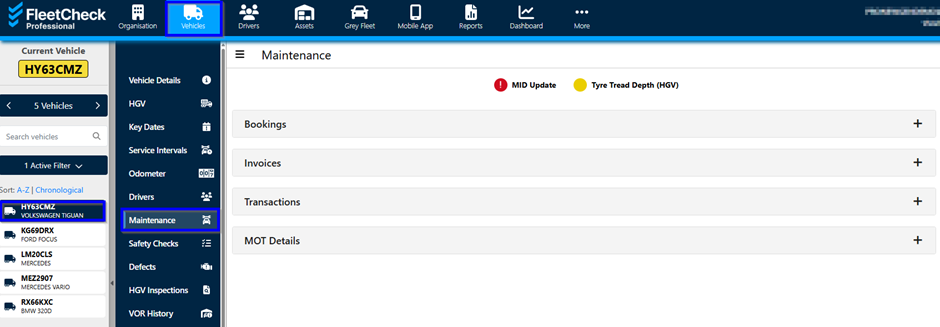
To add an invoice, click "+ Add Invoice" and enter all relevant information - required fields are marked with a "*" (red asterix). A warning message will let you know if any required information is missing.
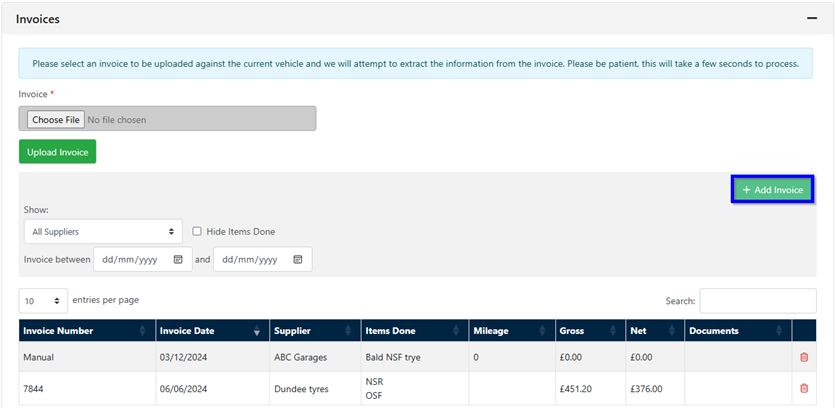
You are also able to add a new supplier within this area if needed, by selecting the green add new supplier button - you are then able to detail your new Supplier -

When all the invoice information has been entered it can be added to the system by clicking 'Save'.
Should you have our Document Intelligence software you can also add an Invoice into the software using this area here -
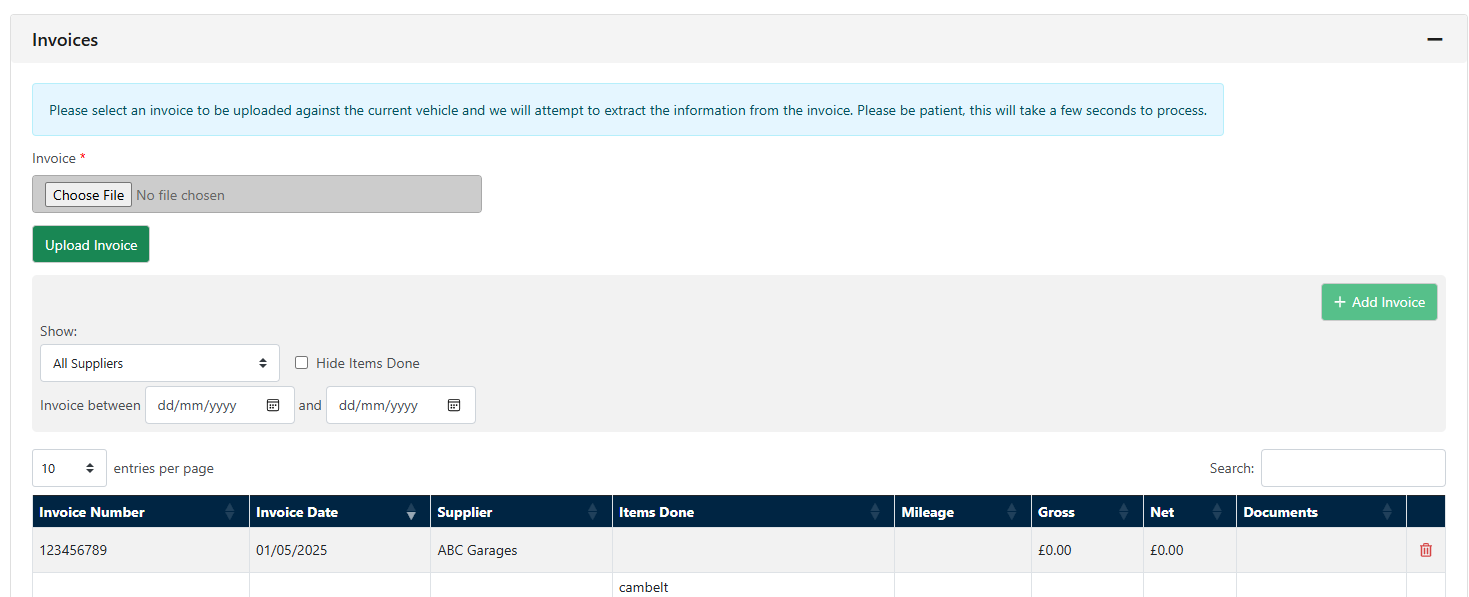
Simply upload the invoice, and the system will attempt to extract the information from the software and apply it to the vehicle in question - resetting the key dates and key information in accordance with what is detailed on the invoice.