The 'Incidents' page is where you can record any incidents that involve a driver, such as a call from the public about their behaviour whilst driving, penalties, fines, collisions etc.
To view any driver incidents start by clicking the 'Drivers' page from the main menu, then the name of the driver from the left side menu you want to view, then select 'Incidents' in the secondary menu.
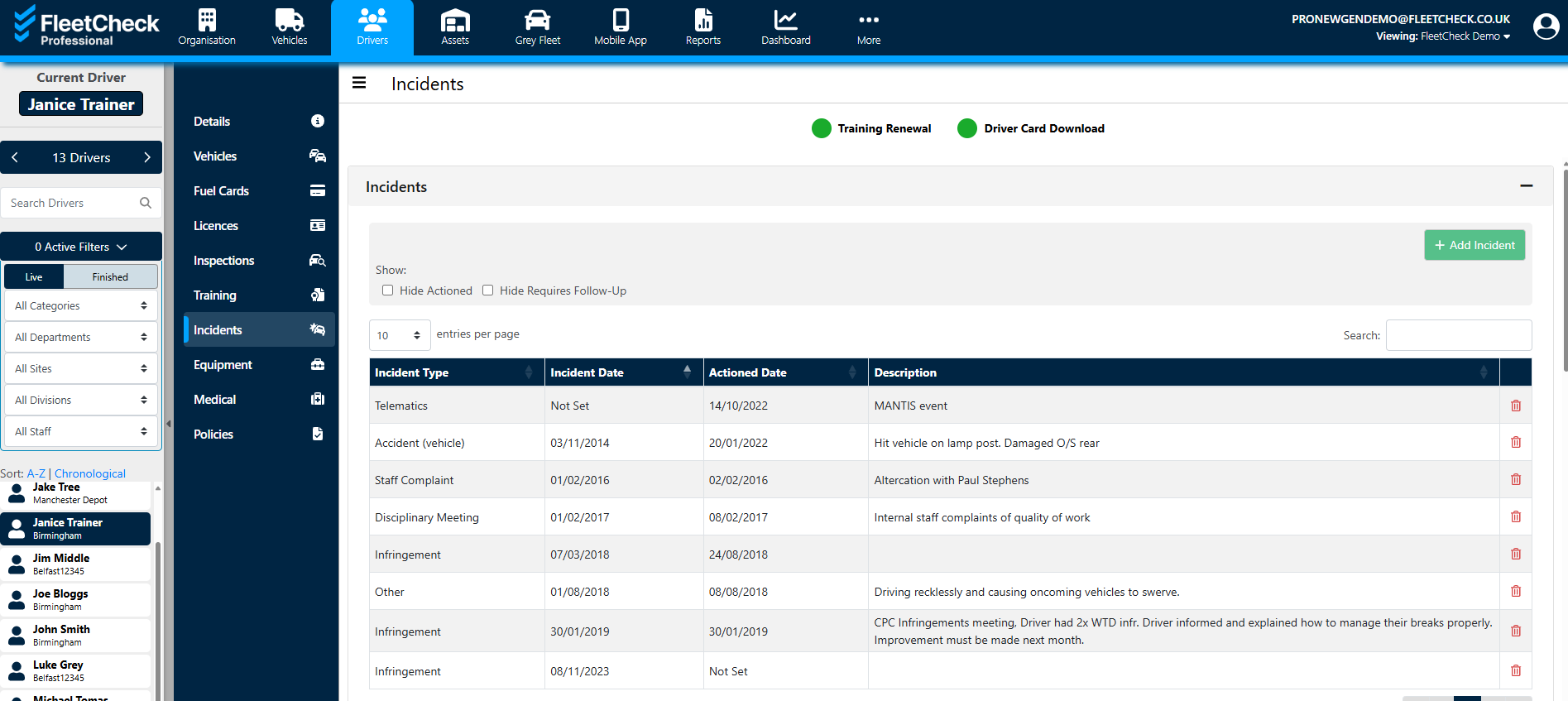
To record an incident click the "Add Incident" button, enter the details incident and action fields, and click the "Save" button - required fields are marked with a "*" (red asterix). A warning message will let you know if any required information is missing.
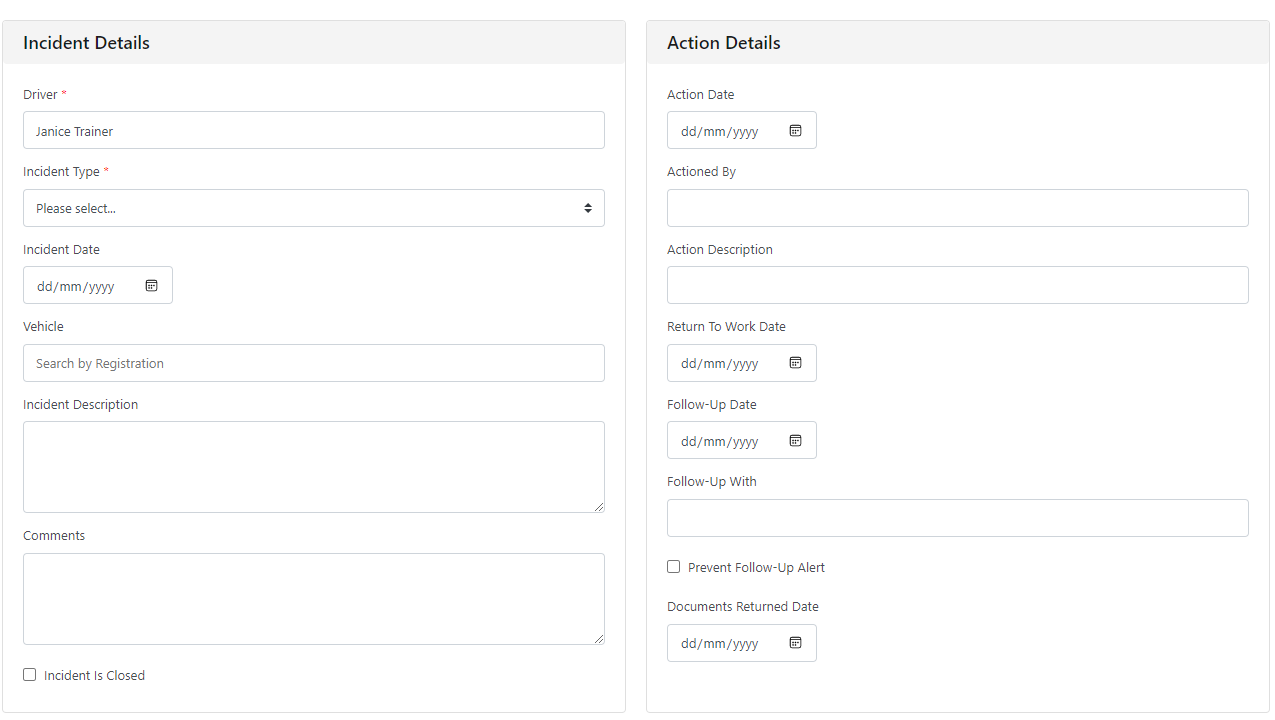
Driver incidents is a page that allows you to keep a clear and precise record of any indiscretions that have been brought to your attention that you wish to be kept on file in relation to a driver.
There are many reports available to you that will detail the incidents - whether it be driver specific etc
