All completed vehicle, trailer or asset inspections will appear in the 'Inspections' tab. Here you can view all inspections that have been completed by your drivers over a selected time frame, check title, vehicle, driver, or category.
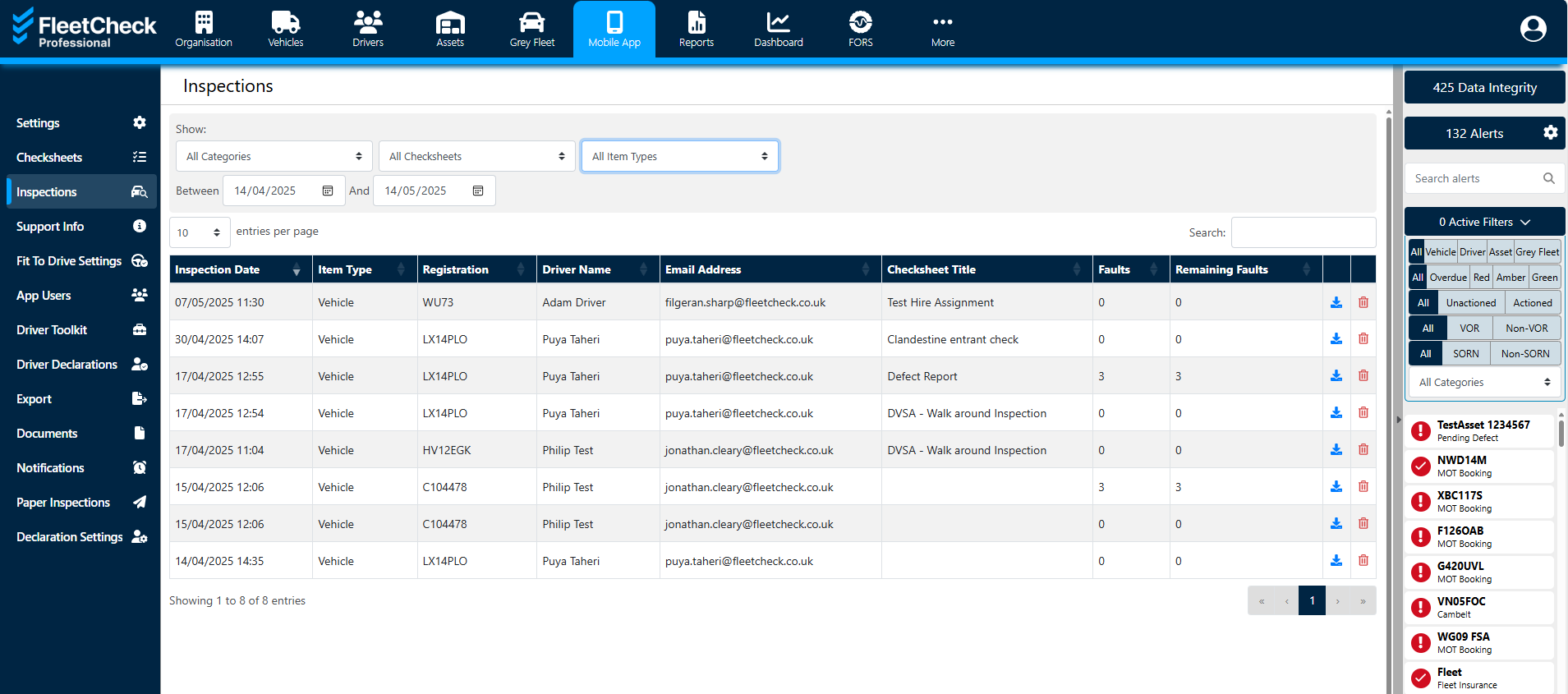
By clicking on the date of the inspection, you will open the checksheet.
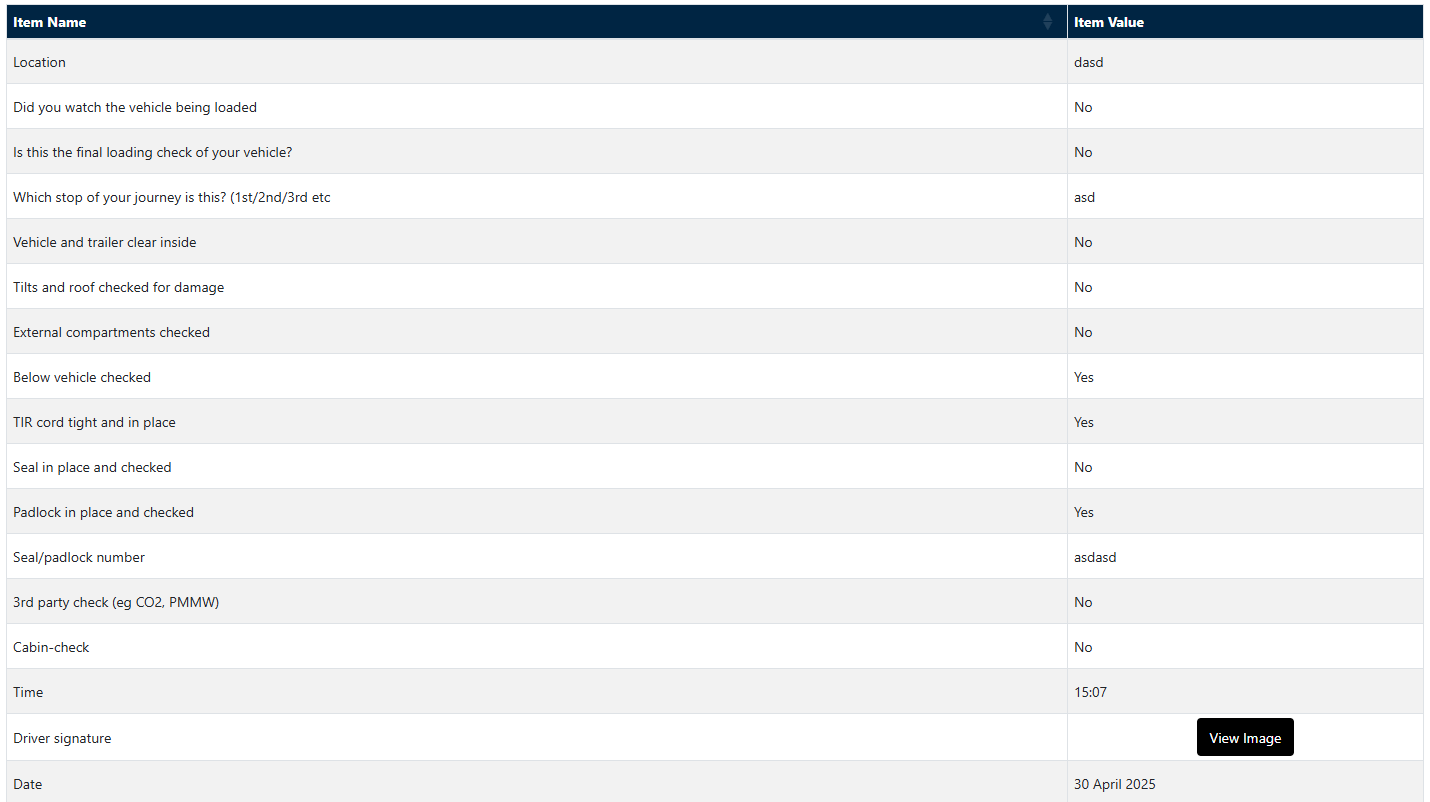
Here you can view what has or has not been checked, what time the driver started the check, how long the checksheet took to complete and any details of reported defects.
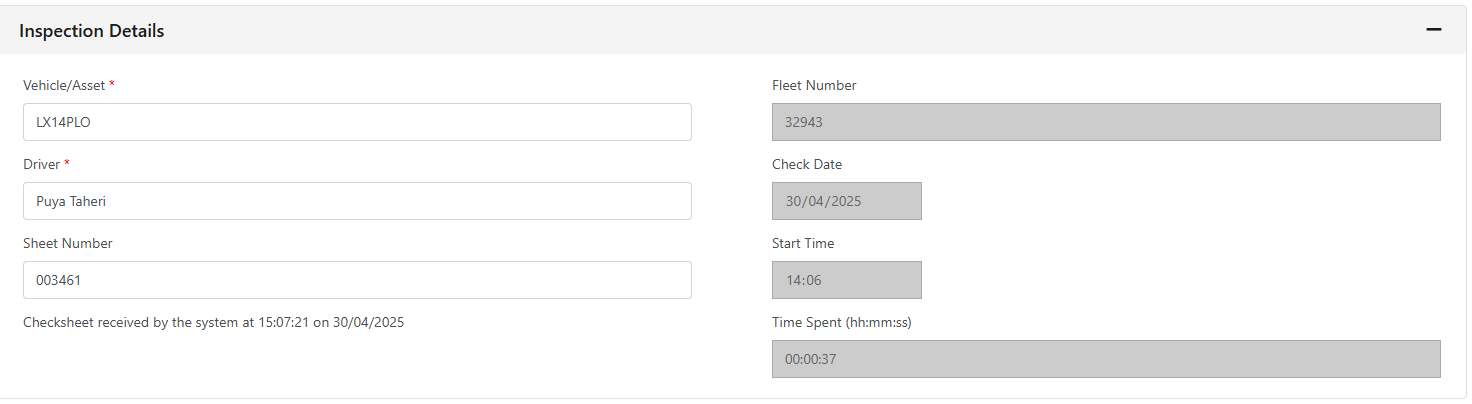
You can set up a series of alerts to save time when analysing checksheets. These could prompt you when drivers are taking too long or not spending enough time completing their checks.
This can be set up in the individual checksheet by creating a duration. To do this go back into the CheckSheet in question, then add your time parameters
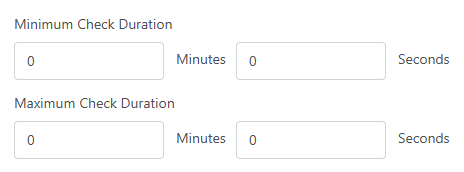
This can help you get a better idea of which drivers are completing their checks properly.
By having this set up, when you have checksheets come into the software you can be confident that not only are your checks being completed, but they are being done on time with detail.