To start utilising Push Notifications in your FleetCheck Professional software, you need to ensure that you have the Push Notifications section enabled within the Mobile App Settings area on the main system –
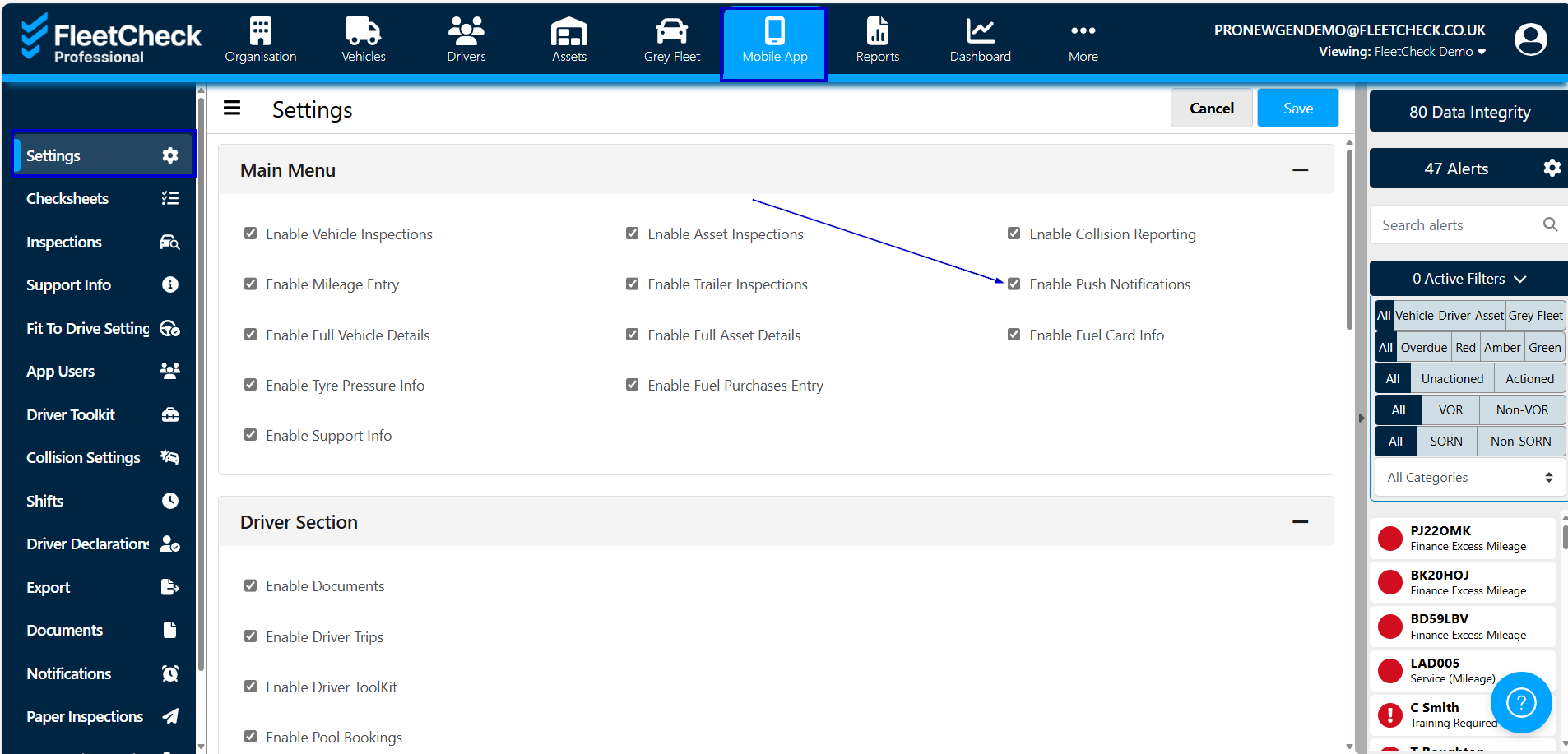
Once the Driver Section is enabled you can access the push notification functionality Notifications on the left hand side menu

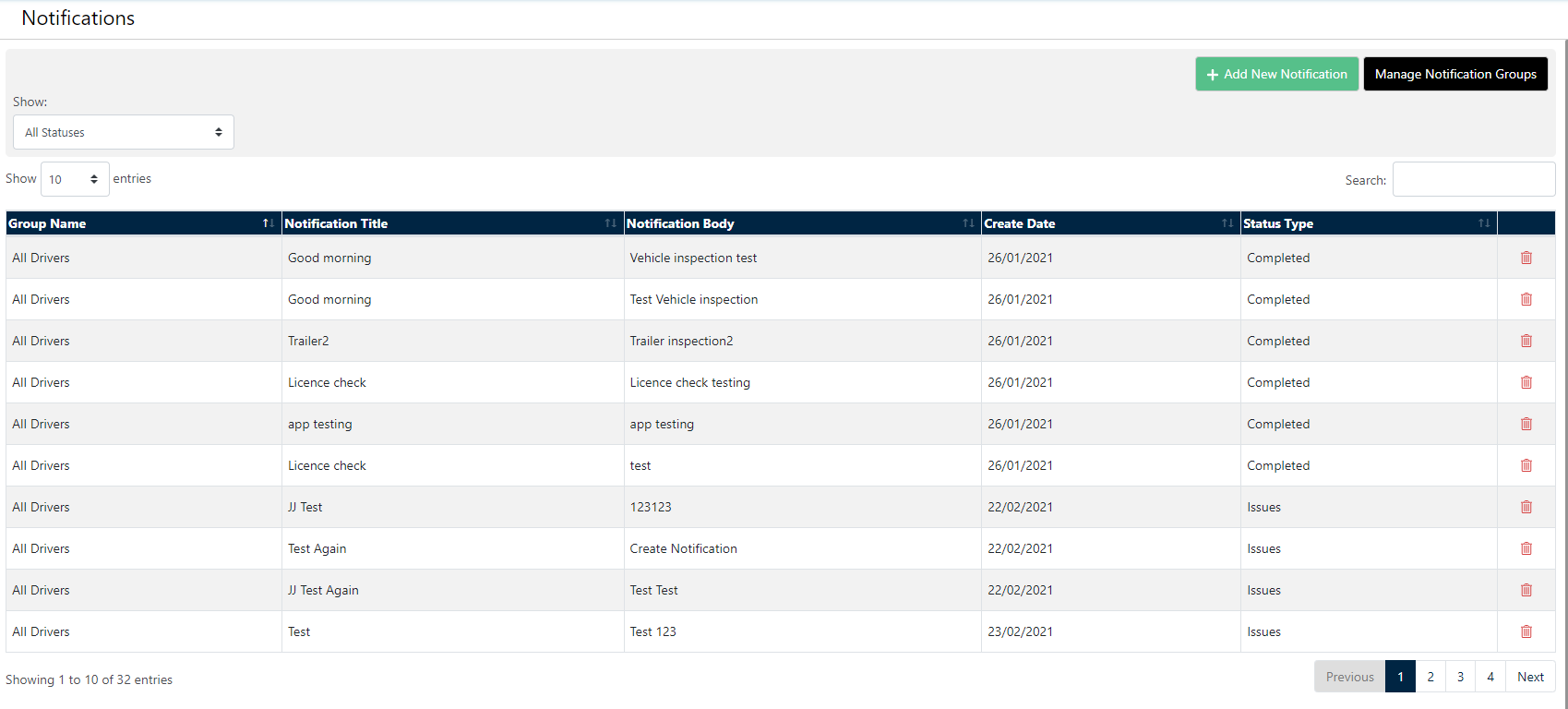
Within the Notifications area you can + Add New Notification and Manage Notification Groups.
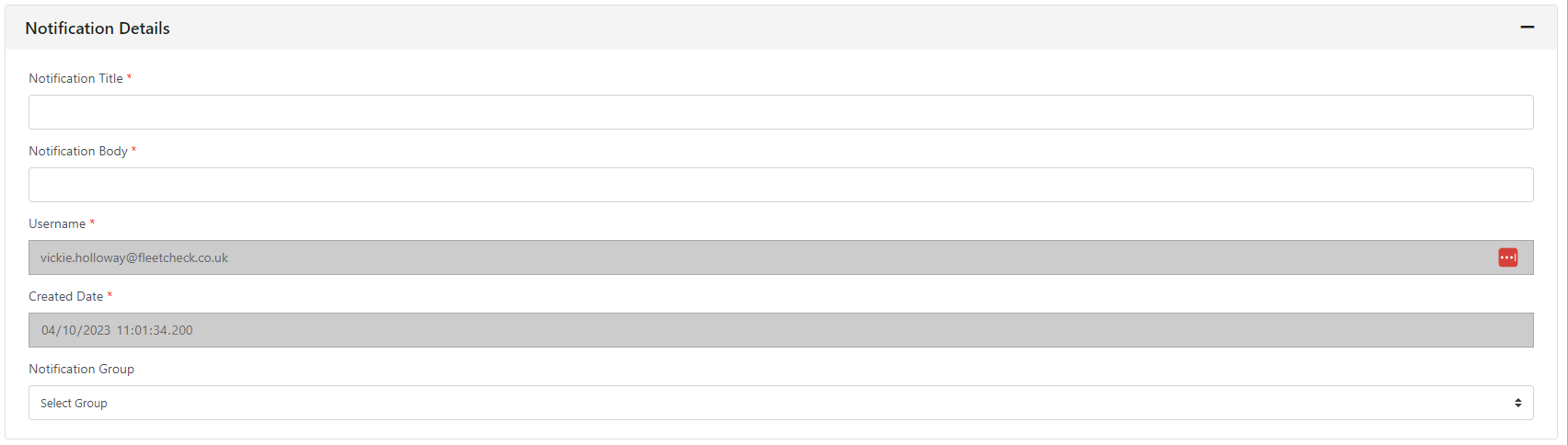
To Add a New Notifcation, simply add a title, a body of text and select a group of who the intended notification should be going to. It could be one particular driver, all drivers etc
You are able to Manage the Notification Groups within this area and set up more if needed.
Enabling push notifications means you can tailor messages to go out to your drivers which will appear just once at the top of their screen on their phones. This could be a reminder to enter the mileage at the end of their shift or to read a policy they have received.
Once the drivers have viewed a notification, it will close and will not reappear.