Driver Documents on the system is incredibly popular, this is only available to clients using the FleetCheck Professional and FORS FMS software solutions.
Driver Documents allows you to send Documents to your Drivers mobile phone.
To start utilising this area, you need to ensure that you have the Driver section enabled within the Mobile App area on the main system
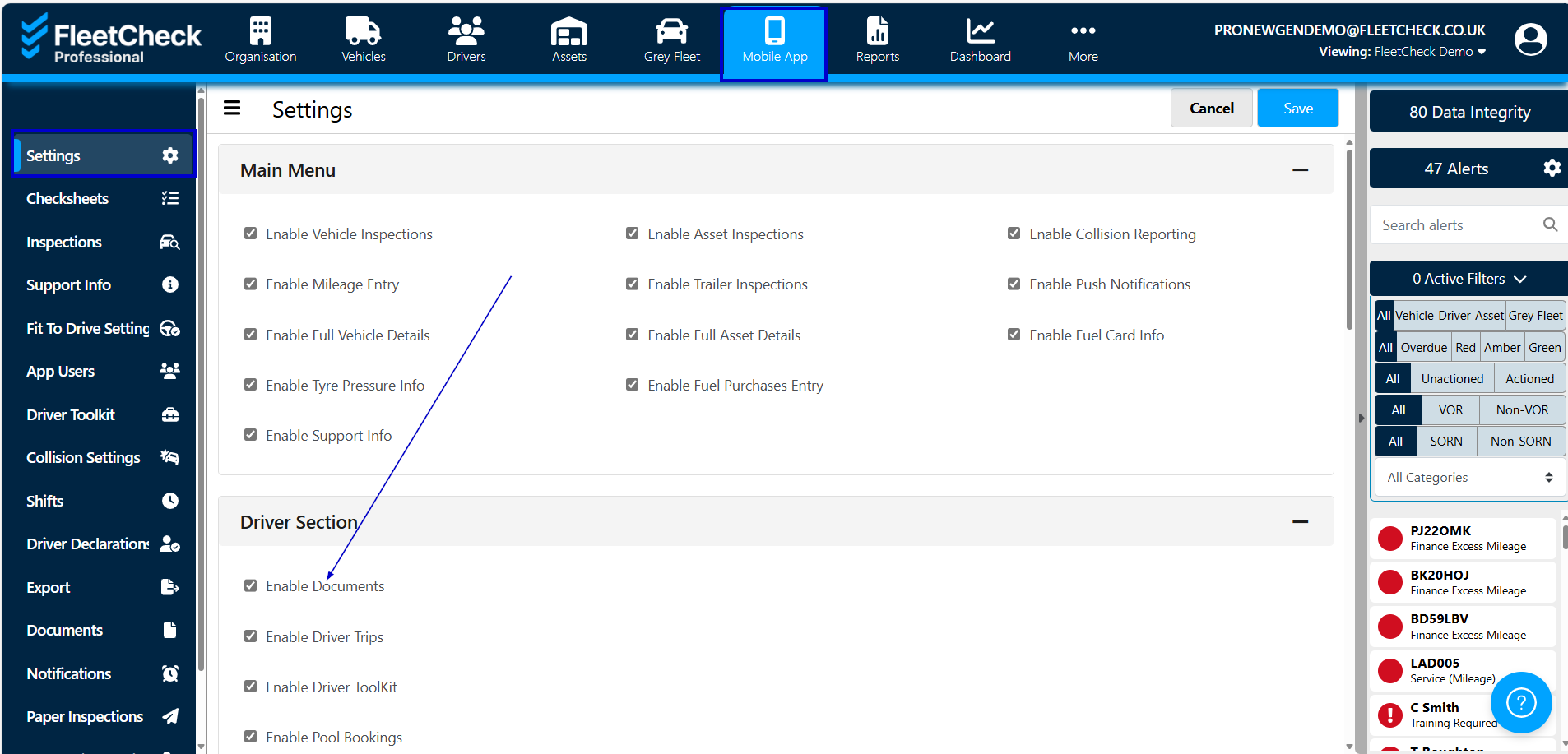
On the Driver Documents section on the system you are able to send documents such as policies etc that your organisation needs your drivers to read. This is located within the Documents area on the left hand side menu

Simply select – Add Document and complete the following areas. Do not forget to tick mandatory if it is essential that the driver reads the Document.
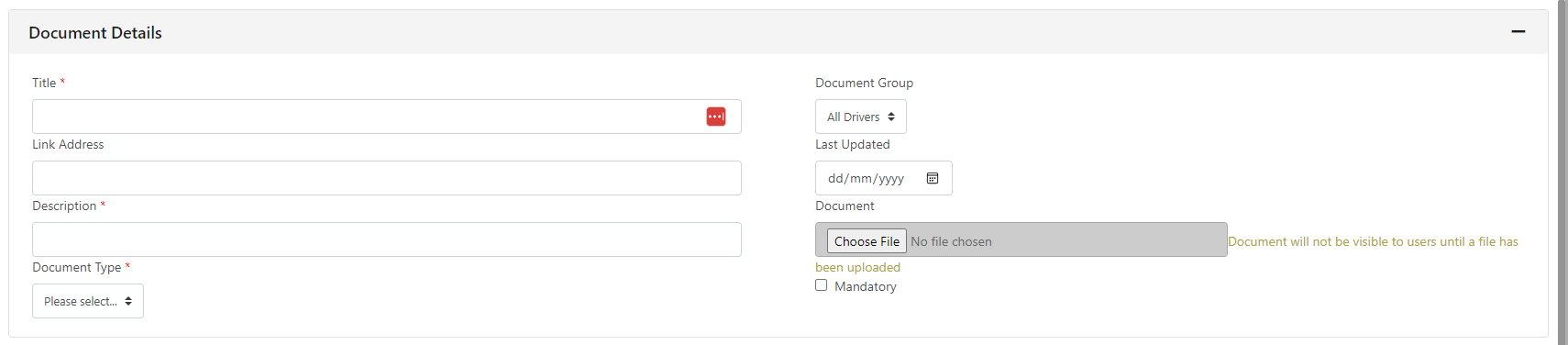
The documents you can send range from a PDF or Video - vital for drivers on the move.
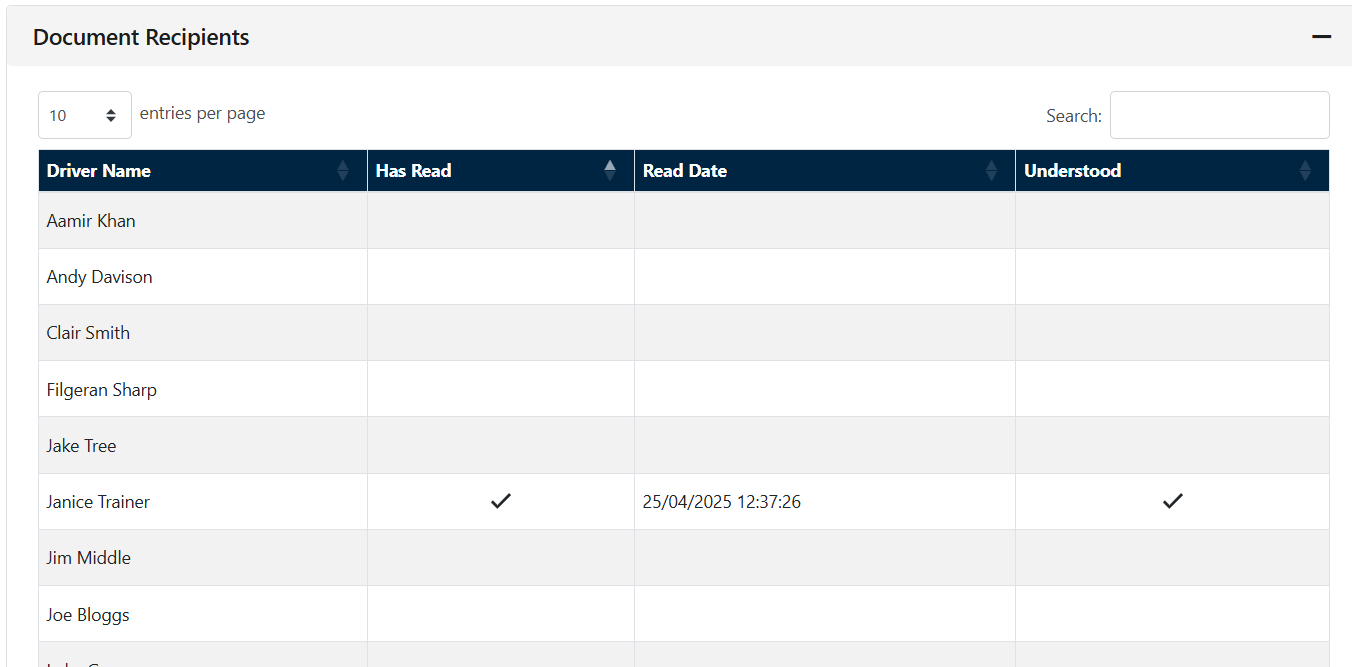
Once a document is sent, the document will appear on the app under the driver tab. The driver can then read and accept the document, you will receive a notification when you driver has read the document. It will also detail the read receipt underneath the Document Details -
It’s a really quick way of keeping your drivers informed and in the know, ensuring they are kept up to date of any changes, news etc.