To have visibility of your current staff that are listed on FleetCheck, you need to go in to the Organisation tab and then Staff -
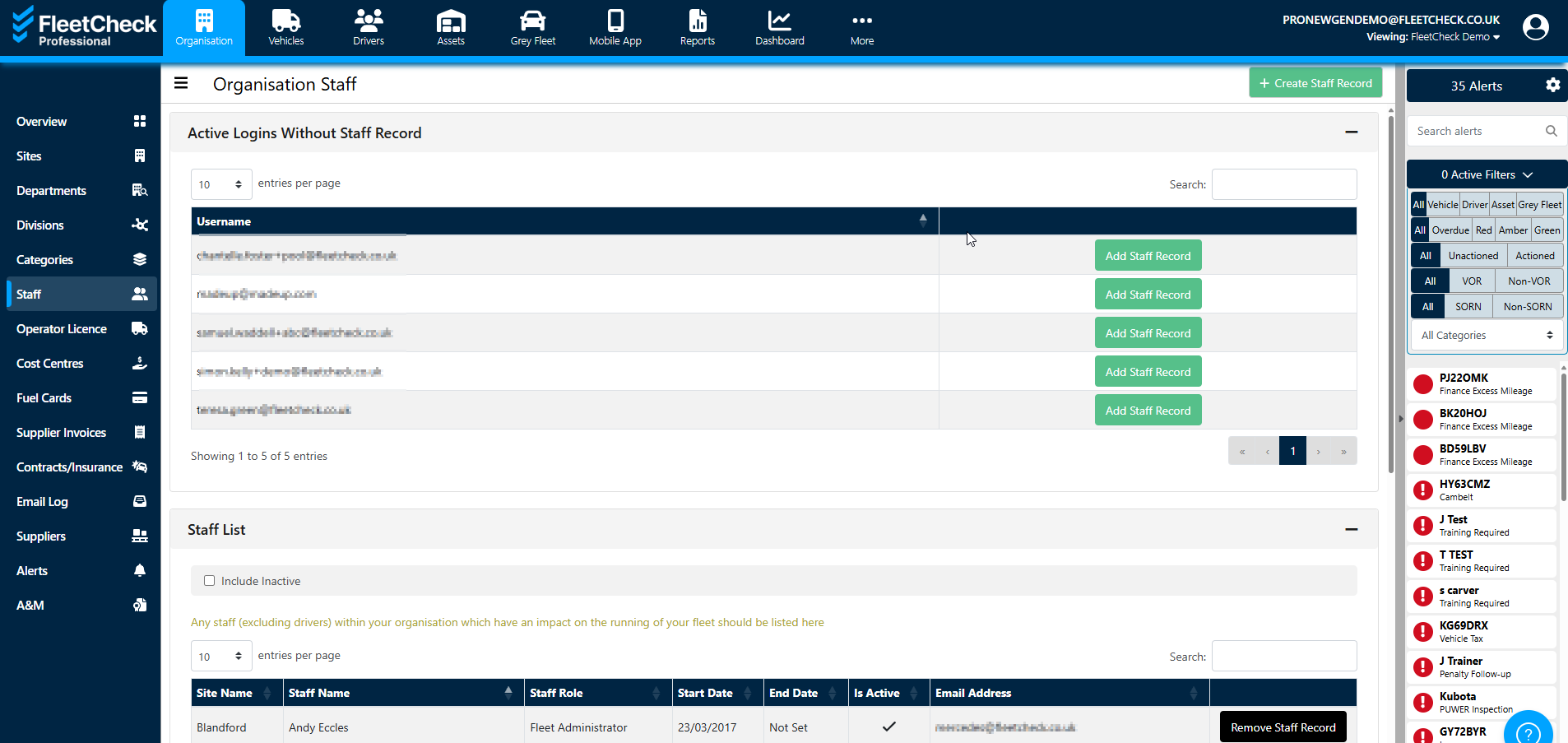
The staff list displays any staff (excluding drivers) within your organisation that are currently on the system as an individual that has an impact on the running of your fleet
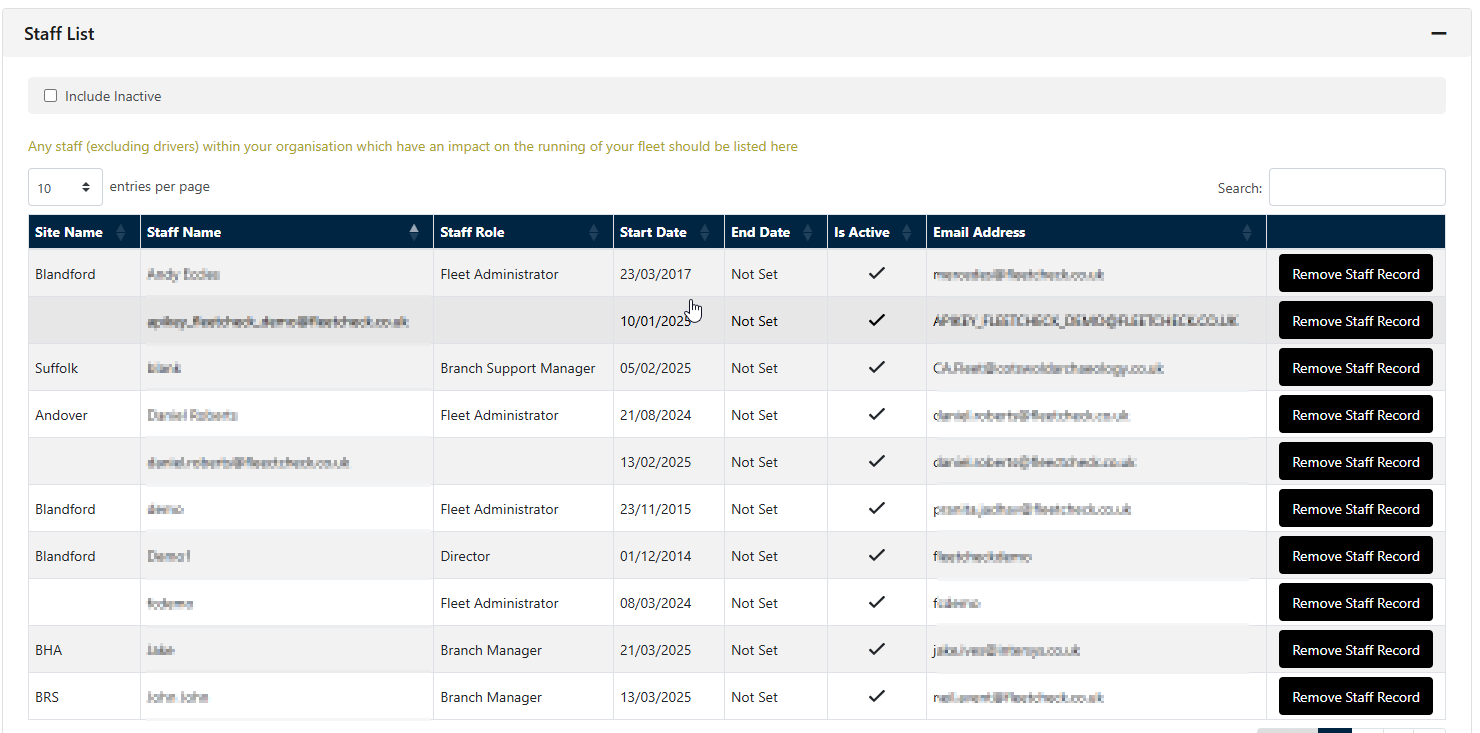
If someone has been listed as staff it does not necessarily mean they can access the system. You might choose to set a staff member up to receive email alerts but not to administer areas on FleetCheck.
To give a staff member access to the FleetCheck software they need to be set up as a admin user on the software.
We set up new admin users by selecting the person icon top right and selecting 'Users'
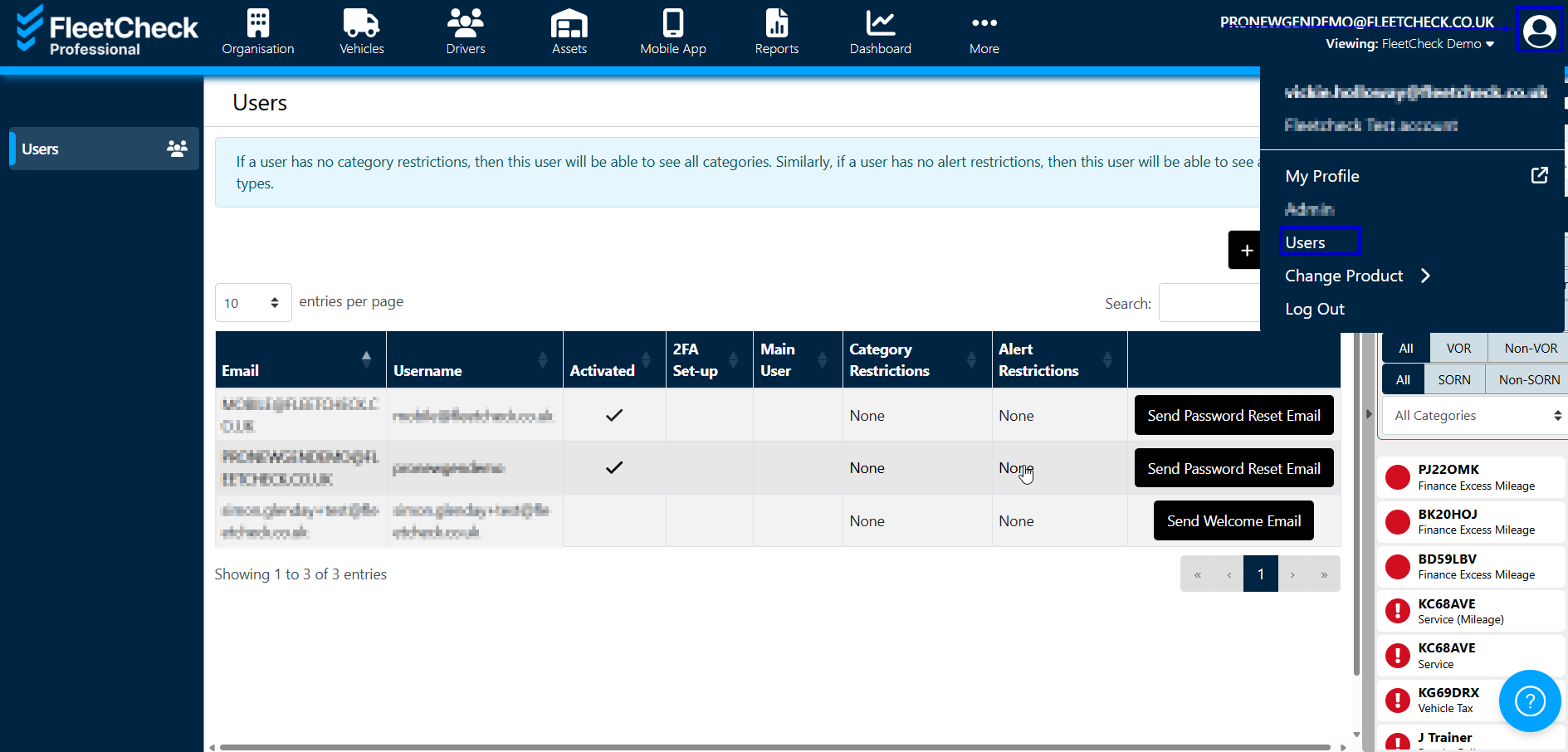
It's then simply adding the User details in, setting their permissions and sending a welcome mail.