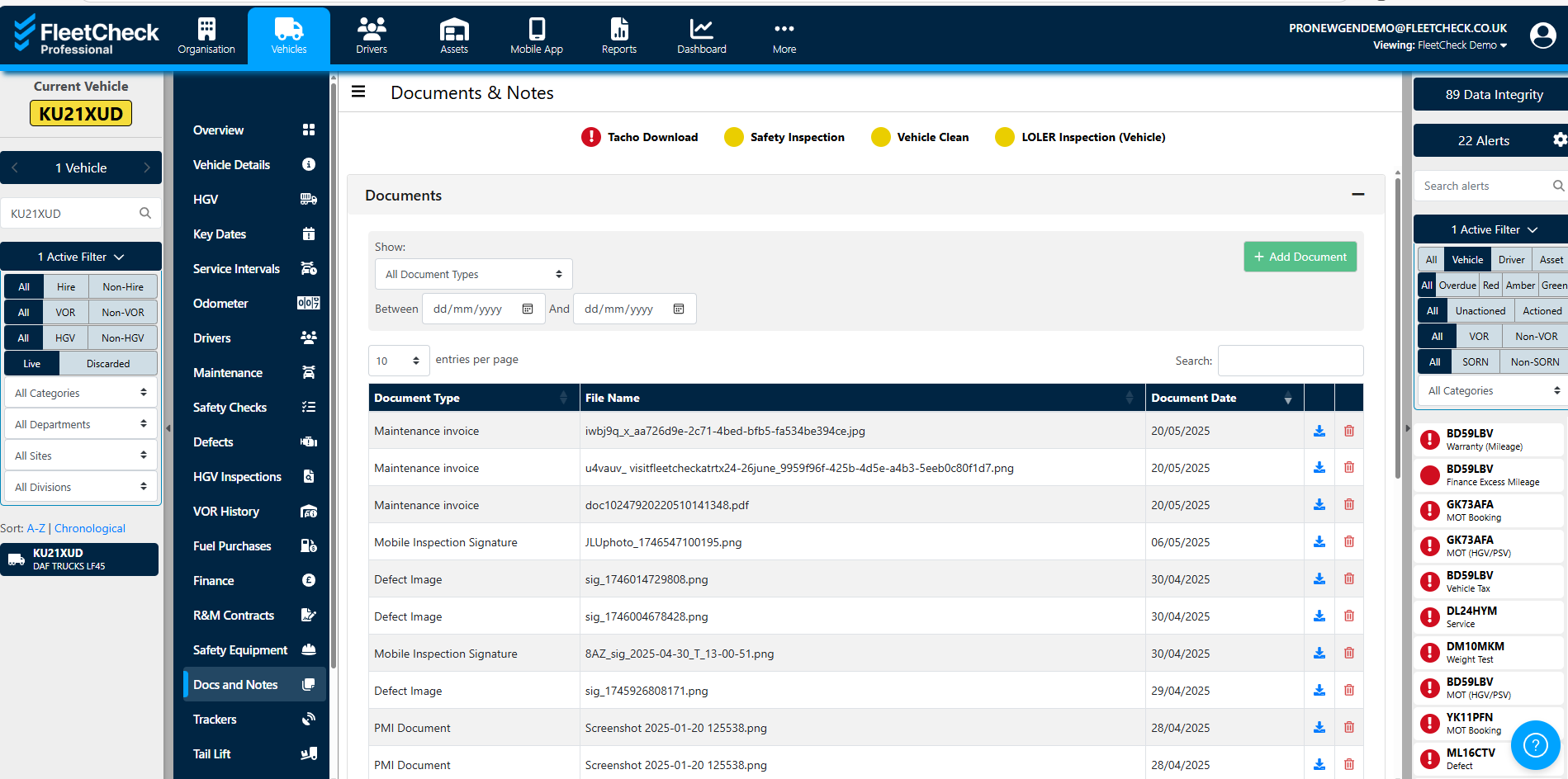
The ‘Documentation’ section within FleetCheck allows you to keep all your documents in one place and search for documents uploaded against your vehicles, drivers or assets with ease.
Documentation is accessed via the dropdown on the main menu bar - just go to More and then Documents
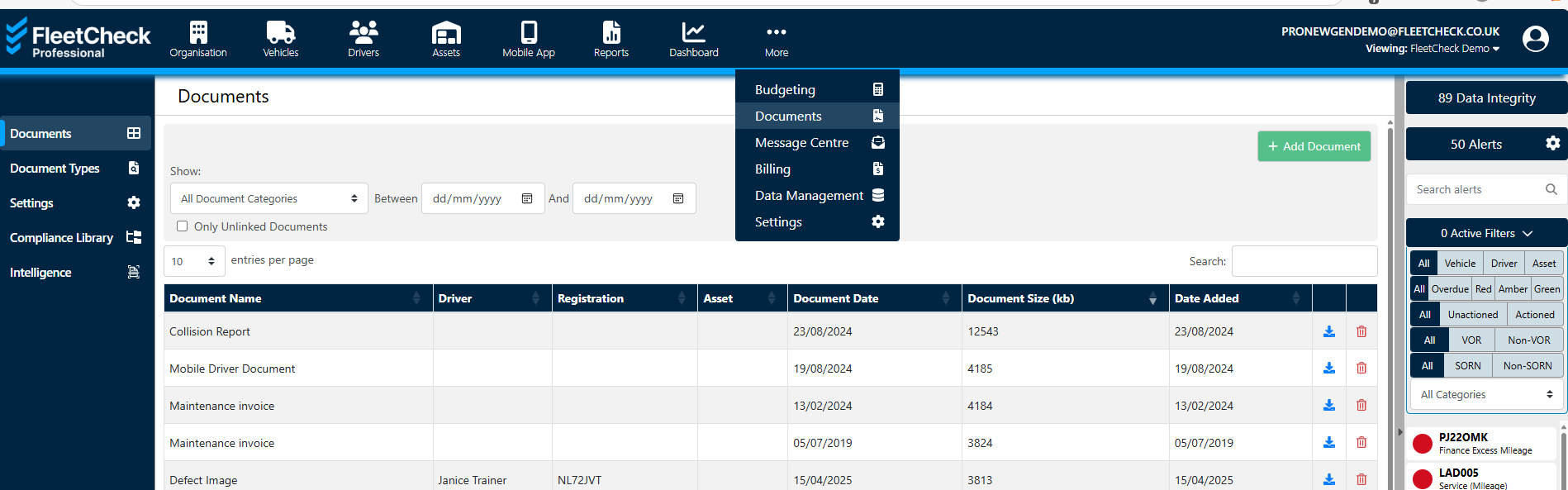
You can access the ‘Documents’ section on the left-hand side menu.
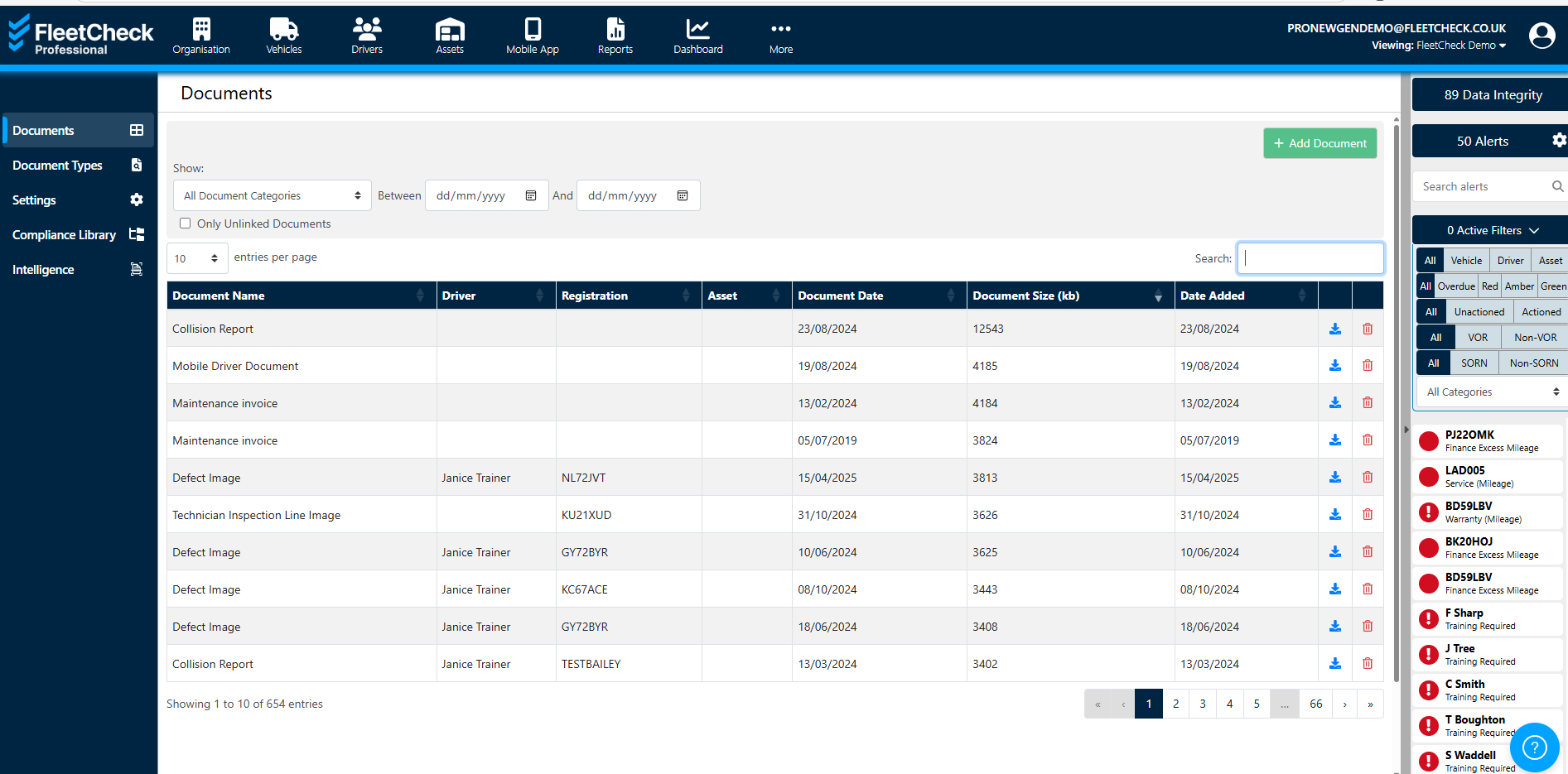
You can search for a document within the ‘search’ section selecting the document type or dates the documents were uploaded within. Once you have completed the search, you will be able to download the documents.
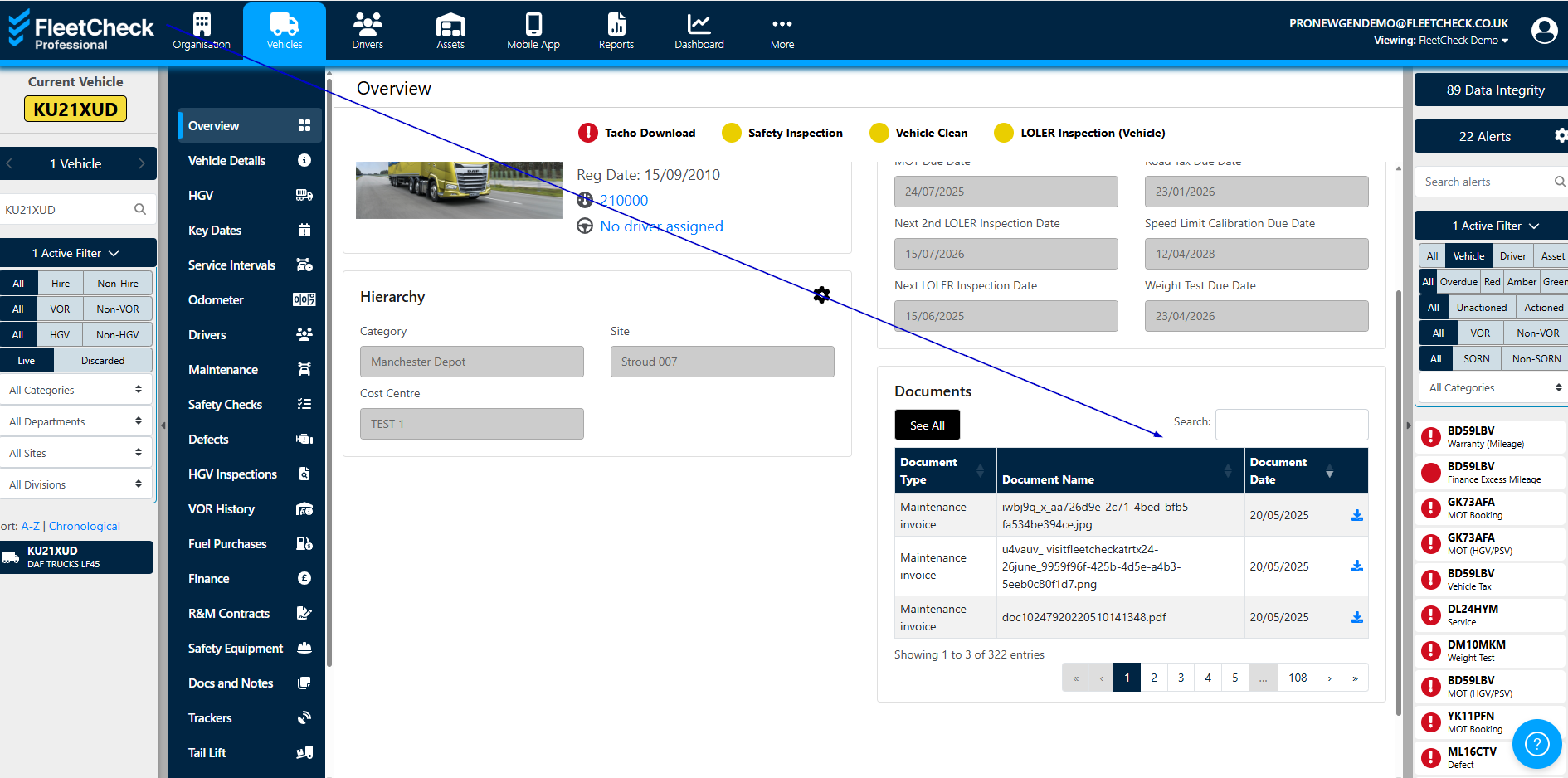
The documents can also be seen and downloaded from the bottom of each individual vehicle Overview page -
or within Docs and Notes against the vehicle -