Your team of drivers can use the FleetCheck Driver app for daily vehicle inspections, reporting defects and much more. To access the app each driver will need a login by providing their first name, last name, phone number and/ or email address.
Once your driver has logged into the software, you will find that due to the 'joy' of smart phones your drivers are able to log in daily without the need to remember their original details. However, should they forget their details or the app updates etc - they will need to use the same password.
If a driver forgets their login they are able to reset the password via the app - or alternatively you are able to do it from the software.

Simply log into Mobile App on the top, App Users on the left and Reset Password -
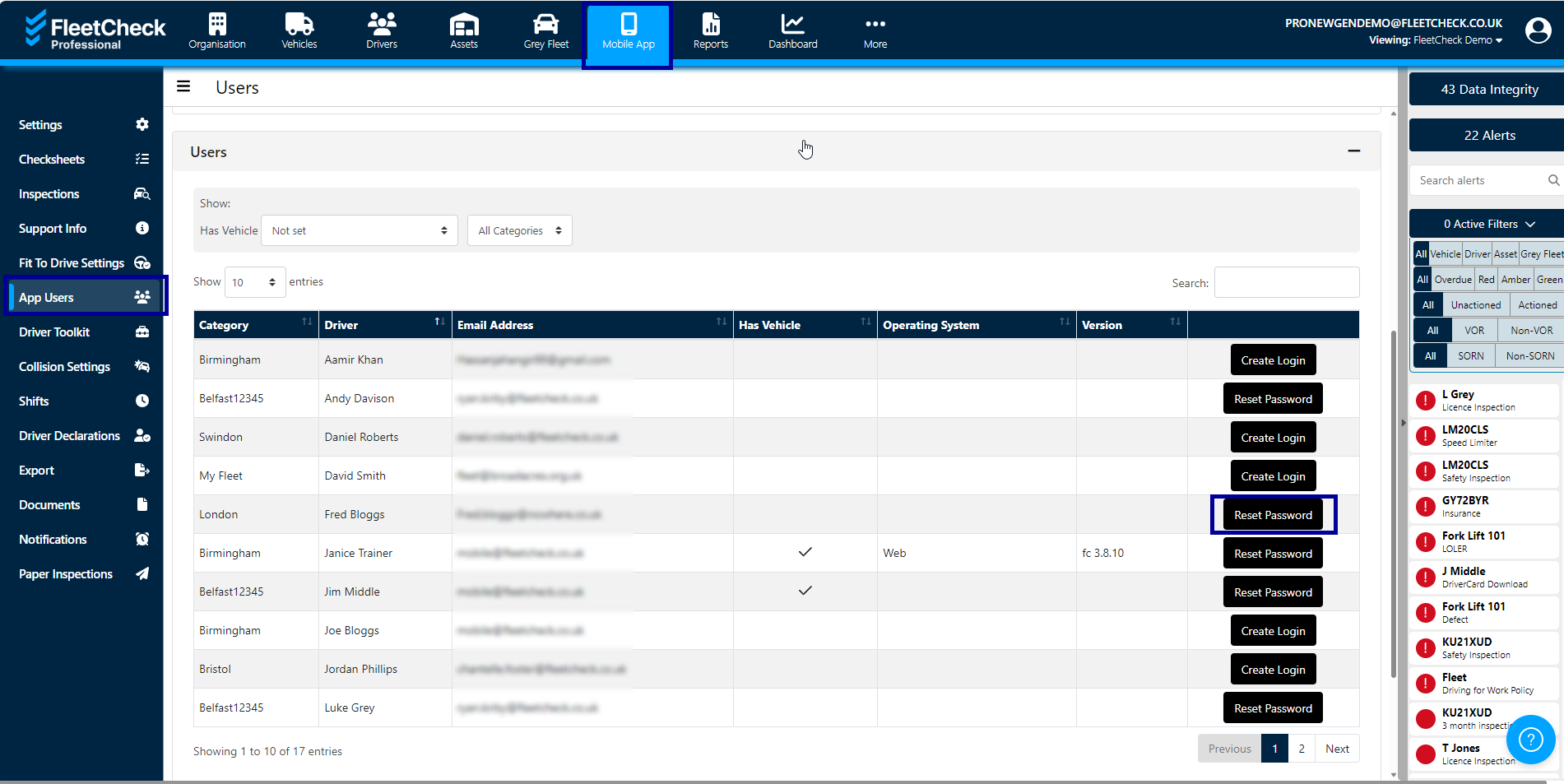
The driver will then receive a system generated email asking them to create a password- they will then be able to login with their new password.