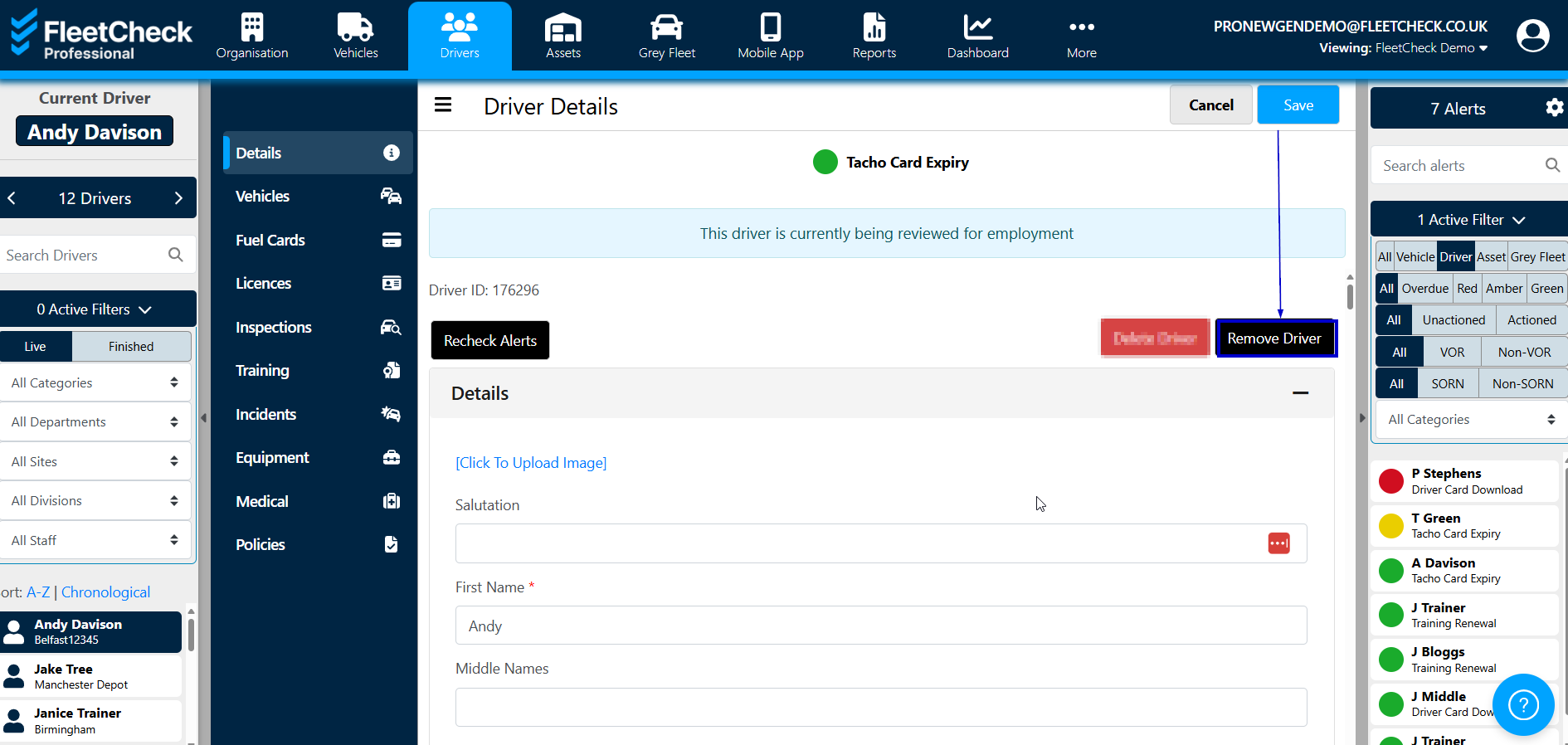
To remove a driver from FleetCheck, click on the ‘Drivers’ tab from the main menu, then select the driver's name in the left side menu to access the 'Driver Summary' page.
At the top right of this page is the ‘Remove Driver’ button.
Clicking this will take you to the ‘Finishing Driver Details’ area where you're able to add any relevant information or notes and set a driver as finished.
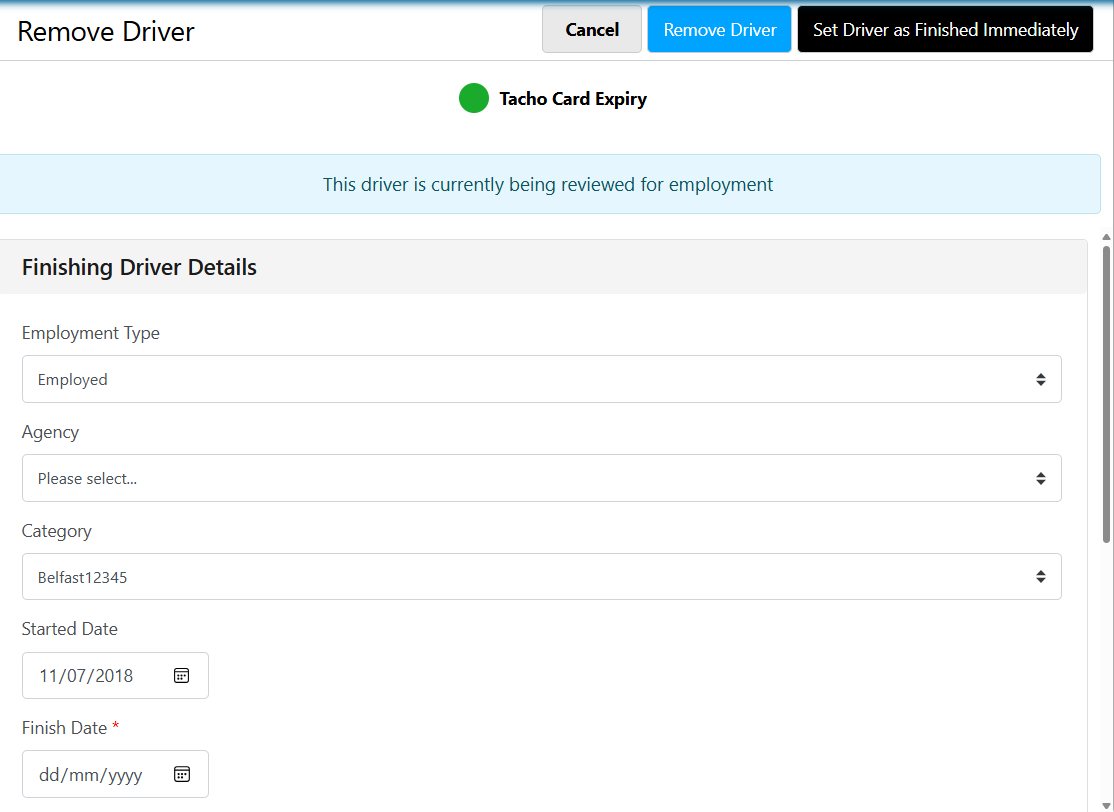
You can also schedule a driver to finish on a date in the future should you need too.