A P11D form is sent to HMRC by UK employers outlining the cash value of any work related taxable expenses and taxable benefits that your employees might have received over the tax year. These are only benefits or expenses that have not been included in their wages.
FleetCheck Professional can help with P11D through providing a report on the system that help you to calculate your P11D.
Ensure the vehicle is allocated to the correct driver in the system. Then you need to ensure that the following is completed - vehicle category, national insurance number, engine size, registered date, fuel type CO2 allocation date, return date, P11D value, tax cost, scale charge, taxable days, and that a fuel card has been assigned.
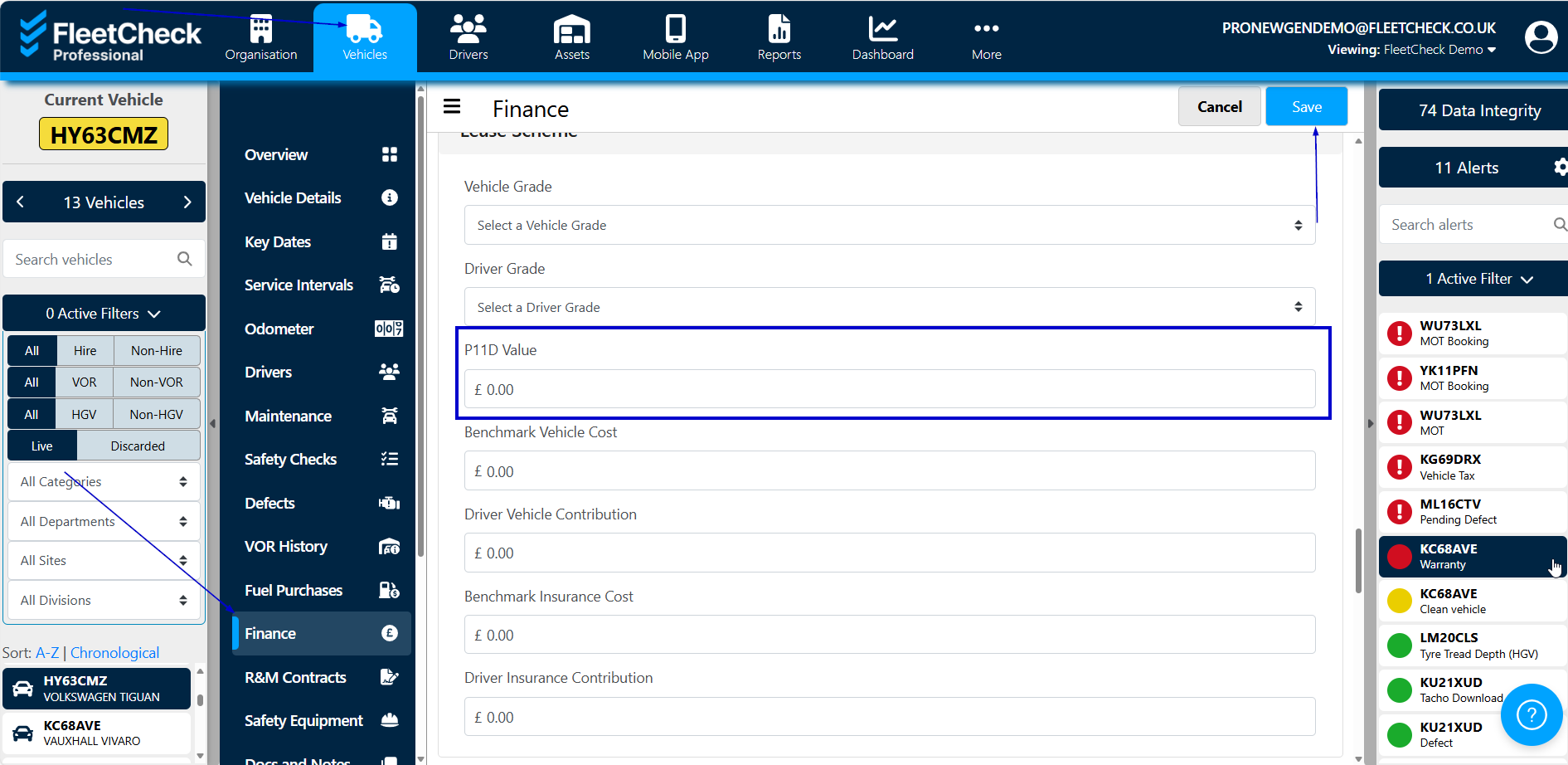
The P11D value is input within the Vehicle Finance area on the software -
Once all the data has been completed, we have the report C318 in the Reporting suite that will detail to you the vehicles that the drivers have been in over a set period of time and their p11D values.
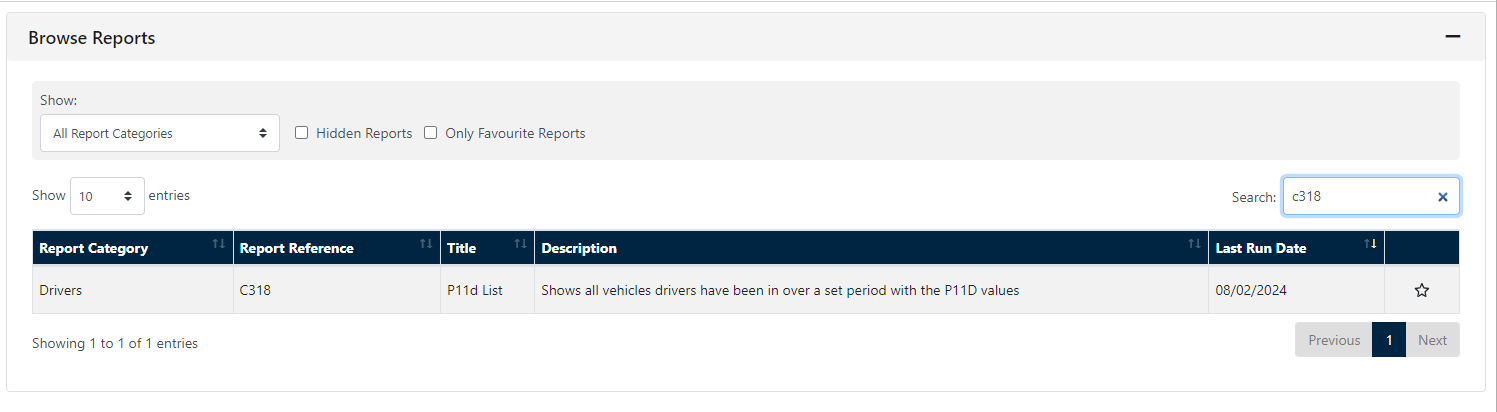
You can set the report up as a favourite, or schedule it to come in automatically if required.