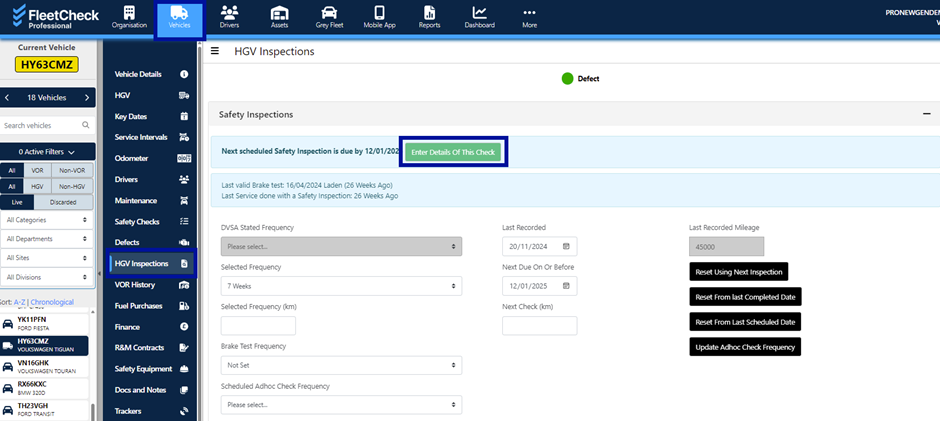
Within FleetCheck under your vehicles, you will have a ‘HGV Inspections’ tab which enables you to set the safety inspection frequency and enter completed inspections.
FleetCheck helps you by enabling you to update your PMI scheduling which is extremely important to stay compliant.
Once in the vehicle you will need to open the HGV Inspections tab and enter the details of the last PMI.
Read through the next areas, entering all relevant information.
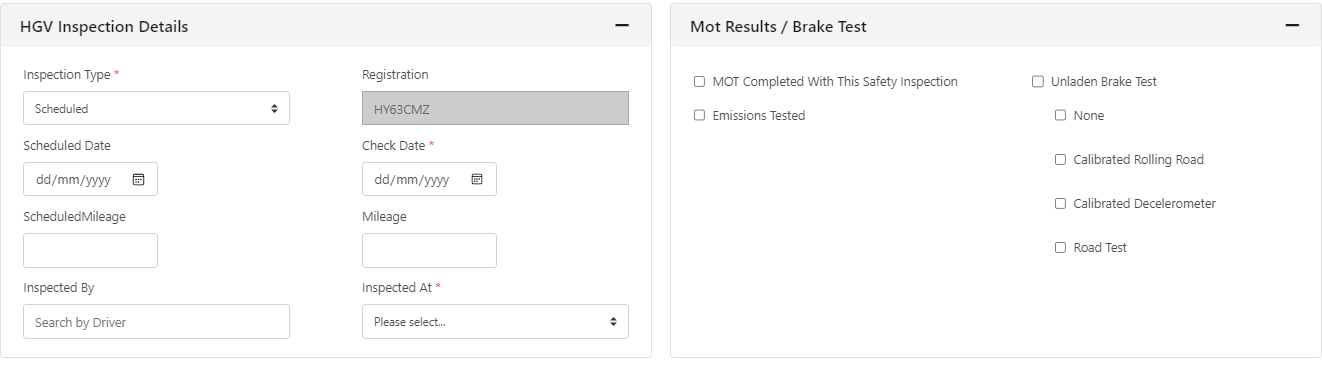
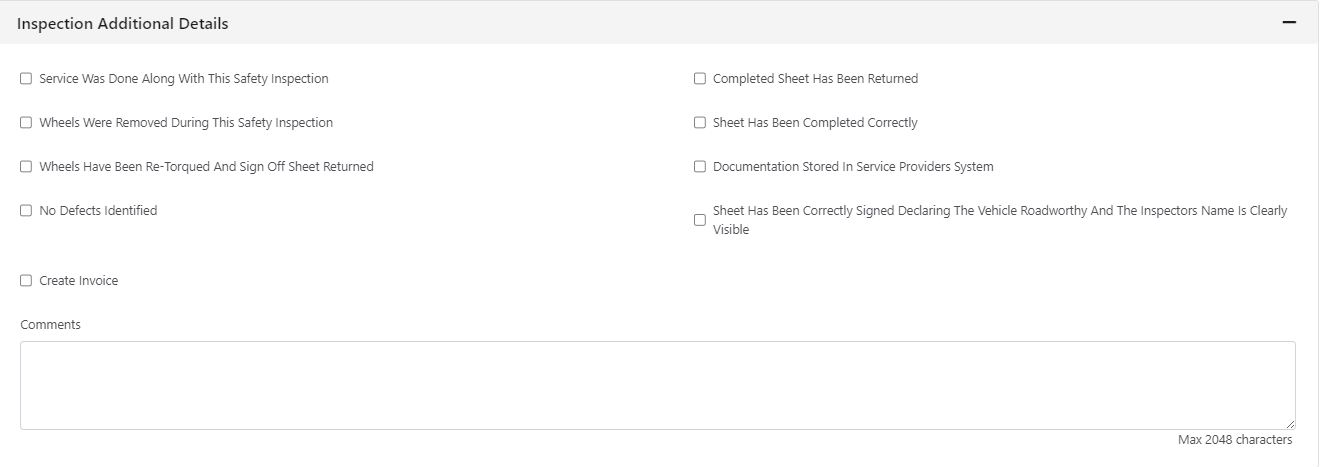
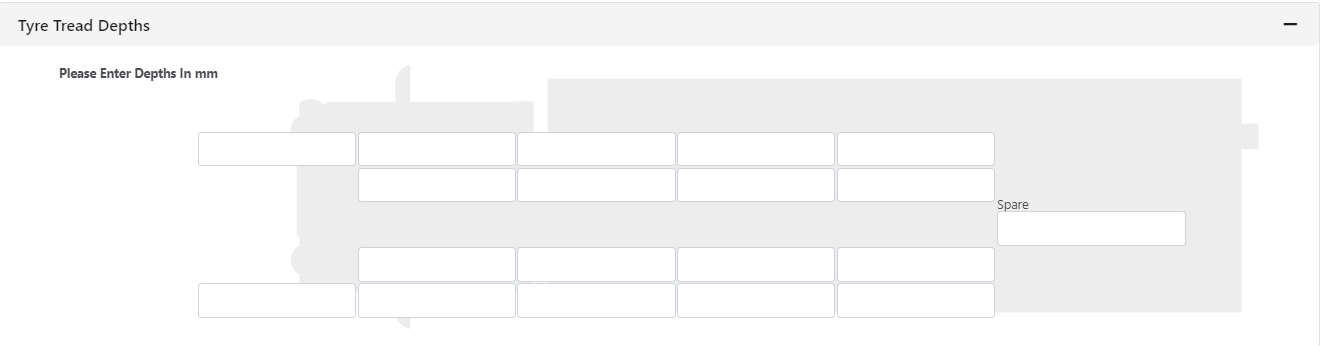
Once you have Saved the information (in the top right-hand corner) you will be redirected to the previous screen - this will detail your last completed safety inspections -

This will then update your next scheduled PMI date and kickstart the alerts system automatically. Enabling you to keep on top of your PMI inspections safe in the knowledge that FleetCheck will inform you when your next PMI is due.