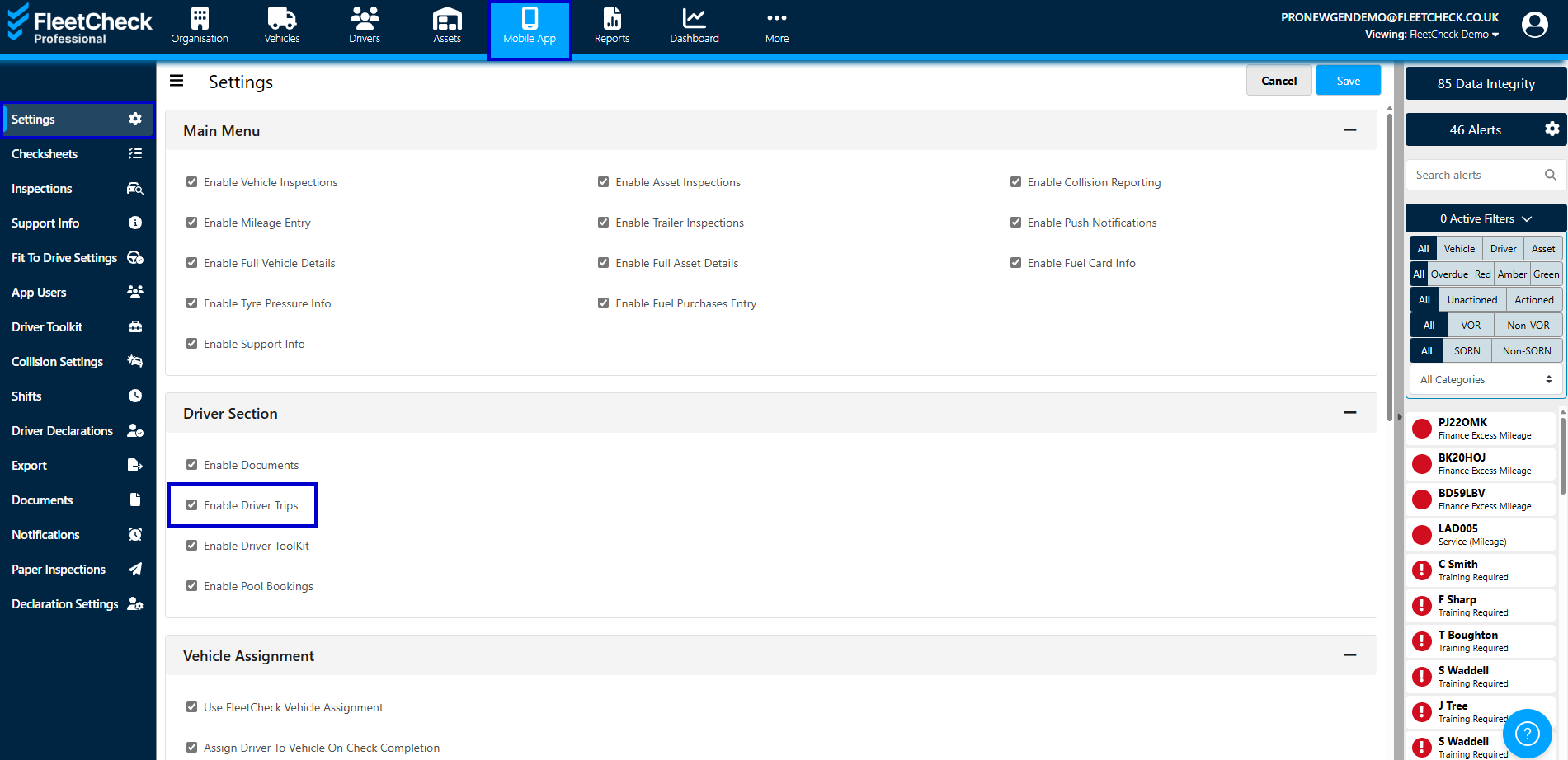
If you are using our FleetCheck Professional package you will see that you have access to our Driver Trips Tab.
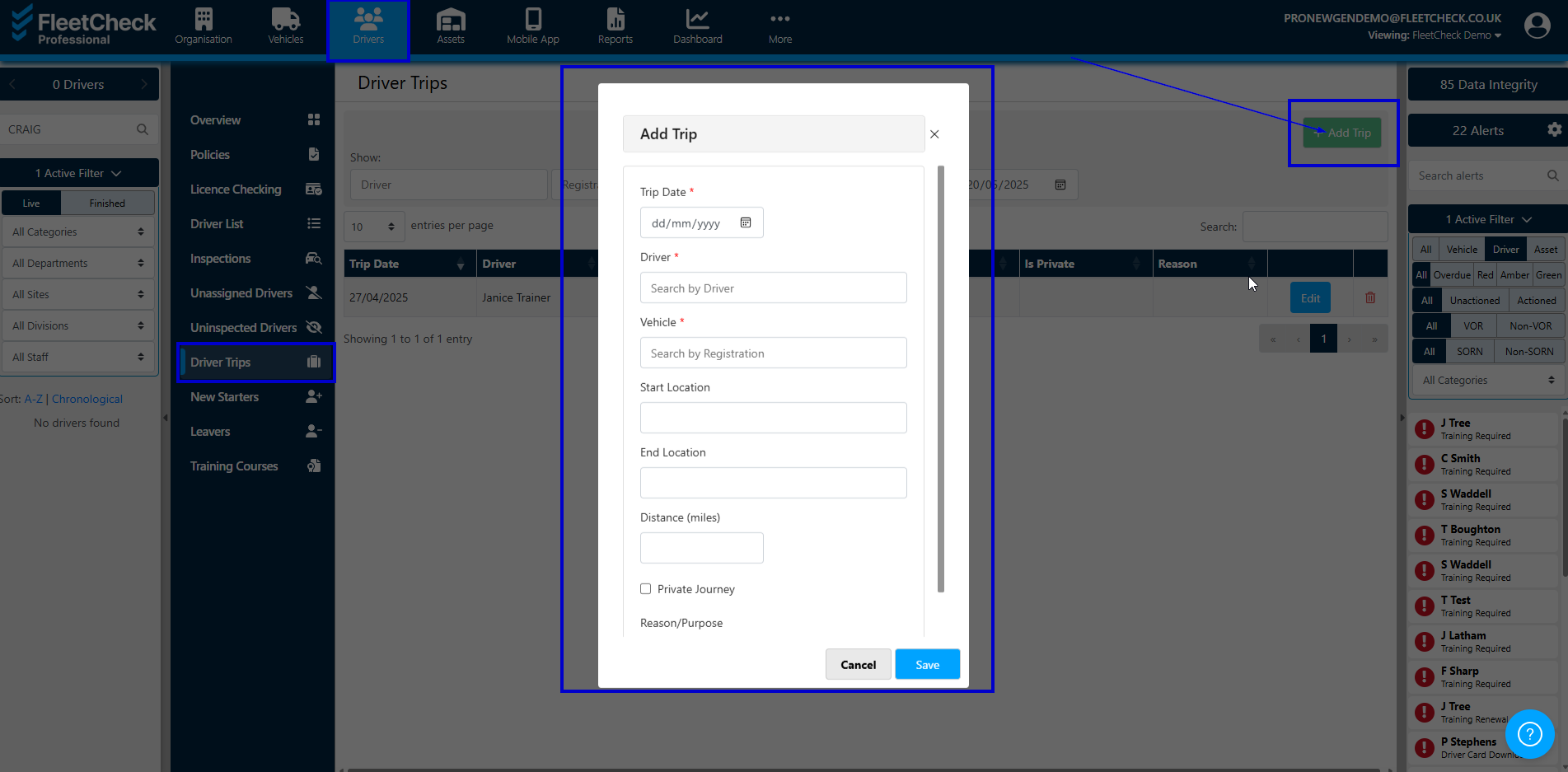
The Driver Trips area allows your drivers to record a Trip that they have carried out and require a record being kept on the system. Driver Trips can be recorded for Business or Private journeys. The app asks for a Start location, an End location and Total distance.
Driver Trips is enabled in Mobile App on the top menu bar, and then Settings on the left handside menu.
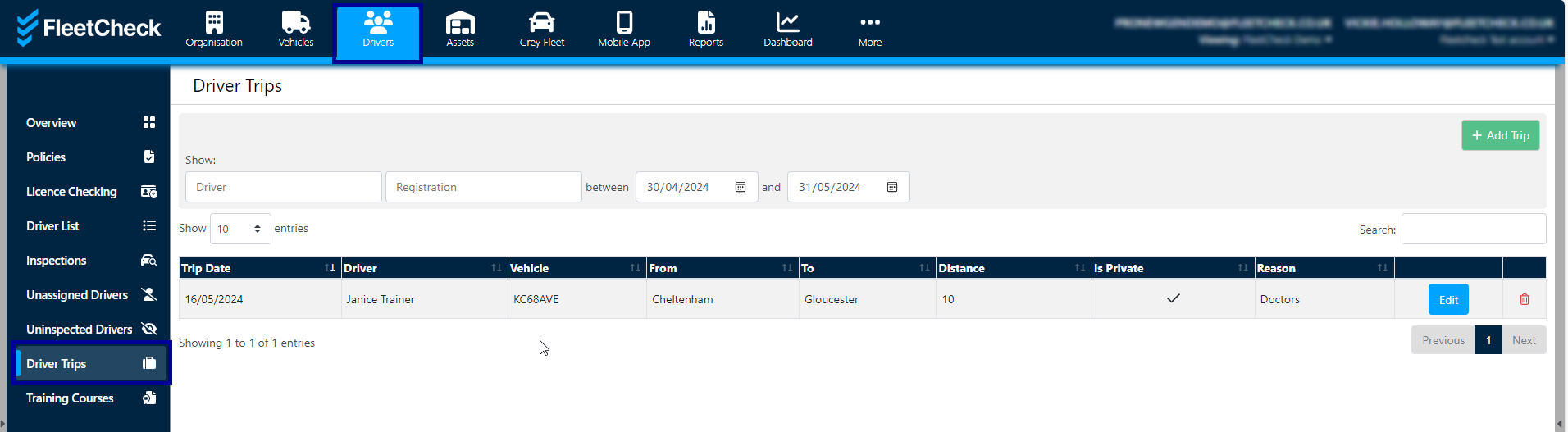
On the software the Driver Trips Tab is located within the drivers area -
Once selected you are able to see Trips within certain time periods, search for Trips and also manually add a Trip, if you were not able to do so on the app.
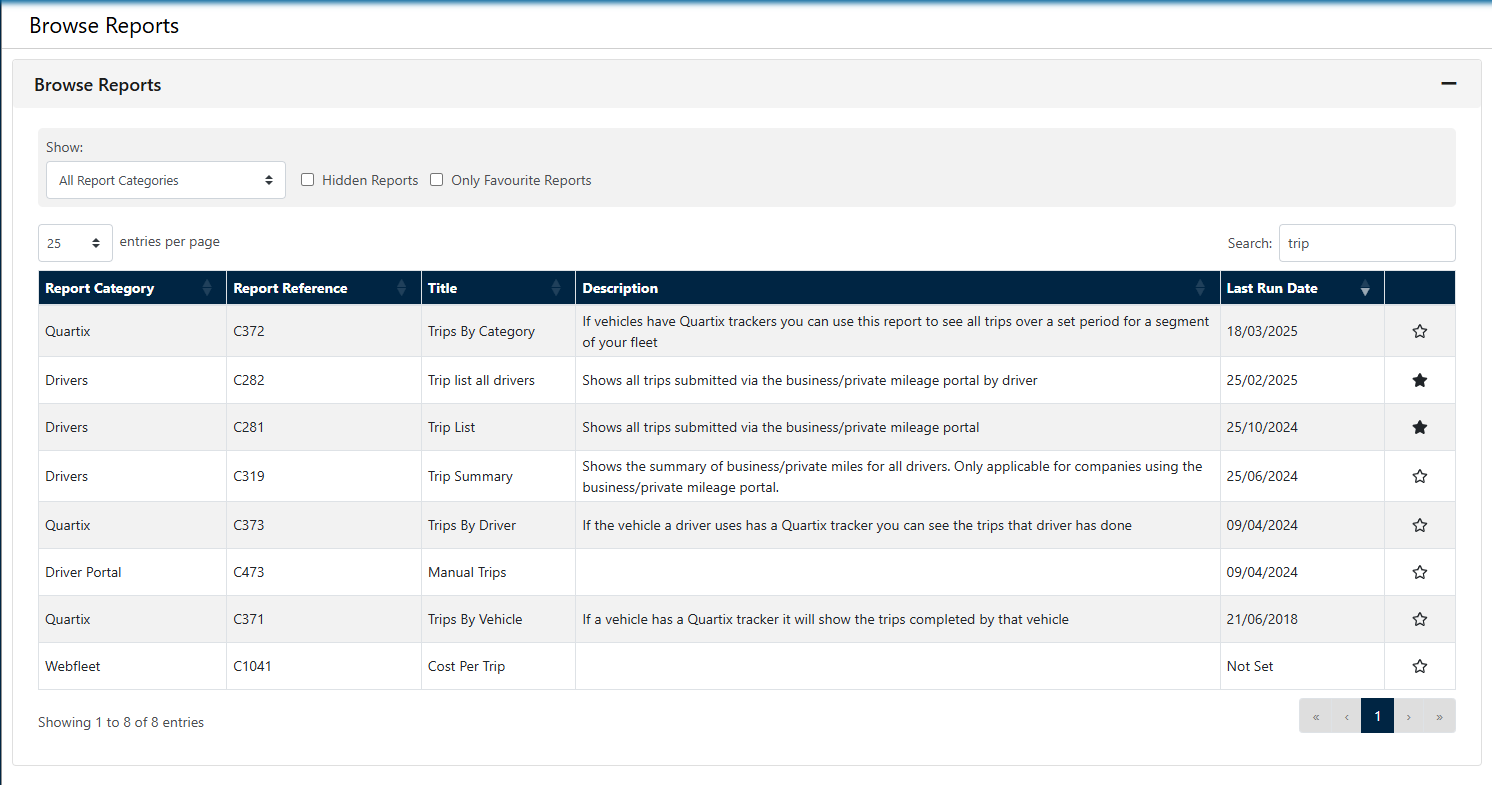
Should you need to run reports on these trips weekly or monthly etc, there are various reports available to you on the system that details this for you.
For more information on searching for reports, setting up favourite's and also scheduling Reports, please visit our Reports section for assistance.