Within the ‘Assets’ section, you are able to record whether the asset is assigned to a specific driver, vehicle or location.
You can do this by going into the ‘Asset’ and then the ‘Assignment’ tab.
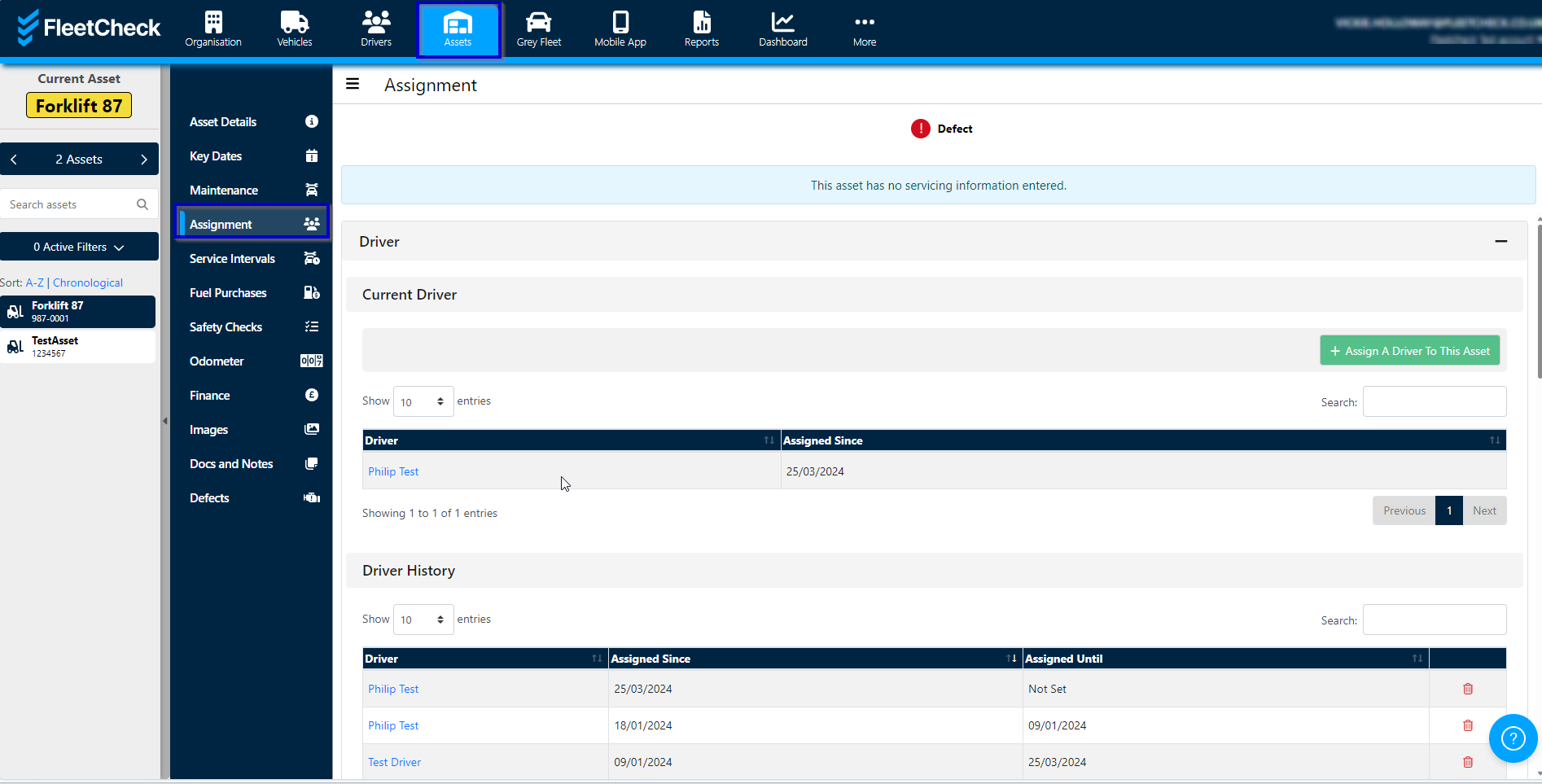
Once you are in this tab you can assign a driver, a vehicle registration or location along with a date the asset was assigned. You can then view the history of where the asset has been on this page.
When the asset has finished with a specific driver or vehicle or location, you can then just select a new assignment and the asset will transfer to the new assignee.You are able to run reports that detail a particular assets assignment history between two dates.