FleetCheck is designed to be as user friendly as possible.
Simply by selecting a particular vehicle you should hopefully be able to view which of your drivers are currently driving a vehicle by looking at the Overview page
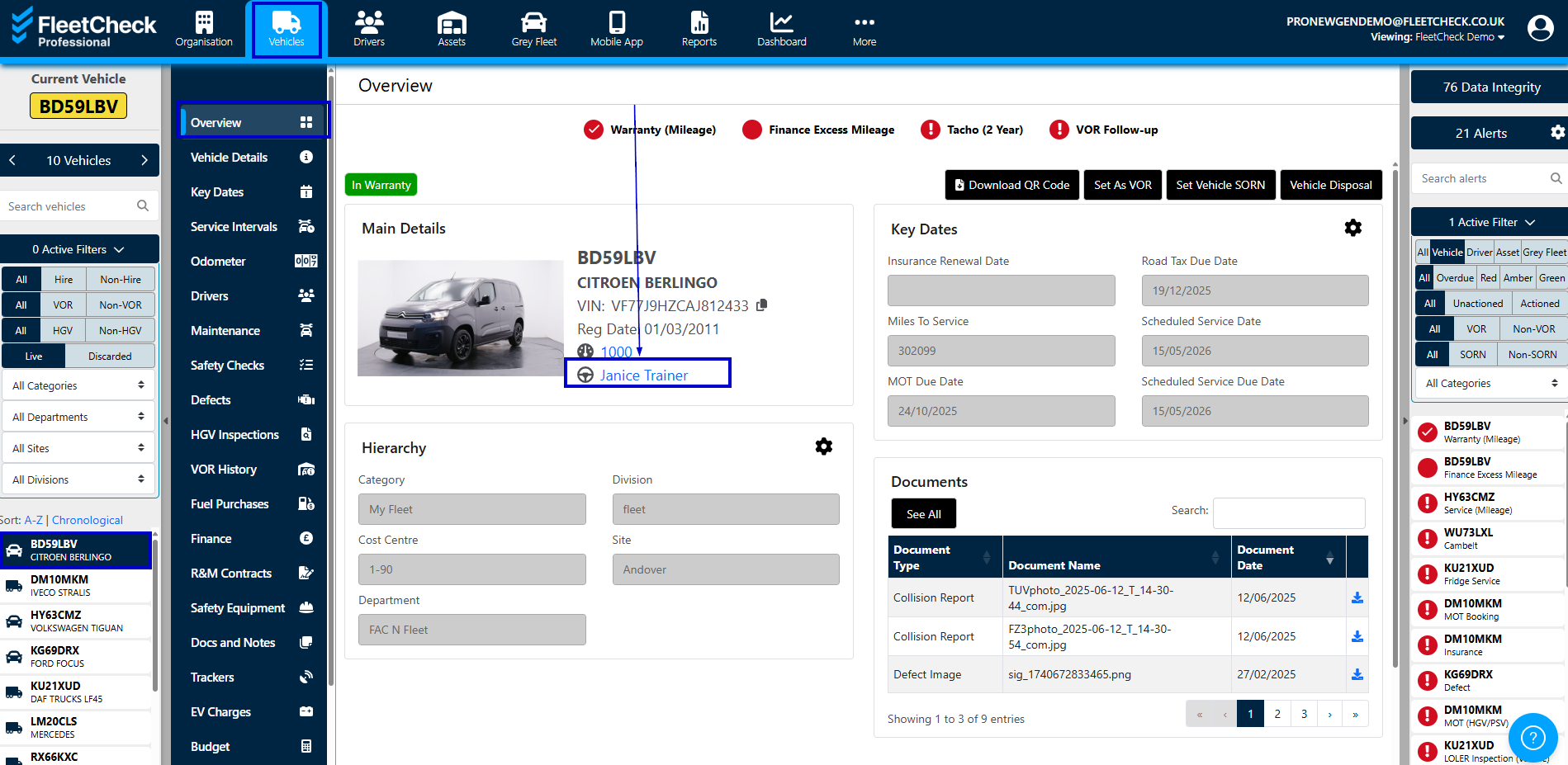
you can also see who was driving that vehicle on a particular date by going into the Drivers tab on the vertical menu

Now if your drivers are using the app and recording regular checks, they will detail in the Current Drivers and in the Driver History.
So if you wanted to look at a particular date you are able to do so simply by using the search box.
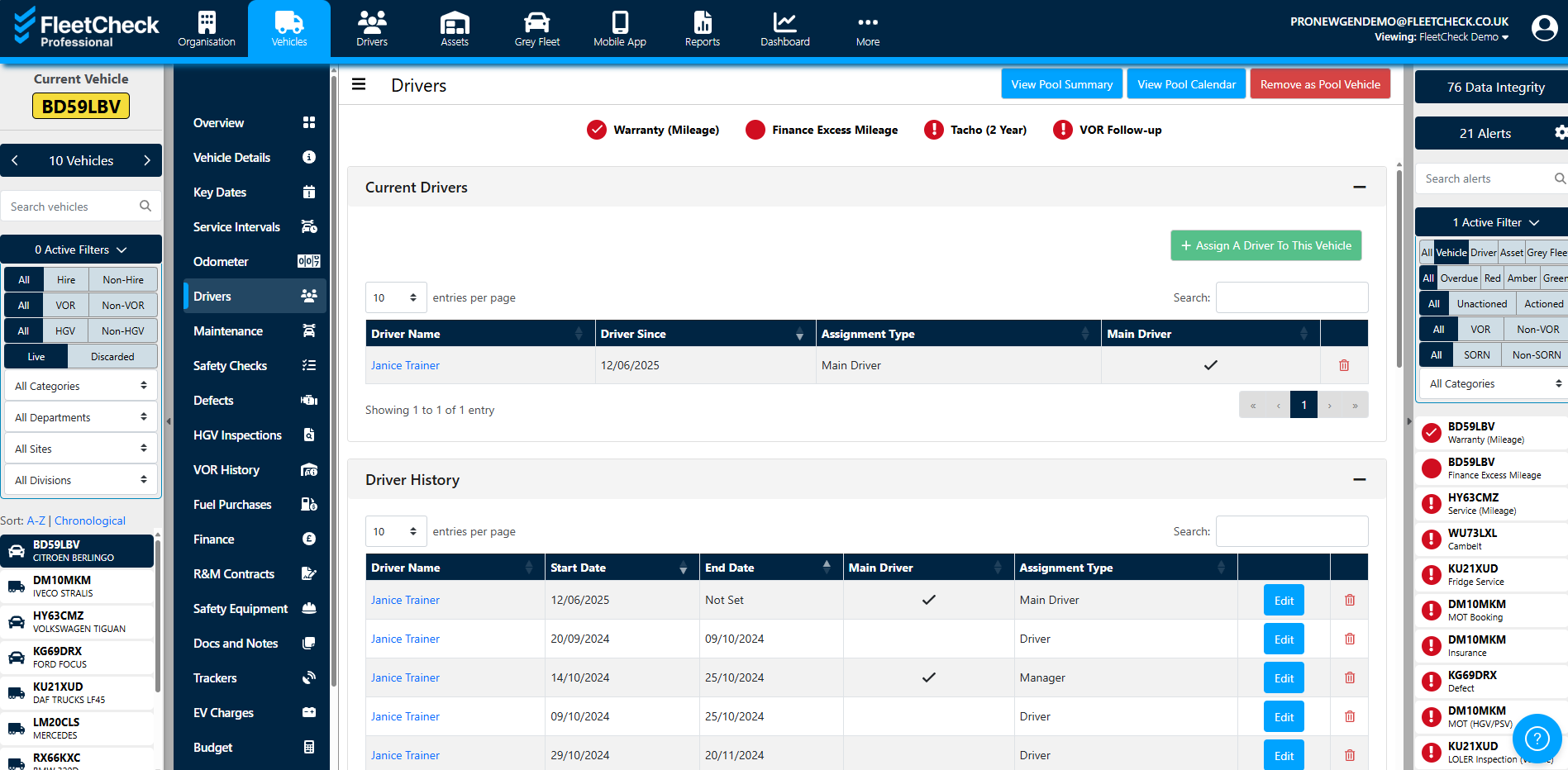
You can also assign a Vehicle to a driver within this area or as a Pool vehicle.
Therefore if your drivers are using the app, or you have assigned your vehicles to your drivers you will have a complete audit trail, of who was driving what vehicle on what date.