FleetCheck informs you of upcoming tasks via traffic light alerts on the right-hand side. The traffic light alerts are colour coded to the following timescales by default:
Green: Due within 30 days or 1000 miles
Amber: Due within 14 days or 500 miles
Red: Due within 7 days or 250miles
Red + Gentle flashing: Overdue - urgently needs to be actioned!
These settings can be changed just click the ‘edit’ button to change the alerts individually or disable them.
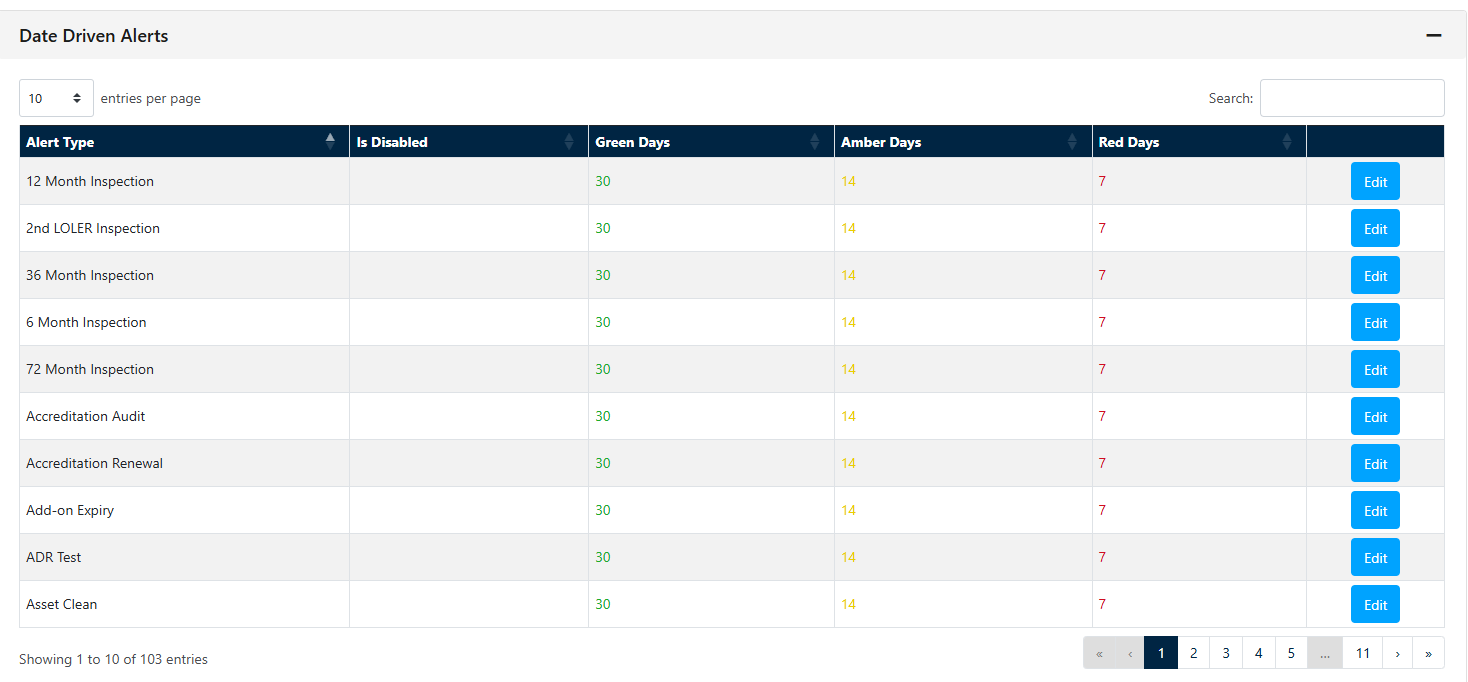
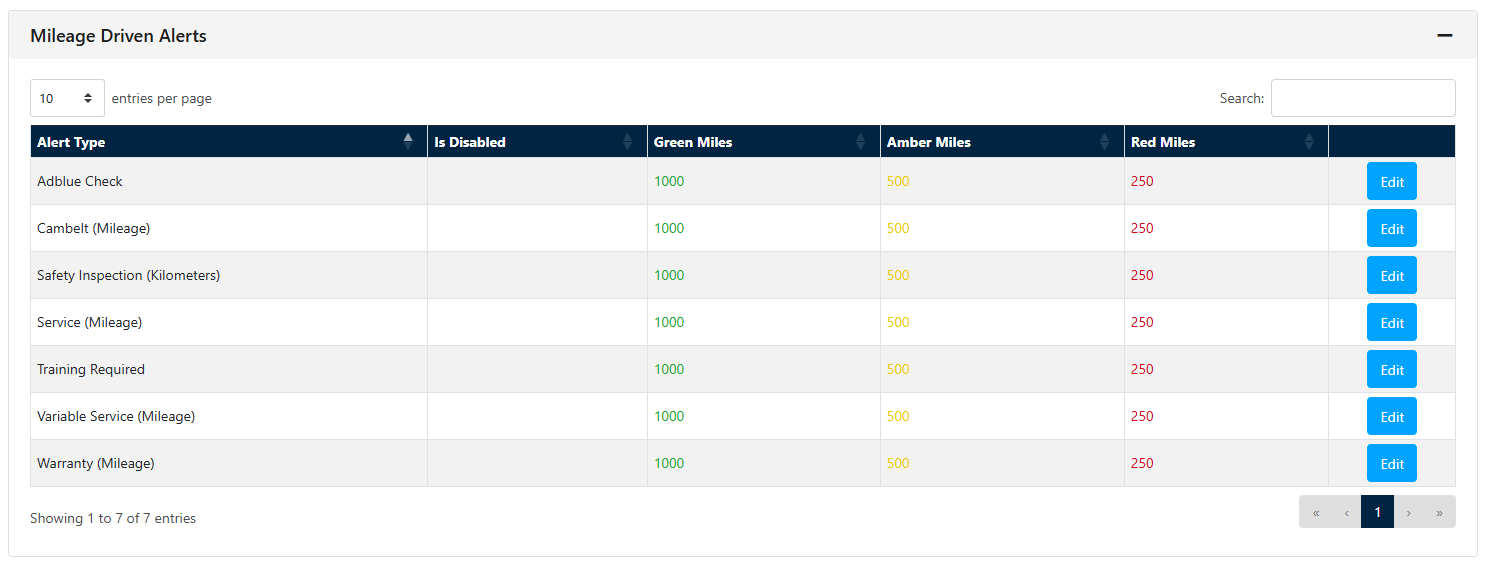
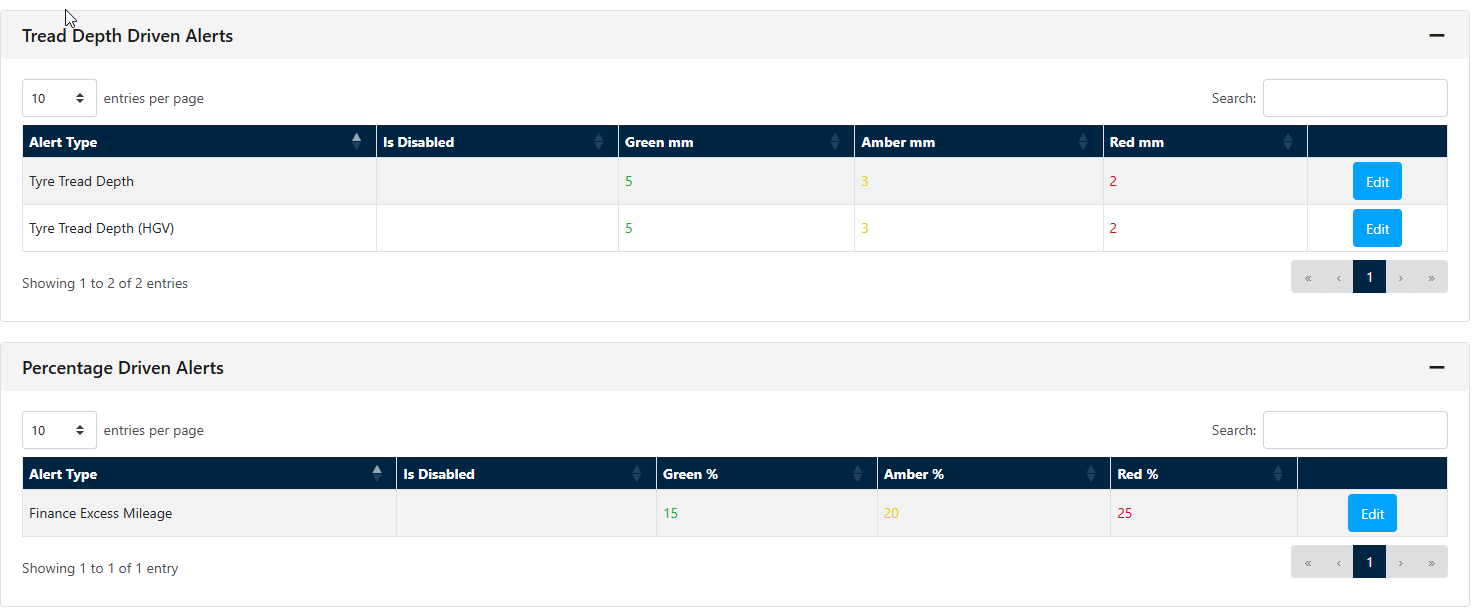
Should you wish to change the alert durations simply select the Blue edit button and adjust accordingly -
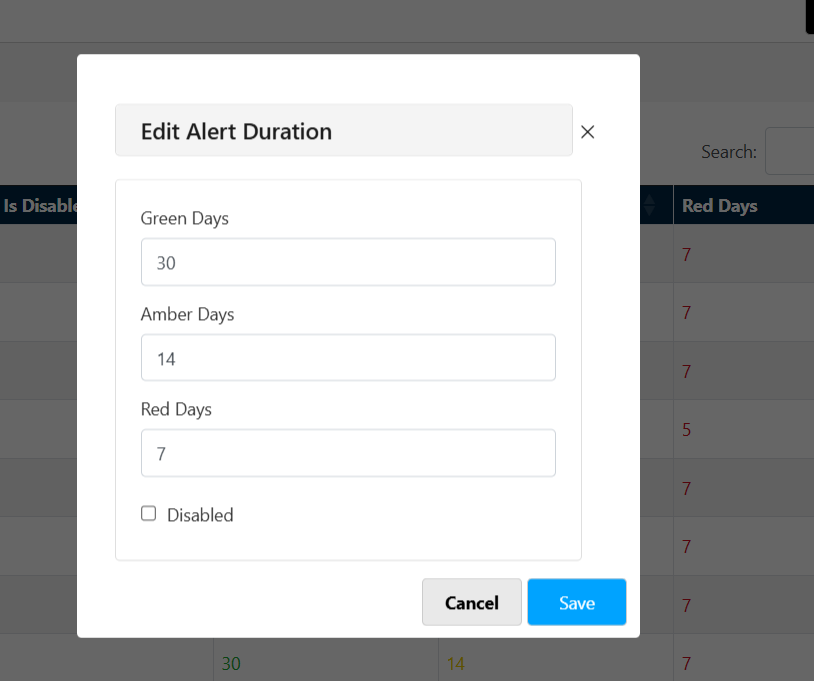
Should you wish to disable the alert - its simply tick 'Disabled' and save. By disabling the alert you will no longer have certain alerts appearing on your FleetCheck software, which is handy iif you use other companies to monito certain aspects of your fleet etc