Fuel can be added against an asset manually through the main FleetCheck system or via the app from your drivers if required.
To add fuel against an asset manually, select an asset from your list and then select the ‘Fuel Purchases’ tab.
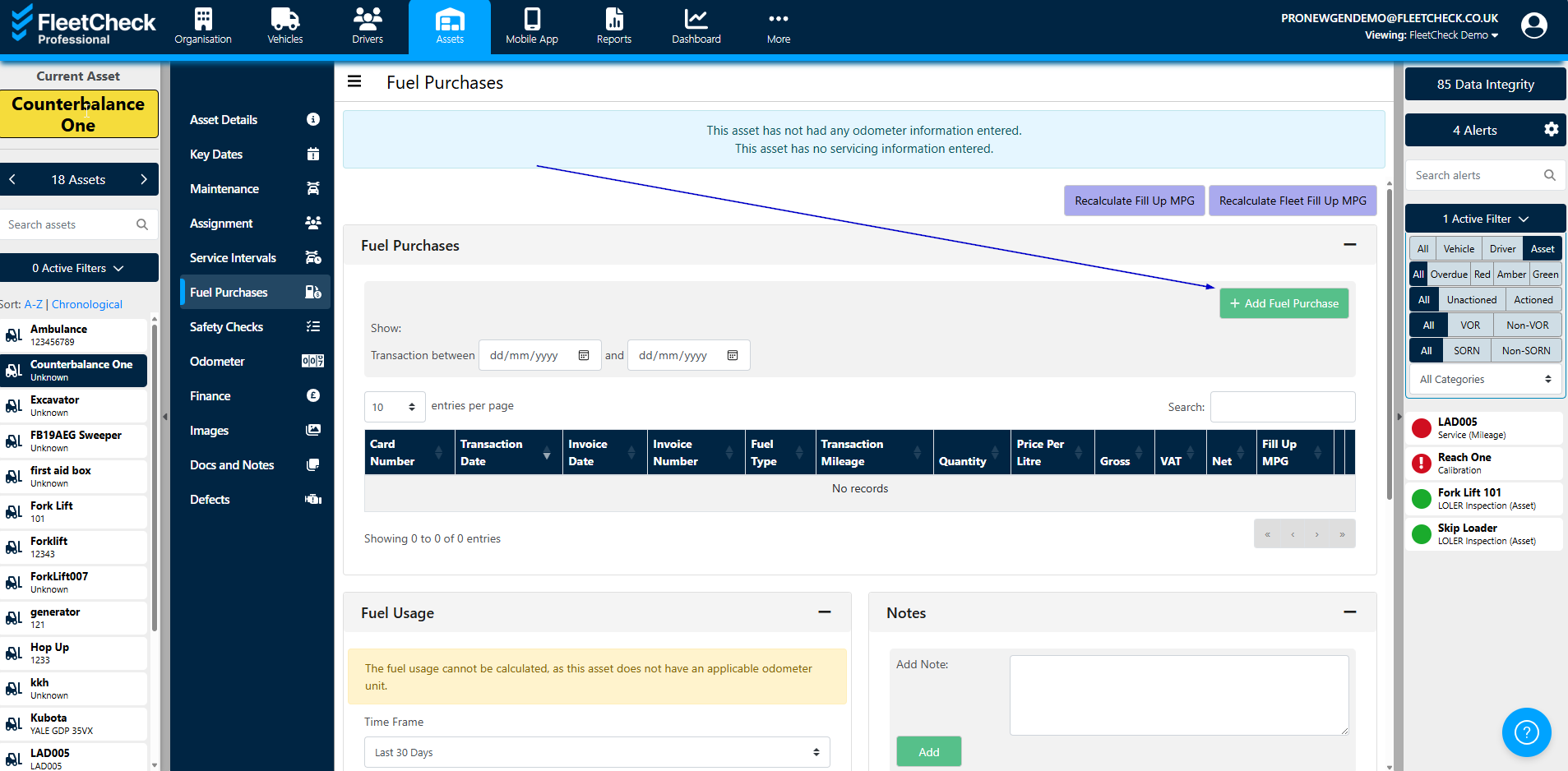
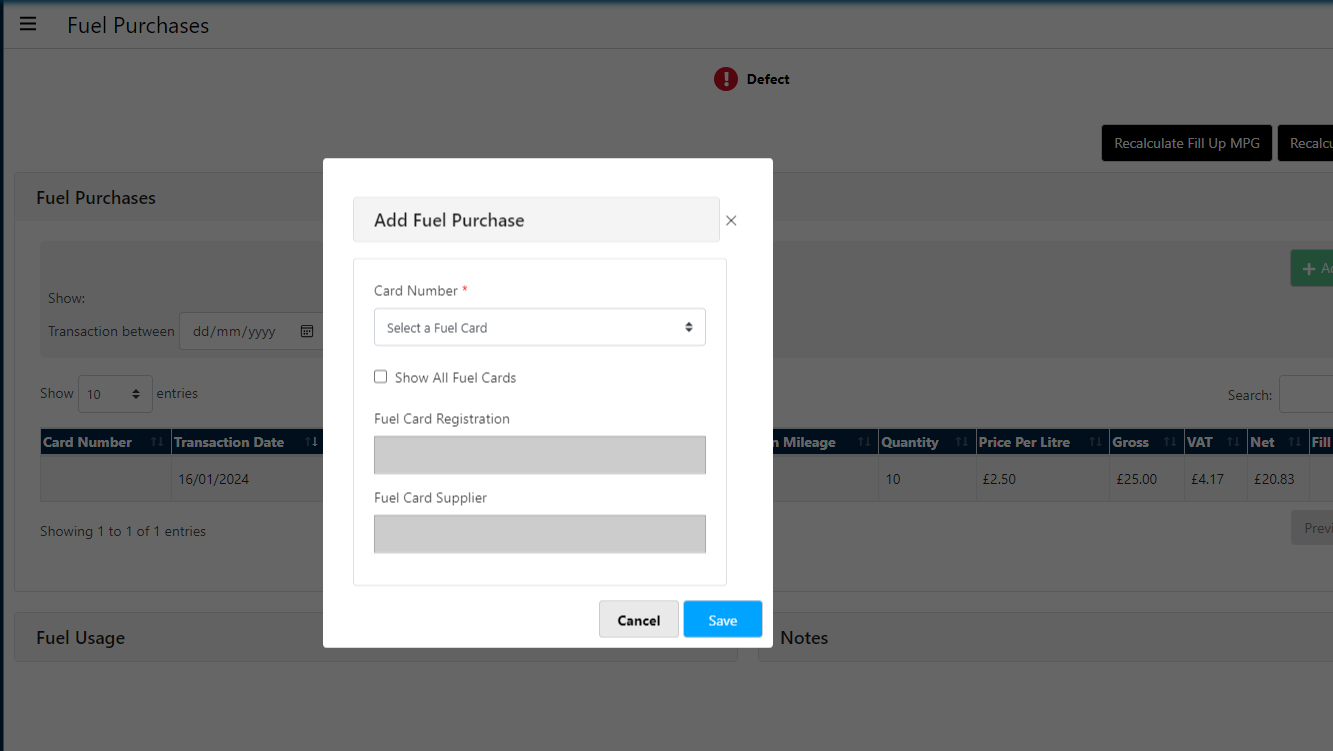
Once you are in the ‘Fuel Purchases’ tab you will be able to see previous fuel purchases on the page and then you will also be able to add a fuel purchase selecting the card and entering the litres etc.
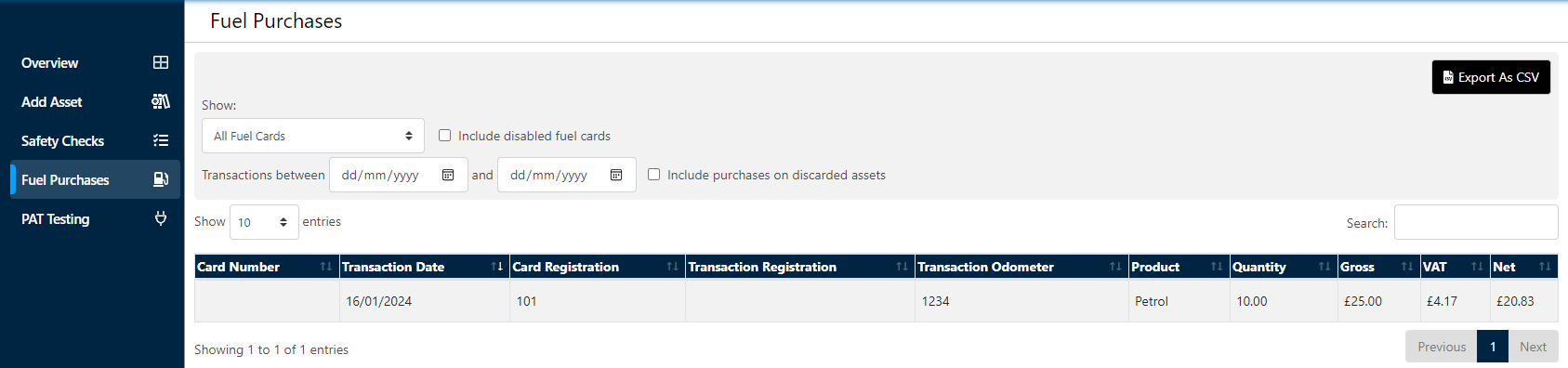
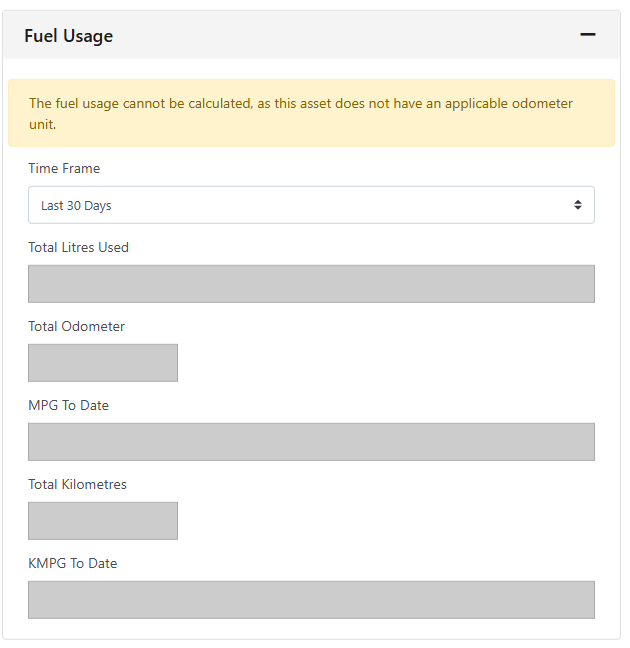
Also you will have visibility of the Fuel Usage on that particular Asset on that page -
It's important to note that this feature is only available to those clients on the FleetCheck Professional package.