Within FleetCheck under your HGV vehicles, you will have an ‘HGV Inspections’ tab which enables you to set the safety inspection frequency and enter completed inspections.
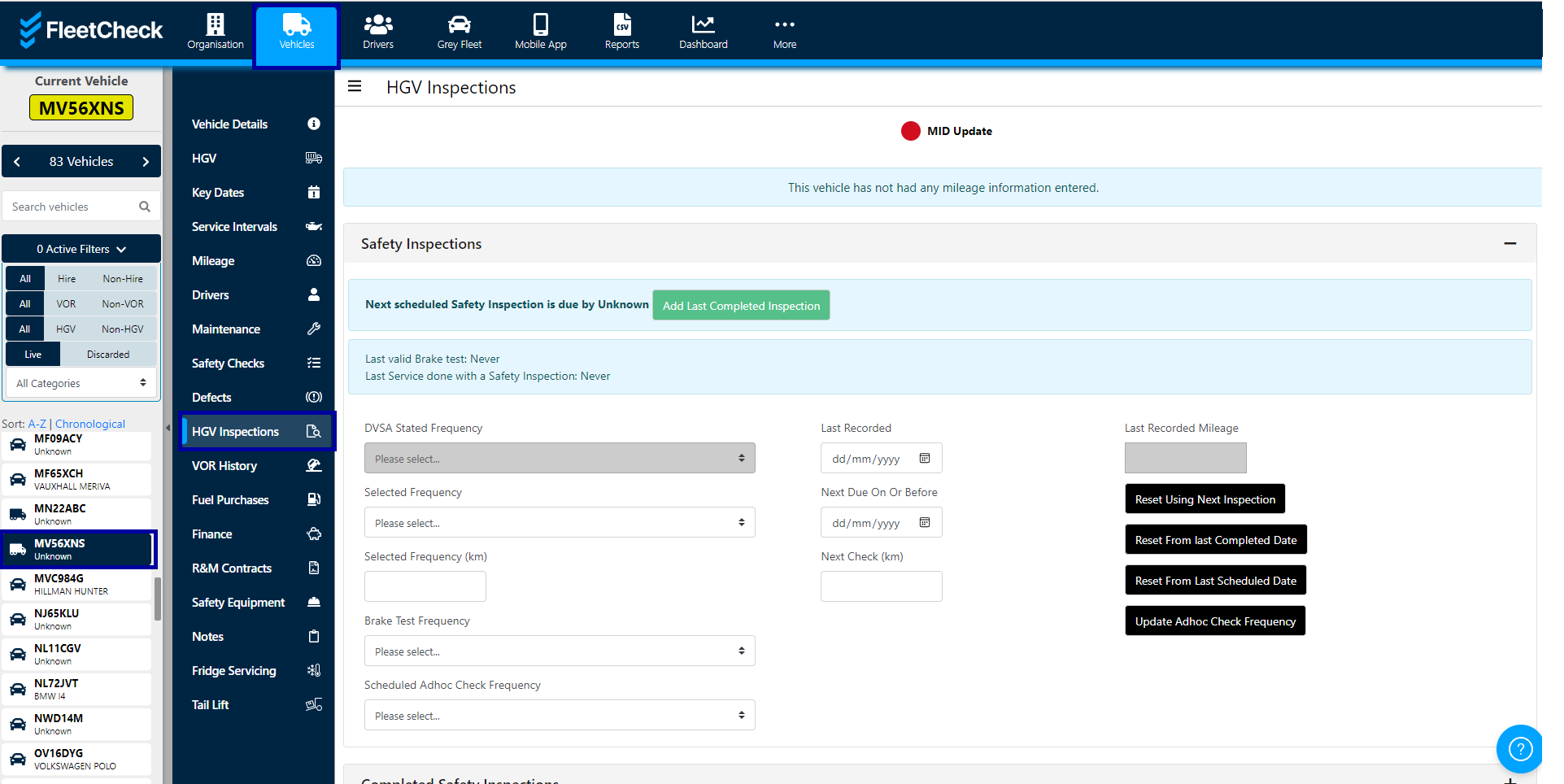
Once you are in the inspections tab, you can change the frequency if required, add a brake test frequency or add inspections. To change the frequency, use the drop-down options and then use the relevant reset buttons.
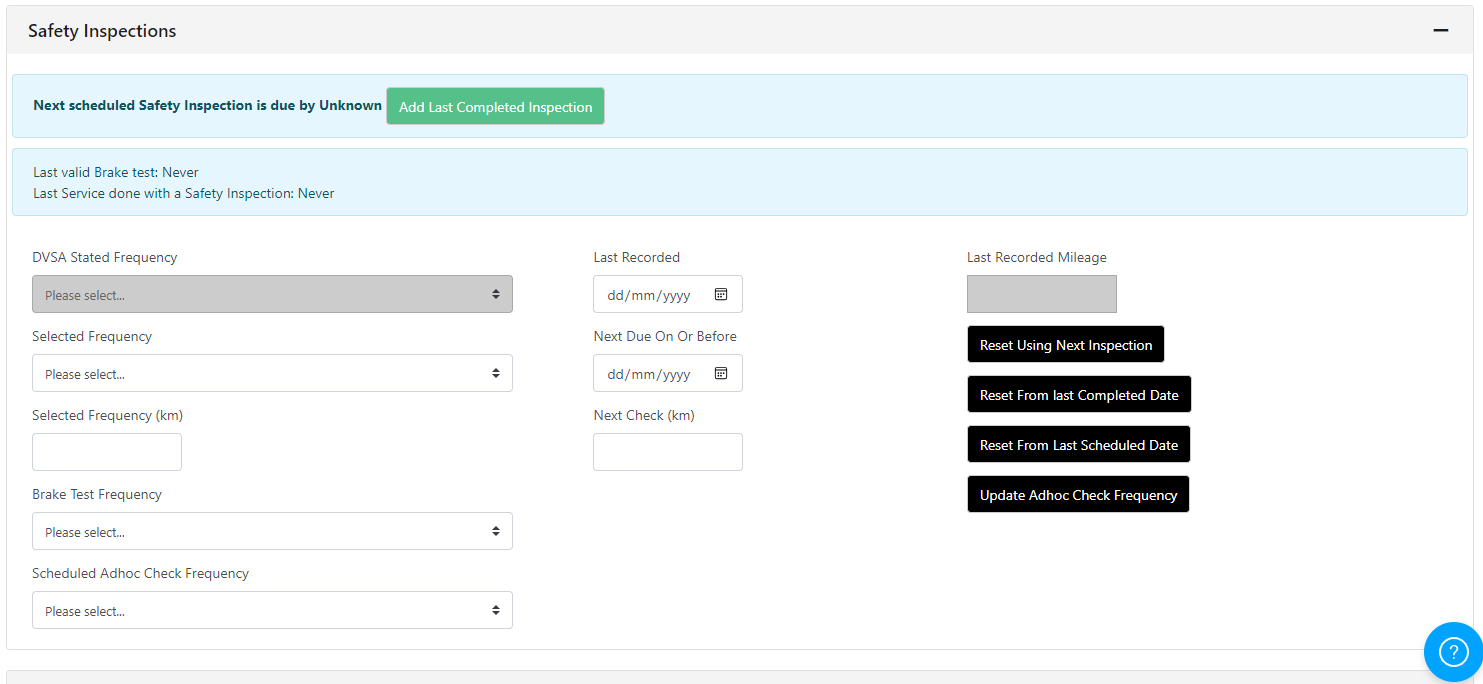
To enter a completed inspection click the ‘Add Last Completed Inspection' button.
Once you have selected the relevant option for the inspection you are entering, you will be able to enter where the vehicle was inspected, tyre tread depths, whether the documents are back and any defects.
Simply work your way through the forms
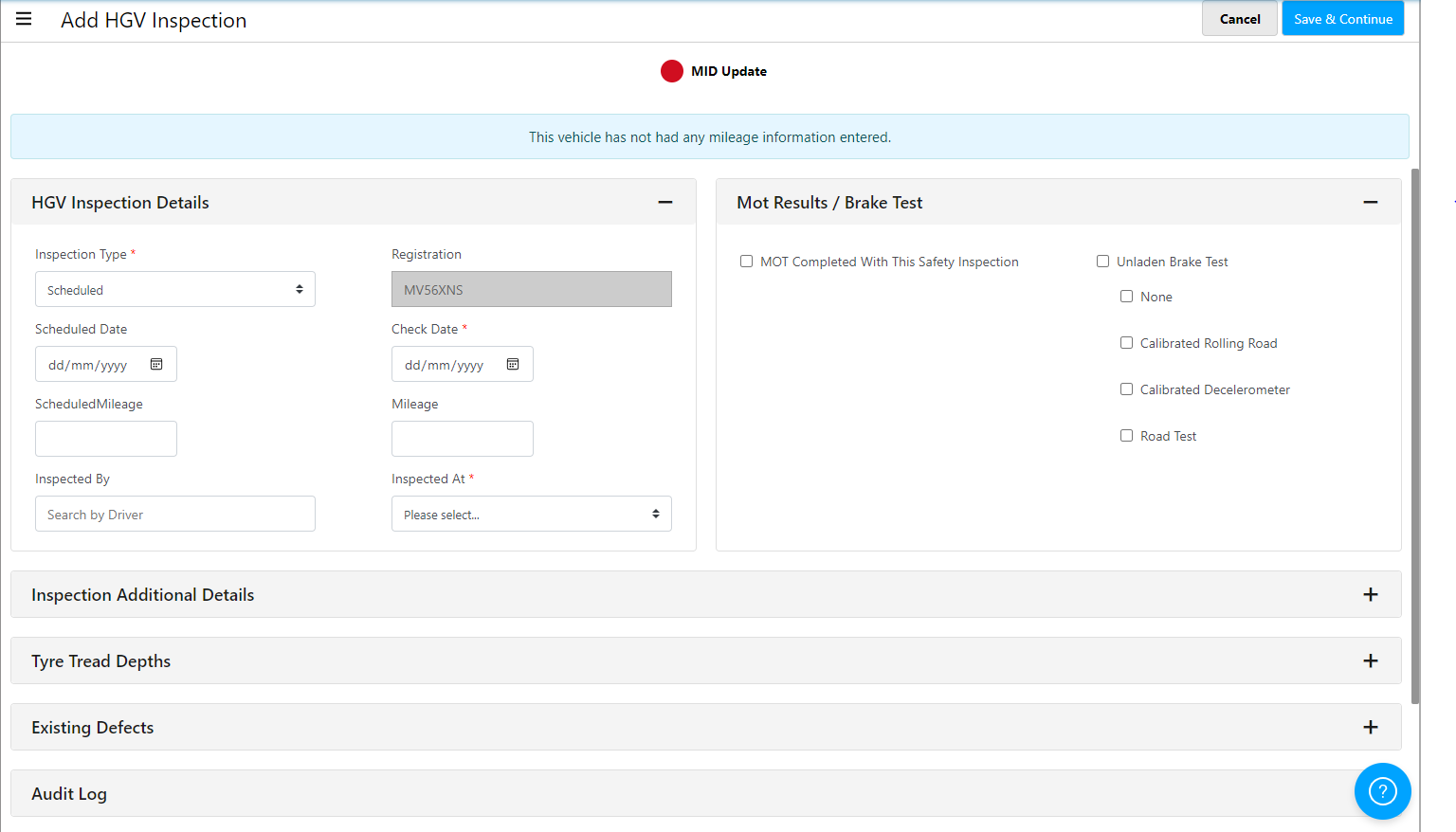
If you have entered a completed inspection, the system will calculate the next check based on the frequency and clear the alert outstanding.
Depending on your selections in Settings will determine if adhoc inspections affect your inspection schedule.