Categories allow you to break the fleet up into groups to narrow your fleet down whilst managing certain drivers/vehicles. Categories can be used to limit user visibility (via their staff record) or segment the vehicles/drivers for reporting purposes. Typically, you would use the categories to identify which depot a vehicle/driver/asset belongs too.
Now it might be that you no longer require a category listed on your FleetCheck account, so you decide to delete the category in question.
You can only delete an empty category - so ensure that the Vehicle, Driver and Asset columns are at 0
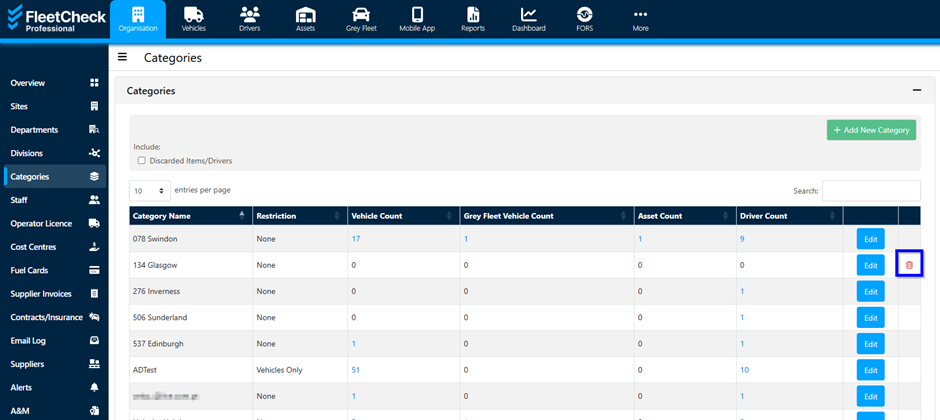
This will then allow you to remove the redundant category from the software by selecting on the little red dustbin on the right.
If an error message occurs you might find that you still have items within that category, or you may not have the necessary user permissions to delete items on the software.