On FleetCheck Professional you are able to add Cleaning Schedules to vehicles that require regular cleaning as part of your business requirements.
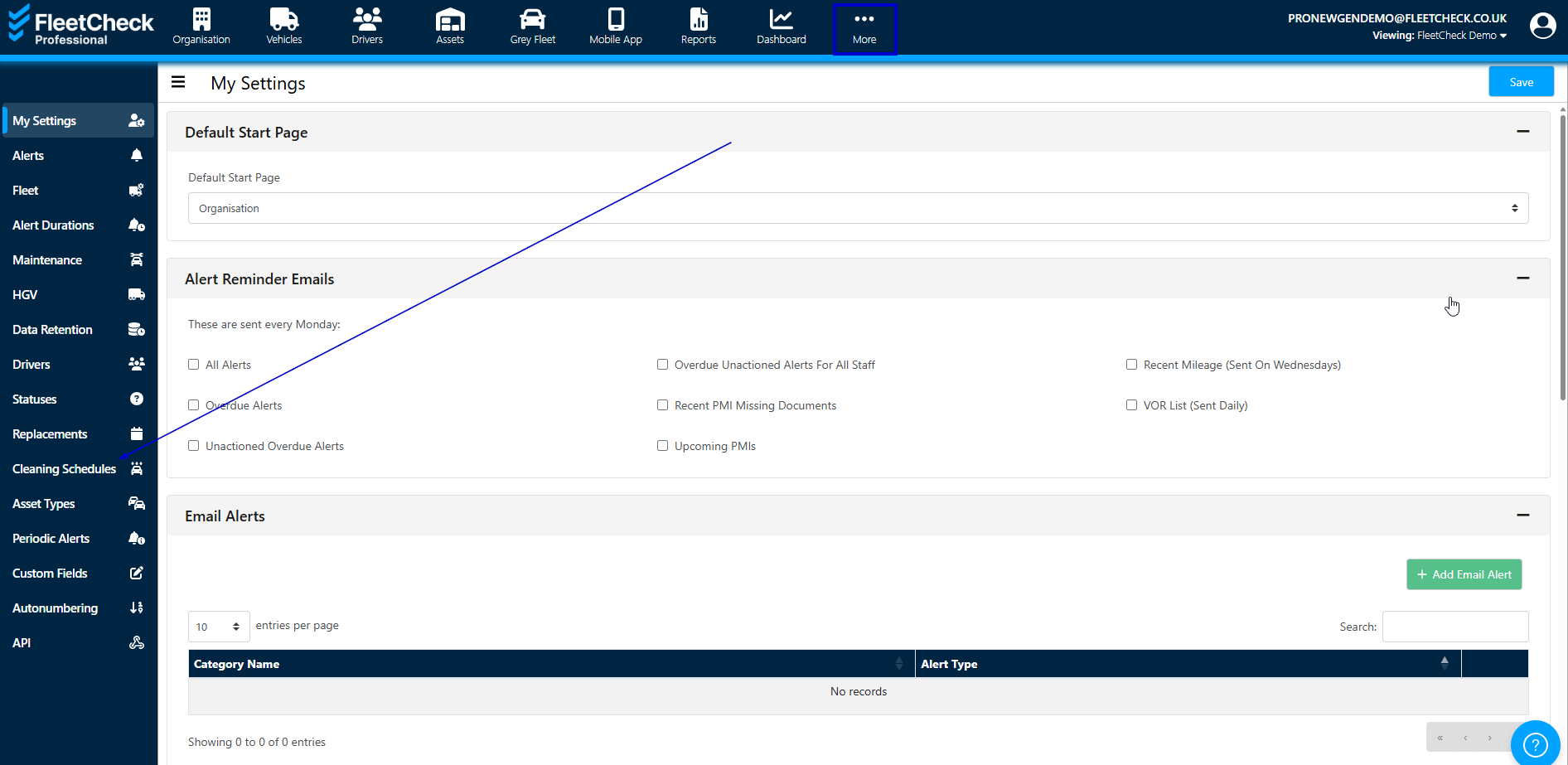
You can enable and set up cleaning schedules in the Settings area of the software
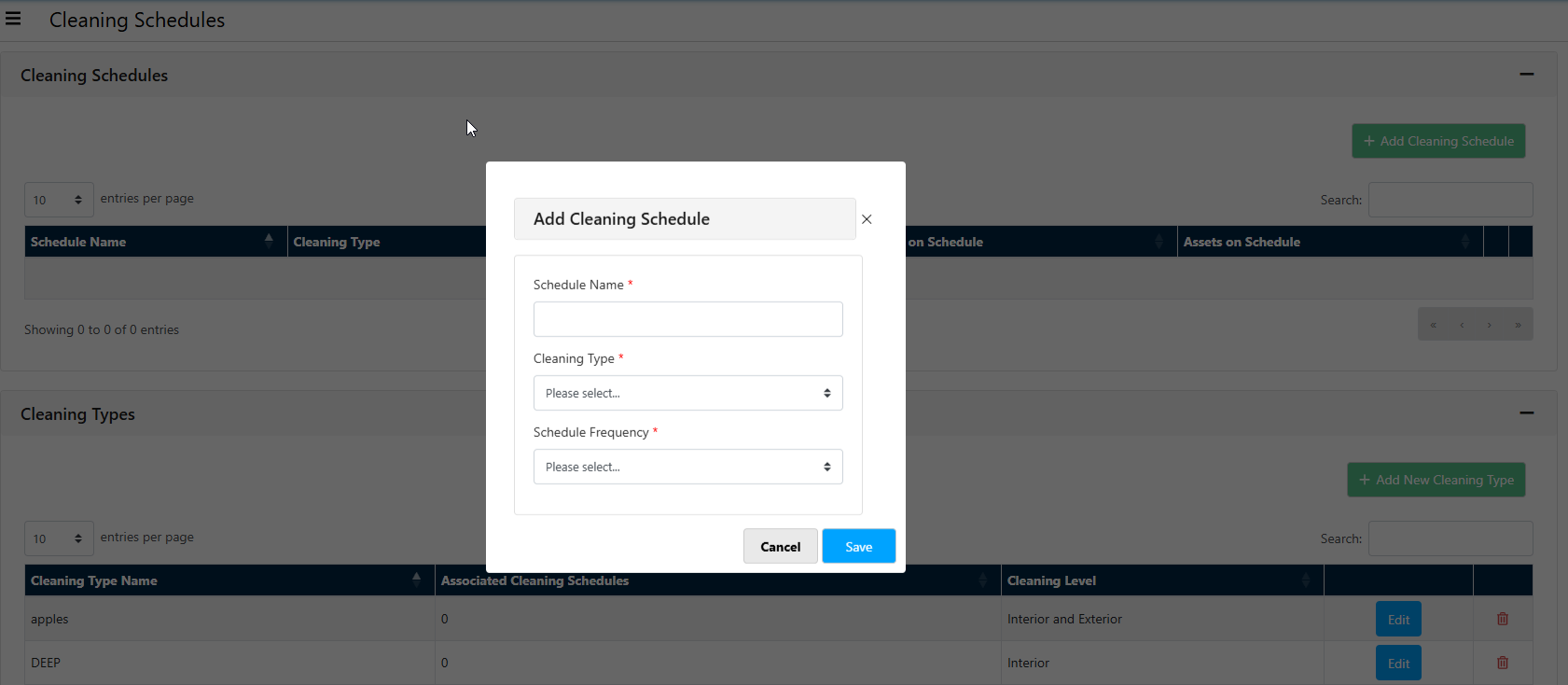
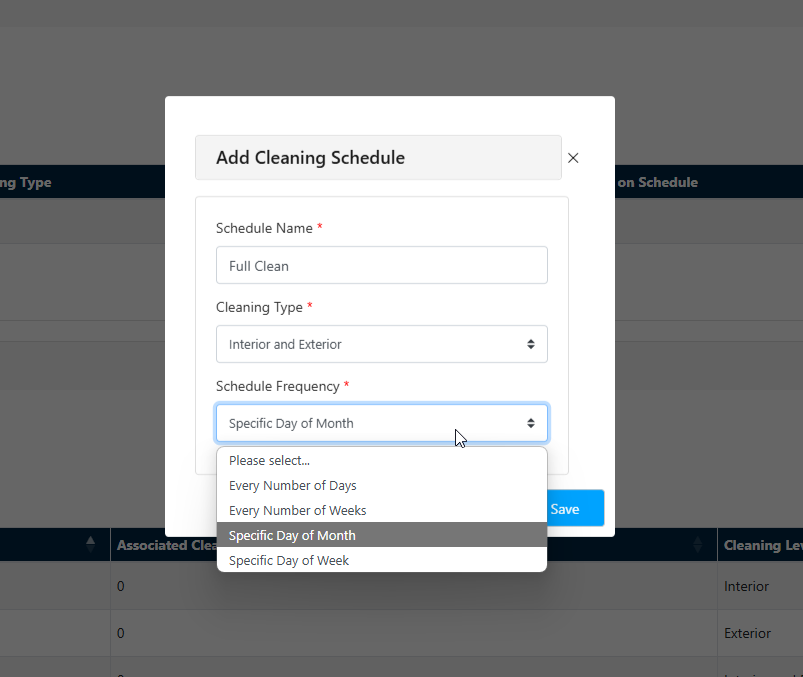
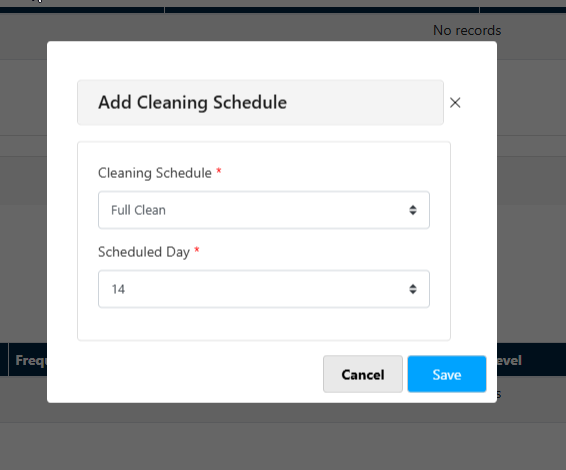
You can click ‘add cleaning schedule’ and this will allow you to select the type of clean or add a new cleaning type.


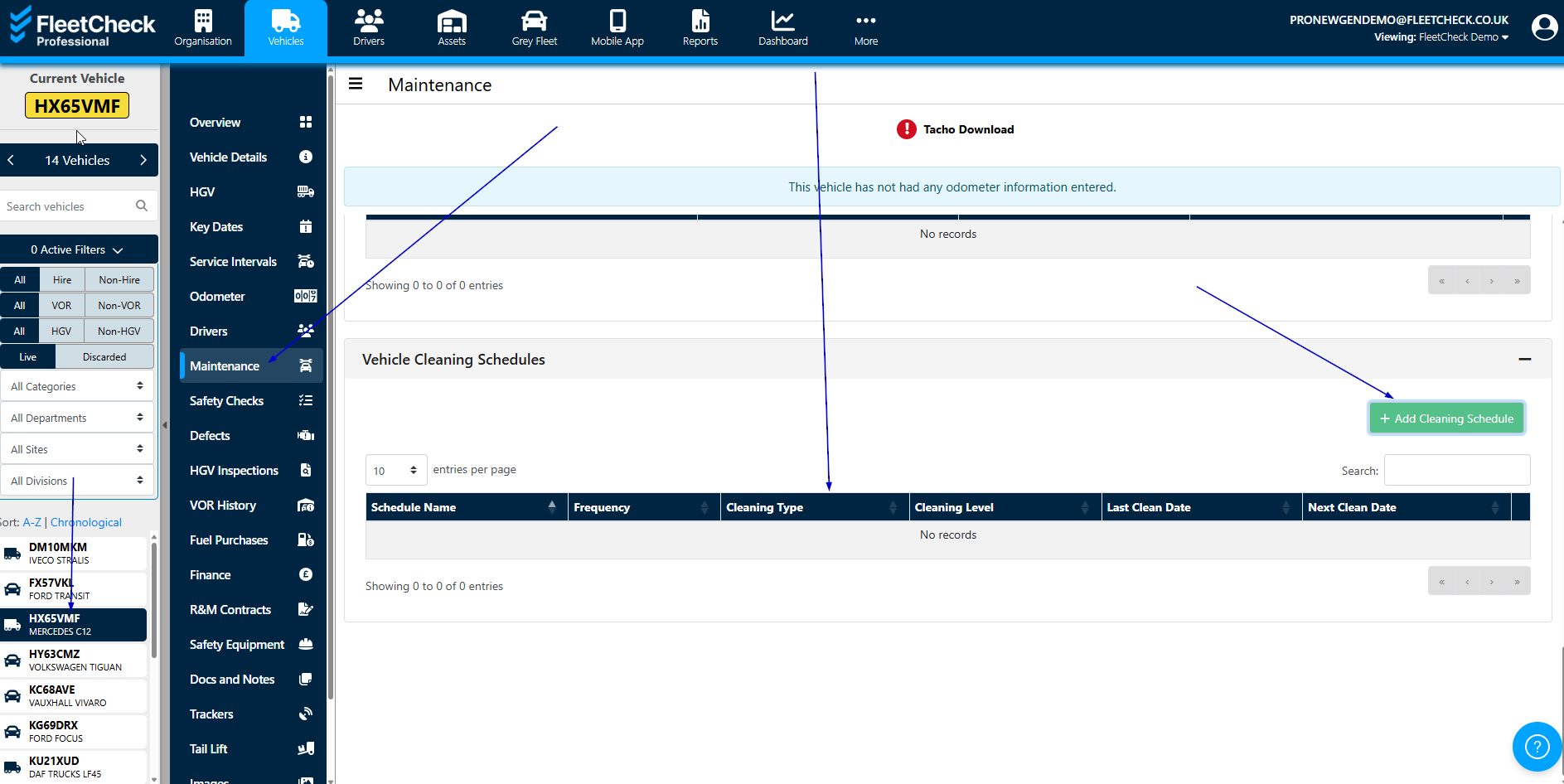
You can then add the vehicle cleaning schedules via the ‘maintenance’ tab of each vehicle at the bottom of the page.
Once you have selected the schedule you can then set the cleaning frequency etc
You can Record the completed clean in the area just above the vehicle cleaning schedules area -
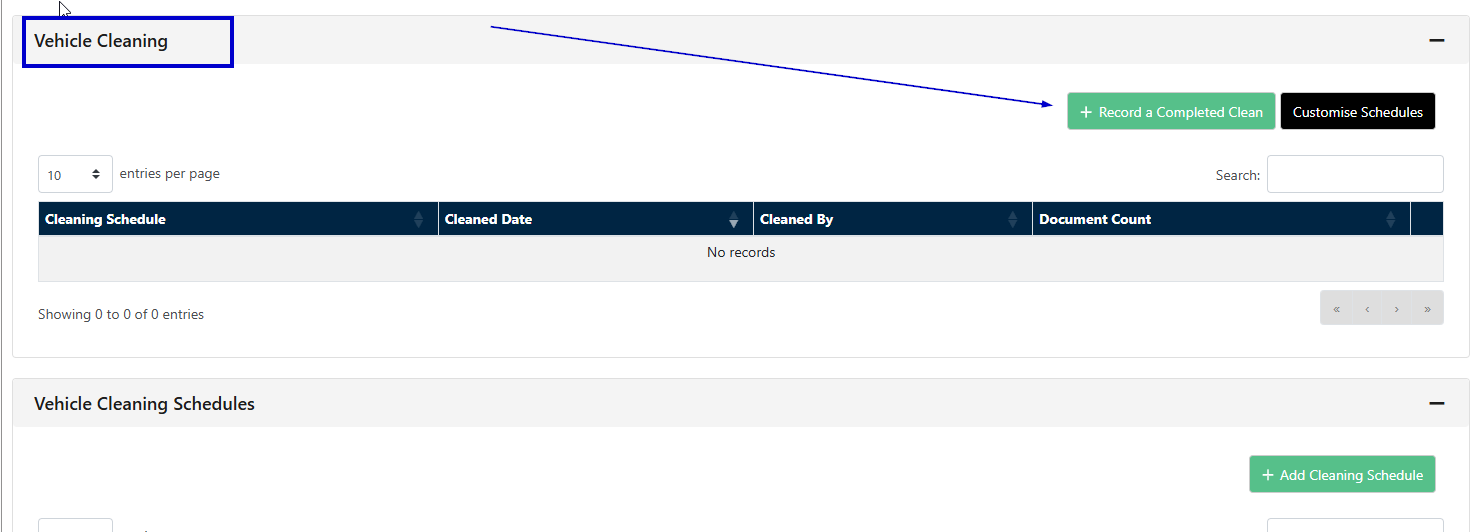
If you select Customise Schedules this will take you back to the Settings area to create your Cleaning Schedules as documented at the start of this article.