Checksheets are important for your drivers to fill out so that any faults are identified to ensure safety is maintained.
Categories can be used to determine what checksheets are accessible to certain groups by assigning them a status so that they are only visible for specific vehicles/drivers.
For example, a HGV driver in a category HGV would login and see the HGV Checksheet, and not the other vehicle types within their fleet.
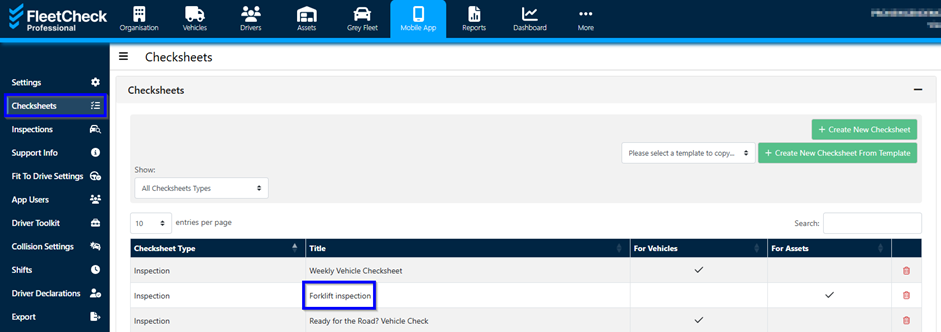
To apply a checksheet filter within a category go to 'Mobile App' at the top of the screen and then the 'checksheets' tab on the left hand side menu - once you are in the 'checksheets' tab select the relevant checksheet title from the list.
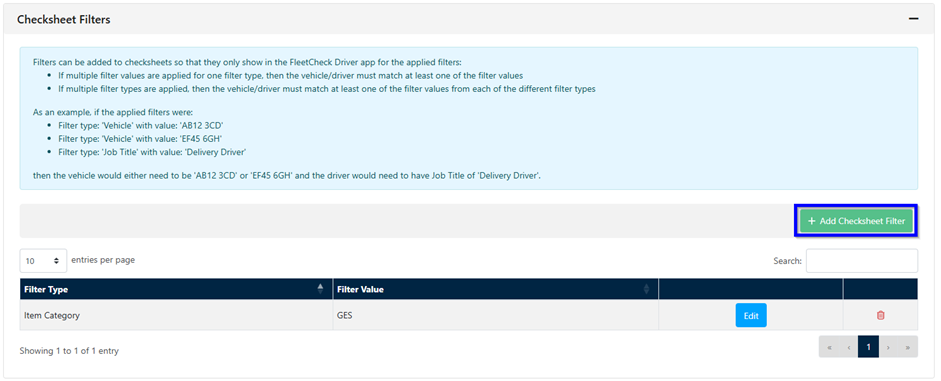
In the 'Checksheet Filters' section at the very bottom click '+Add Checksheet Filter'
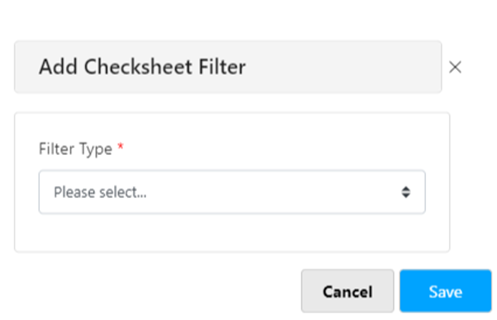
In the pop-up window select which category type and then the category that this check sheet will belong to.
Once saved, your filters will be displayed at the bottom of the page as below, for you to test if required.
