Within FleetCheck you can create a robust audit trail for all the maintenance work carried out on a vehicle.
Start by selecting 'Vehicles' from main menu, then the vehicle's registration from the left side bar, then the 'Maintenance' tab. In this page you can view any appointments on the system, invoices and transactions all in one location.
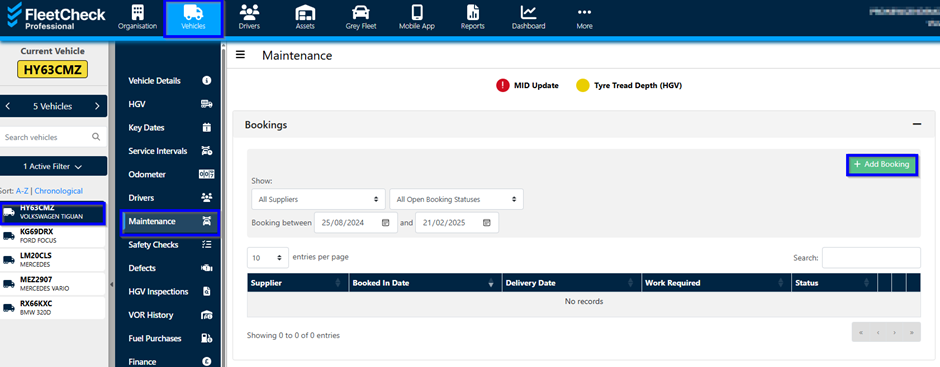
To add a maintenance booking click "+ Add Booking" and enter all relevant information - required fields are marked with a "*" (red asterix). A warning message will let you know if any required information is missing.
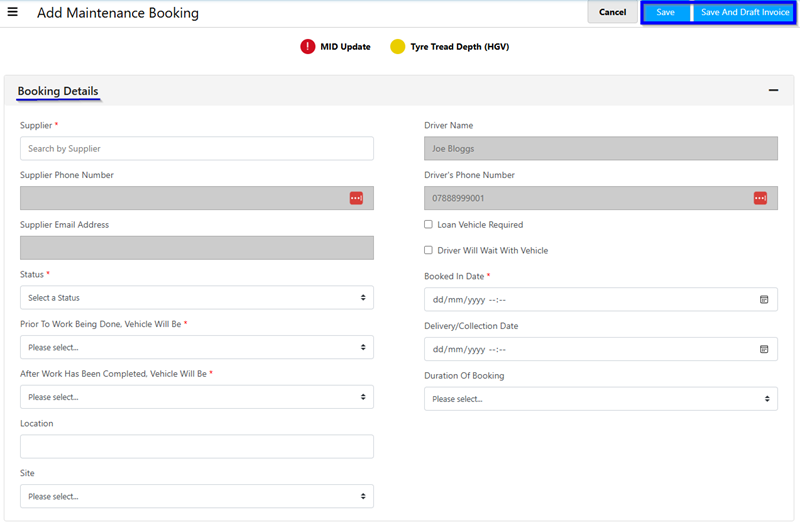
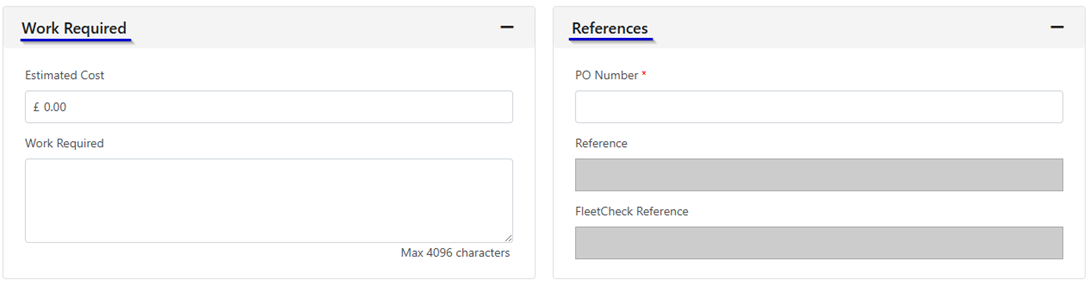
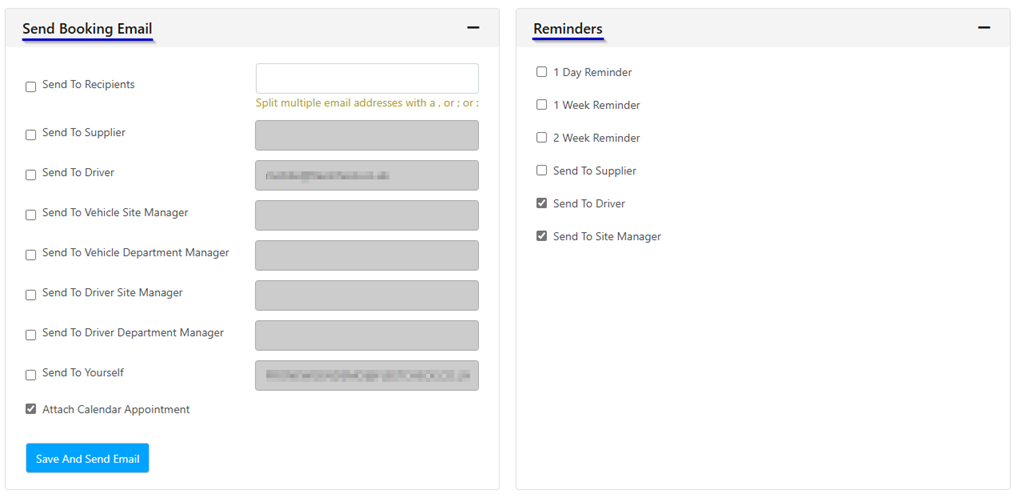
Also on this page are options to send booking emails, set reminders and estimate cost. Click either "Save" or "Save And Draft Invoice" to complete the booking setup and create an invoice for the booking.